
We’ve all felt that rising panic as our phone’s battery dips into the red. In that moment, a public USB port or a stranger’s charging cable can feel like a lifeline. But could that lifeline be a security risk? To cut through the myths and paranoia, we sat down with Oscar Vail, a leading expert in consumer technology and digital security. He walks us through the real-world threat of “juice jacking,” explaining how these attacks are executed, why modern smartphones are surprisingly well-defended, and what simple, crucial steps we can take to protect our most personal data without giving up on public charging entirely.
The article discusses “juice jacking” through cables with hidden chips. Can you walk me through the step-by-step process of how an attacker executes this, from modifying the cable to the specific types of data they are able to steal first?
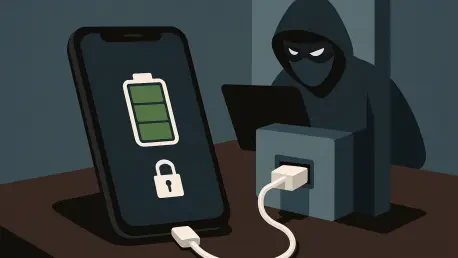
Absolutely, and it’s a more tangible threat than many people realize. It starts with the cable itself. An attacker embeds a tiny, malicious chip right inside the USB connector. To the naked eye, it looks completely normal. When you, in a moment of low-battery desperation, plug this cable into your phone, the chip activates. At a minimum, it acts like a digital wiretap, allowing the attacker to collect any data that is sent over that connection. But a sophisticated actor can take it much further. The chip can be used to install a remote access tool directly onto your device, giving them a backdoor to your digital life long after you’ve unplugged. This isn’t just about phones either; the same method can compromise tablets and laptops.
You mentioned that malicious cables are readily available online. What is the typical cost and technical skill required to use one? Please describe a real-world scenario where such a cable was used to compromise a device in a public space like an airport.
That’s the unsettling part—the barrier to entry is surprisingly low. These modified cables can be purchased online with relative ease, meaning an attacker doesn’t need to be a hardware wizard to get started. Imagine this scenario: you’re at the airport, your flight is delayed, and your phone is at 5%. You see a charging cable just left behind at a charging station. You feel a sense of relief, plug it in, and continue scrolling. What you don’t realize is that the cable was planted there. The moment you connect it, an attacker sitting nearby could be using that setup chip in the cable to install a command tool on your device, gaining access without you ever knowing.
The piece notes that modern phones block data transfer by default. Can you detail how this protection works differently on an iPhone versus an Android device? What are the key vulnerabilities that remain despite these strong, default safeguards?
This is where the good news comes in. Both iOS and Android have become incredibly robust in defending against this. The core principle is the same across both platforms: when you plug your phone into a new USB port, the device defaults to a “charge-only” mode. It treats the connection as nothing more than a power source and physically blocks the data transfer pins from communicating. This is a powerful, default safeguard that stops most casual attacks cold. The key vulnerability, however, isn’t technological—it’s human. The entire system relies on the user not overriding that protection. The biggest remaining weakness is that an attacker can trick you into manually granting data access, bypassing all the sophisticated defenses your phone has in place.
You stressed never to select ‘Trust This Computer’ on a prompt. Beyond basic file access, what specific permissions and device controls are granted when someone taps ‘trust’? Could you share a hypothetical example of the worst-case scenario unfolding from this one action?
That prompt is the digital equivalent of a gatekeeper asking if you want to hand over the keys to your entire house. Tapping ‘trust’ does far more than just allow photo transfers. It grants the connected device a deep level of privileged access, enabling it to execute commands, install new configuration profiles, and potentially even deploy malware. A worst-case scenario from this one tap is terrifying. An attacker, using a compromised charging station in a coffee shop, could push a remote access tool onto your phone. From that point on, they could have unauthorized access to your banking apps, private messages, and location data, all because of a single, seemingly innocent tap made while you were just trying to get a 20% battery boost.
A USB write blocker was recommended as a key safeguard. For our readers, could you explain how this gadget physically prevents a data connection while still allowing power? What should a consumer look for to ensure they’re buying an effective one and not a gimmick?
A USB write blocker, or “data blocker,” is a fantastic little piece of hardware and one of my top recommendations for frequent travelers. Think of a standard USB cable as having separate lanes for power and data. What this small adapter does is physically sever the data lanes. It’s a simple plug that goes on the end of your USB cable, and it has no pins for data transfer, only for power. This creates a one-way street for electricity to flow into your device, but it puts up a complete dead-end for any data trying to go in or out. When buying one, you should look for a reputable brand and avoid the absolute cheapest options, as you want to ensure it’s well-made and truly only has the power pins connected. It’s a purely physical solution, so there’s no software to hack—it either works or it doesn’t.
What is your forecast for the future of public charging security? As we move toward 2026 and beyond, do you foresee new attack methods emerging, or will advancements in device security make “juice jacking” a forgotten threat?
I believe we’re in a constant cat-and-mouse game. Device manufacturers will continue to strengthen on-device security, making purely technical exploits like unauthorized data pushes increasingly difficult. However, the threat won’t be forgotten; it will evolve. By 2026, I forecast that attackers will focus less on trying to brute-force their way past the phone’s software and more on social engineering. The attacks will become more sophisticated in how they trick the user into granting permission. We might see malicious charging stations with screens that display fake error messages, instructing users to “tap ‘Trust’ to optimize charging.” The fundamental vulnerability will remain the human in a hurry, and future attacks will be designed to exploit that moment of panic, not a software flaw.