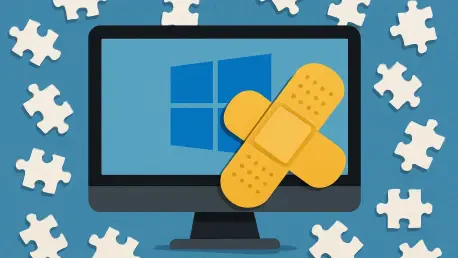

Cybersecurity resilience often hinges on the ability of software developers to outpace the rapid evolution of digital threats through comprehensive and timely system maintenance. The release of the April 2026 security update, identified as KB5083769, marks a significant milestone in this ongoing effort, as Microsoft addresses a massive collection of 163 security vulnerabilities. This deployment represents the second-largest security undertaking in the history of the Windows operating system, specifically targeting the latest iterations of Windows 11, including versions 25## and 24##. By delivering such an expansive set of fixes, the update seeks to fortify the digital infrastructure of millions of users against a backdrop of increasingly sophisticated cyberattacks. Beyond mere defense, the package introduces a harmonious blend of administrative flexibility and performance optimizations that signal a deeper shift in how the platform balances rigid security protocols with the fluid needs of modern hardware and enterprise management environments.
Critical Vulnerabilities: Assessing the Immediate Risks
The sheer volume of patches contained in this update highlights the complexity of modern operating systems and the persistent nature of software vulnerabilities. Among the 163 addressed flaws, eight have been categorized as critical, representing the highest level of risk to system integrity. One of the most pressing concerns involved a high-priority vulnerability within the Remote Desktop Client, which could have allowed unauthorized access under specific conditions. Additionally, the update resolves an actively exploited SharePoint Server spoofing vulnerability, documented as CVE-2026-32201, which posed a direct threat to corporate data environments. By neutralizing these entry points, the update prevents potential attackers from executing remote code or escalating privileges within a network. This proactive stance is essential for maintaining the trust of enterprise clients who rely on these services for daily collaboration and secure communication across global infrastructures.
Furthermore, the maintenance cycle addresses long-term stability concerns related to the system’s foundational security layers. Microsoft has utilized this window to roll out replacement Secure Boot certificates, a move necessitated by the upcoming June 2026 expiration deadline for existing digital signatures. Failing to update these certificates could have resulted in widespread boot failures or left systems unable to verify the authenticity of the operating system during start-up. This forward-thinking adjustment ensures that the hardware-root-of-trust remains intact as the ecosystem transitions toward new security standards. The technical precision required to replace these certificates without disrupting the user experience underscores the logistical complexity of the KB5083769 release. This focus on the underlying architecture demonstrates that while zero-day exploits often capture the headlines, the routine maintenance of cryptographic foundations is equally vital for the long-term health of the Windows platform.
Accessibility and User Experience: Expanding AI Integration
A transformative aspect of this update is the democratization of advanced artificial intelligence features that were previously restricted to specialized hardware. Microsoft has successfully expanded the Narrator image description capabilities to all Windows 11 PCs, decoupling this accessibility tool from the exclusive hardware requirements of Copilot+ devices. By integrating Copilot directly into the Narrator function, users can now generate detailed visual analysis of on-screen elements through simple keyboard shortcuts. This shift reflects a commitment to inclusive design, ensuring that assistive technologies benefit a wider range of users regardless of their processor specifications. This integration does not merely offer a text-to-speech service but provides a contextual understanding of digital environments, allowing visually impaired users to interact with complex graphical interfaces more effectively. Such improvements illustrate how AI is being leveraged to remove traditional barriers in computing.
In tandem with these accessibility upgrades, the update introduces meaningful refinements to the daily workflow within the Windows environment. The File Explorer has been enhanced with Voice Typing capabilities for file renaming, streamlining a common task for users who prefer dictation or have limited mobility. Moreover, the Settings app has undergone a significant visual and functional overhaul to align with the modern design language of Windows 11, resulting in faster load times and clearer hardware information displays. These usability improvements are complemented by more intuitive permission sorting and administrative controls, which reduce the friction often associated with managing system preferences. By focusing on these granular details, the update elevates the overall user experience, making the operating system feel more responsive and cohesive. The combination of high-level AI features and practical interface tweaks ensures that the platform remains both powerful and accessible to its diverse global audience.
Hardware Support: Preparing for Next-Generation Displays
The April update also caters to the needs of enthusiasts and professional users by expanding support for cutting-edge display technologies and high-speed peripheral standards. Windows 11 now natively supports monitor refresh rates exceeding 1000Hz, a move that anticipates the arrival of ultra-high-performance gaming and professional visualization hardware. This technical milestone is paired with power-saving optimizations specifically designed for USB4 displays, allowing for more efficient energy management without compromising visual fidelity. These enhancements are particularly relevant as the industry moves toward more demanding graphical workloads and portable workstations that require a balance between performance and battery longevity. By optimizing the display stack, the system can better handle the throughput of modern video interfaces, ensuring a smoother and more reliable experience for users working with high-resolution assets or engaging in competitive electronic sports.
Beyond display performance, the update provides administrators with greater flexibility in managing system security through changes to Smart App Control. Previously, toggling this feature often required a complete reinstallation of the operating system, creating a significant hurdle for IT departments that needed to test new software or adjust security levels on the fly. The new implementation allows this feature to be adjusted without such drastic measures, enabling a more agile approach to platform protection. This change is indicative of a broader strategy to make Windows 11 more adaptable to the varied requirements of enterprise and home users alike. Administrators can now balance the rigorous demands of application white-listing with the practical realities of software deployment and testing. This evolution in management capability, combined with the support for advanced hardware, positioned the platform as a resilient and future-ready environment for the next phase of digital productivity.
Future Considerations: Strategic Next Steps for Administrators
System administrators and home users prioritized the immediate installation of the KB5083769 update to safeguard their environments against the identified 163 vulnerabilities. Given the critical nature of the SharePoint and Remote Desktop Client fixes, organizations were encouraged to conduct staged deployments to verify compatibility with existing internal applications before a full-scale rollout. IT departments utilized this period to review their Secure Boot configurations, ensuring that the new certificates were correctly applied ahead of the mid-year expiration. This proactive verification process was essential to prevent potential boot errors on older hardware that might have struggled with the certificate transition. By aligning security protocols with the new administrative flexibility offered by the Smart App Control updates, teams managed to create more dynamic and responsive security postures.
Looking ahead, users should have explored the new AI-driven accessibility features to maximize the utility of their current hardware. The expansion of Narrator capabilities served as an excellent opportunity for organizations to update their internal accessibility guidelines, ensuring that all employees could benefit from the enhanced visual descriptions. Furthermore, as display technology continues to advance, monitoring the performance of USB4 peripherals and high-refresh-rate screens became a key part of hardware lifecycle management. The successful integration of these updates suggested that future maintenance cycles would likely continue to blur the lines between security, accessibility, and high-performance computing. Users remained vigilant for subsequent patches, maintaining a consistent update cadence to ensure that their systems remained protected against the evolving landscape of digital threats throughout 2026 and into 2027.