
The familiar blue dot charting our course has long been a staple of digital navigation, yet its guidance often felt more robotic than relational, a gap Google now aims to bridge with its latest updates. For years, drivers have grappled with abstract instructions that require more calculation than intuition, turning simple trips into exercises in guesswork. In response, Google is rolling out a series of enhancements designed to transform its mapping service into a more intelligent and conversational co-pilot, one that understands the world not just in miles and meters, but through landmarks and natural language. These changes signal a significant strategic shift toward a more human-centered user experience, aiming to make navigation seamless, intuitive, and fundamentally more helpful.
A More Human Approach to Navigation
The era of puzzling over abstract distance-based commands like “turn left in three-quarters of a mile” is drawing to a close. Such directions often leave drivers anxiously watching their odometer, trying to mentally convert fractions of a mile into a tangible turning point. This method, while technically accurate, lacks the contextual awareness that a human passenger would naturally provide. The latest updates to Google Maps directly address this long-standing user frustration by moving away from purely numerical guidance toward a system that mirrors how people actually navigate their surroundings.
This evolution reimagines the application as an intelligent partner in the driver’s seat. The goal is to create a digital co-pilot that speaks a more intuitive language, one grounded in the visible environment. By providing directions that reference recognizable buildings, restaurants, and other points of interest, the app begins to understand and communicate based on what the driver can see. This shift from abstract data to real-world context marks a pivotal moment in the development of navigation technology, making the experience feel less like following a machine and more like taking advice from a trusted guide.
The Competitive Drive for an Intuitive Dashboard
In the highly competitive market for digital navigation, constant innovation is not just a goal but a necessity for survival and dominance. The battle for the user’s dashboard is fierce, particularly in key markets like the United States, where a surprising 55% of iPhone users report a preference for Apple Maps. This statistic underscores the challenge Google faces in retaining and growing its user base on non-native platforms, compelling the company to deliver features that are not just functional but demonstrably superior in their user experience.
These updates, therefore, are more than just incremental improvements; they represent a strategic push to reinforce Google’s global leadership. While the platform holds a significant advantage worldwide due to its comprehensive business listings and robust transit information, user interface and intuitive design are critical battlegrounds. By integrating more conversational AI and landmark-based directions, Google is aiming to create a more compelling and user-friendly product that appeals to drivers on all operating systems, solidifying its position as the default choice for navigation through superior design and intelligence.
A Closer Look at the New Features
At the core of this update is the integration of advanced conversational AI, powered by Gemini, which allows for more complex and natural interactions. Users can now move beyond simple commands and engage in a dialogue with the app. For instance, one can ask multifaceted questions such as, “Is there a budget-friendly restaurant with vegan options along my route?” and seamlessly follow up with a command like, “OK, let’s go there,” to initiate navigation. This feature also supports multitasking without leaving the map screen, enabling users to add events to their Google Calendar or get a summary of the latest news.
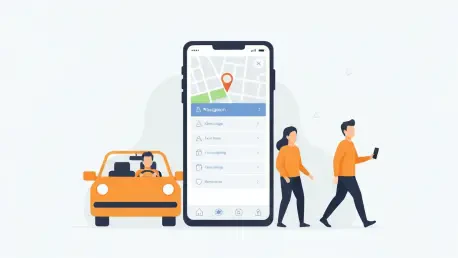
Complementing the conversational AI is the introduction of landmark-based directions, which guide users by sight rather than by numbers. The application now provides instructions such as, “turn right after the Thai Siam Restaurant,” making navigation more intuitive for drivers. To enhance this feature, the map visually highlights the specified landmark as the vehicle approaches, providing a clear and unmistakable visual cue. This method leverages the driver’s natural environmental awareness, reducing the cognitive load required to follow the route.
Finally, a significant user interface enhancement comes in the form of a streamlined and reorganized settings menu, available on both Android and iOS. This update declutters the interface, making it easier for users to find and adjust their preferences. The settings are now logically grouped into key categories, including App & display, Navigation, Your vehicles, Location & privacy, and Offline maps. This cleaner toolkit ensures that customizing the app’s behavior is a more straightforward and intuitive process.
From Code to Concrete The Real-World Impact
Behind the new landmark feature is a sophisticated system that leverages Google’s vast repository of data. According to the company, the system analyzes “fresh, comprehensive information about 250 million places and cross-referencing it with Street View images to curate the most useful landmarks.” This process is designed to select points of interest that are clearly visible from the street, ensuring that the guidance is both accurate and genuinely helpful for the person behind the wheel. The technology aims to intelligently filter through countless potential landmarks to identify the ones most likely to aid navigation.
However, the transition from development to real-world application is not always seamless. In one firsthand account, a user driving with an iPhone 15 Pro Max noted that while the feature was active, the restaurant mentioned as a landmark was “not that easy to find.” This experience highlights a potential area for refinement, suggesting that the algorithm’s selection of “useful” landmarks may not always align perfectly with a driver’s perspective on the ground. Such feedback is crucial as it points toward the ongoing tuning required to perfect this promising technology.
Accessing the Upgrades and What to Expect
For users eager to explore the redesigned interface, accessing the new settings menu is a simple process. First, open the Google Maps application. Next, tap on the user profile picture, which is located to the right of the main search bar at the top of the screen. From the resulting menu, select “Settings” to view and interact with the new, reorganized layout. This straightforward path ensures that all users can easily discover and customize the new options.
The rollout of these features is being managed through a server-side update, meaning the changes may appear automatically without requiring users to manually download a new version of the app from their respective app stores. The enhancements are being implemented for version 25.49 of Google Maps and are becoming available on both the stable and beta channels for Android and iOS devices. This phased deployment ensures stability and allows the system to be updated for a broad user base simultaneously.
It is important to note a key difference for users across platforms. While Google Maps is the default navigation app on all Android devices, it must be proactively installed on Apple products. iPhone users wishing to take advantage of these new features will need to download the Google Maps application from the App Store if they have not already done so.
The recent enhancements to Google Maps represented a clear and decisive turn away from purely data-driven navigation. The introduction of conversational AI and landmark-based guidance signaled a deeper commitment to creating a user experience that felt more intuitive and human. These changes were not merely cosmetic; they fundamentally altered the interaction between the driver and the digital tool, transforming the app into a more perceptive and context-aware partner. This evolution ultimately marked a significant milestone in the ongoing effort to make technology a more seamless extension of human awareness.