
Oscar Vail is a seasoned technology expert whose career has traced the evolution of the modern smartphone from its early industrial roots to the current era of generative AI. With a background that spans quantum computing and robotics, he offers a unique perspective on how hardware innovations—like pixel-level privacy and sensor-stabilized videography—intersect with the sophisticated software layers of today’s flagship devices.
In this conversation, we explore the intricate engineering of the latest mobile hardware, the practical realities of managing multiple AI assistants, and the shifting material trends that define the premium smartphone experience.
Hardware-level privacy displays now use alternating narrow and wide pixels to shield sensitive data like PIN entries or specific apps from onlookers. How does this pixel-level control affect color saturation for the primary user, and in what specific social scenarios is per-app privacy most effective for protecting personal data?
When you engage the Privacy Display mode, you are essentially turning off the “wide” pixels in an every-other-pixel pattern to restrict the viewing angle. From the primary user’s perspective, this results in a slightly desaturated look because you are losing half of the light-emitting sources normally used to produce vibrant colors. To get the most effective shield, you have to enable “Maximum privacy protection,” which makes the screen look almost black to anyone not perfectly perpendicular to the device. In social settings, this is a game-changer for high-traffic environments like a crowded subway or a busy elevator where you might want to scroll through your TikTok or Instagram feed without onlookers judging your algorithm. It is also vital for transactional moments, as the hardware can be set to automatically black out notification popups, patterns, and PIN entries only when they appear, leaving the rest of the 6.9-inch Dynamic AMOLED screen in standard mode.
Mobile videography has advanced to include a 360-degree horizontal lock that keeps footage level even if the device is fully rotated. What are the engineering challenges of syncing the gyroscope with sensor cropping to achieve this, and how should creators adjust their movements to get the best results?
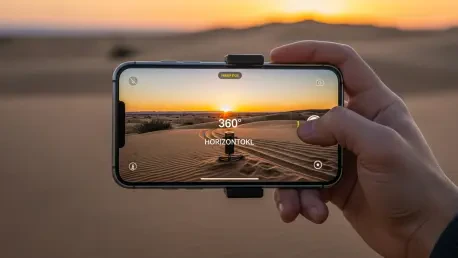
The engineering behind this “Super Steady” update is quite a feat because it requires the gyroscope and accelerometer to talk to the software in real-time to maintain a fixed horizontal plane, regardless of the phone’s physical orientation. To achieve a full 360-degree lock, the system relies on significant sensor cropping, utilizing the massive resolution of the 200MP sensor to ensure there is enough “buffer” imagery to rotate the frame internally. For creators, the best results come from fluid, sweeping motions; even though the software is doing the heavy lifting, extreme jarring can still introduce some artifacts. It actually far exceeds the performance of traditional “Action Modes” found on other flagships, allowing you to literally spin the phone like a propeller while the horizon stays perfectly flat. This makes it an incredible tool for extreme sports or high-motion vlogging where a traditional gimbal would be too bulky to carry.
High-end devices are increasingly launching with multiple AI assistants, including agentic tools for booking rides and cloud-based search engines. How can a user best manage the overlap between these various engines to maximize productivity, and what are the specific steps for troubleshooting an AI-automated service request?
Managing the “AI overlap” between Bixby, Gemini, and Perplexity requires a bit of a learning curve to understand which tool excels at which task. For instance, Bixby is often best for local device commands like changing your photo aspect ratio to 16:9, while Gemini handles agentic tasks like attempting to book an Uber in the background. If an automated request fails—such as Gemini claiming a ride is booked when the Uber app shows nothing—the first step is to check the third-party app integration directly to verify the data handoff. Users should then provide specific clarifying information, like pickup addresses and preferred ride types, to the AI to re-initialize the request. We are currently in an “over-saturated” era where redundancy is common, so I recommend picking one primary assistant for general knowledge, like Perplexity, to avoid getting conflicting answers from different cloud engines.
Flagship cameras are moving toward wider f/1.4 apertures on high-resolution 200MP sensors to improve low-light performance. How does modern image processing identify and neutralize the unique noise signatures of these specific lenses during night photography, and what metrics indicate a successful reduction in grain without losing detail?
Modern image processing has become incredibly sophisticated, now allowing the device to understand the “native noise signature” of each individual lens, such as the f/1.4 main sensor or the f/2.9 telephoto. By identifying these specific patterns, the ISP can neutralize grain at a granular level during the “Nightography” phase without washing out the fine textures of the subject. A successful reduction in grain is best measured by looking at high-contrast areas, such as stars in a night sky or moving clouds in a hyperlapse video, where you want to see deep blacks without “dancing” digital noise. In my testing, these wider apertures allow for much clearer 12MP binned shots that rival the clarity of professional setups. When you can capture a 7-second nighttime video of high-altitude jets and see distinct edges rather than a blurry mess, you know the noise-neutralization algorithm is working correctly.
Integrated styluses now feature pressure sensitivity and dedicated shortcut buttons for creative tasks like sketching or note-taking. How does this hardware specifically streamline the process of using generative AI to turn rough doodles into polished art, and what is the step-by-step workflow for a mobile-first designer?
The S Pen acts as a precision bridge between human intent and AI execution, where the pressure sensitivity allows for more nuanced “rough sketches” that the generative engine uses as a blueprint. A typical workflow begins with the designer using the Sketchbook app to draw a basic concept, perhaps using the side button for quick eraser access to refine the silhouette. Once the doodle is finished, you invoke the “Sketch to Image” feature within Galaxy AI, which interprets those lines and transforms them into a polished 2D or 3D artwork. It is a highly iterative process; for example, you might sketch a dinosaur and the AI produces a crocodile, requiring you to add more specific visual cues or text prompts to guide the generation. This turns a 214-gram smartphone into a mobile studio where a designer can generate custom stickers or social media assets in minutes rather than hours.
Some manufacturers are shifting from titanium back to specialized aluminum to allow for thinner profiles and more diverse color palettes. What are the practical durability trade-offs when making this material change, and why has the industry seemingly hesitated to adopt built-in magnetic charging for all flagship models?
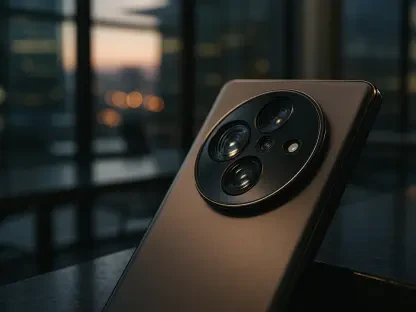
Moving from titanium to Armor Aluminum allows for a thinner 7.9mm profile and weight reduction, but the trade-off is that aluminum is a softer metal, making it slightly more prone to deep scratches or dings if dropped. However, the use of Gorilla Glass Armor 2 on the front and Victus 2 on the back mitigates much of this risk, maintaining an IP68 rating for dust and water resistance. The hesitation around built-in magnetic charging, like a MagSafe equivalent, is likely due to the internal real estate required for shielding and alignment magnets, which can interfere with the integrated stylus or the 5,000mAh battery placement. While some brands are finally adopting “Snap” style magnets, others still rely on magnetic cases rather than built-in hardware to keep the chassis as light as possible. It’s a delicate balance between adding convenient features and maintaining the sleek, 214-gram “Ultra” aesthetic that users expect.
Modern mobile chips now feature customized speeds and dedicated neural processing units for local AI tasks. How do upgraded cooling systems like vapor chambers prevent thermal throttling during high-end gaming, and what specific power management settings are necessary to stretch a high-resolution display’s battery life over 48 hours?
Upgraded vapor chambers act as a thermal buffer, dissipating heat across a larger surface area so the Snapdragon 8 Elite Gen 5 can maintain its “for Galaxy” boosted clock speeds without downclocking during intense sessions of PUBG or Asphalt 9. This cooling efficiency is critical because it prevents the frame rate drops that occur when a processor gets too hot to handle high-fidelity graphics. To stretch the battery life to a full 48 hours, you must adjust the display settings from the default QHD+ resolution down to FHD+ and cap the refresh rate if you don’t need the 120Hz fluidity. Additionally, the 3-nanometer architecture of the chip works with the OneUI 8.5 power management to put background tasks to sleep aggressively. In my experience, even with these optimizations, the device remains incredibly snappy, proving that you don’t always need to run at “full throttle” to have a premium experience.
What is your forecast for the future of flagship smartphones?
I believe we are moving toward a “post-app” era where the smartphone becomes a truly agentic companion, shifting from a device you operate to one that proactively does your bidding. Within the next few years, the hardware will likely stabilize around these 6.9-inch form factors, but the internal AI will become “invisible,” consolidating the currently redundant engines like Bixby and Gemini into a single, seamless interface. We will see even deeper integration of hardware-level privacy and advanced optics that make 10x or even 100x zoom indistinguishable from professional glass. Ultimately, the flagship of the future won’t just be a pocket computer; it will be a personalized, secure node that manages your digital life with minimal manual input, all while maintaining the multi-day battery life that users clearly still prioritize.