
Oscar Vail is a seasoned technology expert with a deep-seated passion for the intricate mechanics of mobile hardware and the evolving landscape of open-source projects. With years of experience monitoring the Google Pixel ecosystem, he has developed a sharp eye for distinguishing between minor software glitches and significant engineering oversights. In this discussion, we explore the recent reports regarding the Pixel 10 Pro’s flashlight module, examining the technical realities behind heat-induced damage and what these incidents mean for the future of premium smartphone design.
The conversation covers the engineering mechanics of thermal safeguards, the visual differences between standard LED components and actual hardware defects, and the broader impact of launch-window bugs on brand reputation.
Some users report charred holes in the flashlight module or damage to nearby objects like keyboards. How do thermal safeguards usually prevent this, and what specific engineering failures might allow a flagship phone to reach temperatures high enough to melt plastic components?
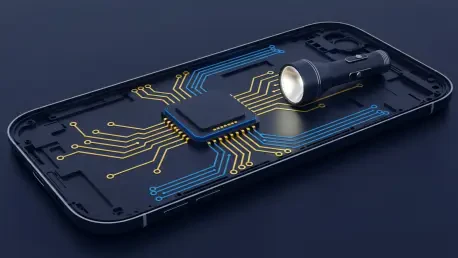
Modern smartphones are engineered with sophisticated thermal management systems that utilize internal sensors to monitor the temperature of high-intensity components like the LED module. Typically, when a threshold is reached, the system triggers a “thermal throttle” that dims the light or shuts it off entirely to protect the plastic diffuser and surrounding chassis. In the cases involving the Pixel 10 Pro, a failure likely occurs when these sensors or the governing software fail to account for external insulation, such as the phone being trapped in a pocket. When heat cannot dissipate, it builds up rapidly, eventually exceeding the melting point of the plastic lens and creating that charred, dark hole seen in some reports. For a $999 flagship to allow this, there is likely a gap in the fail-safe logic that should prioritize hardware integrity over persistent light output.
Many owners mistake the standard orange LED emitter for actual heat damage. How can users distinguish between a factory-standard component and a genuine burn mark, and what visual cues indicate a hardware defect rather than a normal design characteristic?
It is very common for users to look closely at their devices and notice a small orange or yellow dot centered behind the flashlight lens, which is actually just the LED emitter visible through the diffuser. On a brand-new device, this dot will appear perfectly symmetrical and consistent in color, serving as a sign of a healthy component rather than a flaw. Genuine heat damage, however, presents as a dark brown or black irregular mark that physically alters the texture of the lens. You should look for signs of melting, a “charred” appearance, or a hole that looks like it was poked through the material, which are clear indicators of a hardware defect. If the mark was not there when you unboxed the phone and has developed over time alongside intense heat, it is almost certainly a burn.
Recent software updates allow for adjustable flashlight brightness, including levels beyond the original default. How does increasing intensity impact thermal management, and what steps should be taken to ensure that software features do not override critical hardware safety limits?
Increasing the brightness of an LED directly correlates to higher power consumption and, consequently, a significant rise in thermal output. With the introduction of features like the brightness slider in Android 16 QPR3, the device is being pushed to intensities that may test the original thermal boundaries of the hardware. To prevent damage, developers must implement strict software “hard caps” that override user preferences if the internal thermistor detects a dangerous temperature spike. It is a delicate balance because while users want more utility, the software must act as a vigilant guardian that refuses to let the hardware reach the point of self-destruction. Ensuring these safety limits are baked into the kernel level, rather than just the user interface, is essential for protecting the device’s physical components.
The latest smartphone generation has faced various launch-window hurdles, including touchscreen glitches and connectivity bugs. How do these recurring hardware and software inconsistencies affect a brand’s reputation in the premium market, and what must a company do to regain consumer trust?
When a consumer spends $999 on a flagship, they expect a polished experience, and recurring issues like the Wi-Fi and Bluetooth breaks seen in the January update can quickly erode that confidence. These “bumpy” launches create a narrative of instability that can overshadow the innovative features of the Pixel 10 series, such as its advanced camera system. To regain trust, a company must move beyond silent patches and offer transparent communication regarding why these failures occurred and what is being done to prevent them in future iterations. Consistent, high-quality monthly updates that actually fix more than they break are the only way to prove to the premium market that the brand is committed to long-term reliability.
If a device is kept in a pocket or bag while the flashlight is active, heat can become trapped and cause damage. What are the best practices for managing device thermals during extended use, and how should a consumer handle a warranty claim if they find physical marks?
The best practice is to treat the smartphone flashlight as a temporary utility rather than a long-term lighting solution; if you need light for more than a few minutes, use a dedicated peripheral. You should never leave the flashlight on while the phone is face-down on a surface or tucked away in a pocket, as these environments act as insulators that trap heat against the plastic lens. If you do discover physical damage, such as a charred hole or a melted palm rest on your keyboard, document the damage immediately with clear photos. Reach out to the manufacturer’s support team while the device is still under its original warranty, as a $999 flagship should not be capable of melting itself under any standard use case.
Do you have any advice for our readers?
My best advice is to remain observant but not paranoid about your hardware; take a moment today to look at your flashlight module while it is off to familiarize yourself with the natural orange hue of the LED emitter. This baseline will help you stay calm if you hear rumors of defects, but it also ensures you will notice immediately if a genuine dark burn mark begins to form. If you ever feel your phone getting uncomfortably hot during a task, give it a five-minute break out of its case—proactive thermal management is the easiest way to extend the lifespan of any high-end piece of technology.