
Oscar Vail is a seasoned technology expert who has spent years dissecting the intersection of high-performance silicon and consumer hardware. With a professional focus on the evolution of quantum computing and robotics, he brings a unique perspective to how “mid-range” devices are increasingly adopting workstation-grade capabilities. As Apple prepares to launch the latest iPad Air, Oscar joins us to discuss how the integration of the M4 chip, along with custom N1 and C1X silicon, redefines the value proposition for students, creators, and mobile professionals alike.
The discussion centers on the hardware Leap from the M3 to the M4, exploring how the increase to 12GB of RAM and an 8-core CPU architecture impacts real-world productivity. We also delve into the implications of hardware-accelerated ray tracing for mobile gaming and design, the shift toward a purely digital eSIM ecosystem, and how the choice between the 11-inch and 13-inch forms affects the modern digital workspace.
The transition to the M4 chip introduces an 8-core CPU and a 50% increase in RAM to 12GB. How do these specific hardware upgrades change the multitasking capabilities for power users, and which professional applications will see the most significant impact from the 30% speed boost?
The jump to 12GB of RAM is perhaps the most understated yet vital part of this refresh, as it provides a much-needed ceiling for iPadOS 26 to breathe during heavy workloads. When you combine that 50% memory increase with an 8-core CPU that is 30% faster than the previous M3 model, you move from a device that handles apps one by one to a true multitasking machine. Professional video editors using apps like LumaFusion or DaVinci Resolve will feel this most during complex timeline scrubbing and background rendering where the extra memory prevents the app from “hitching.” I have found that high-resolution photo exports and large-scale data processing in spreadsheet apps also benefit immensely from this overhead, ensuring that switching between a heavy browser session and a creative suite is instantaneous and fluid.
3D rendering performance is now four times faster than earlier M1 models. Could you explain the practical benefits of hardware-accelerated ray tracing for mobile editors, and how does this shift the boundary between mid-range tablets and high-end workstations?
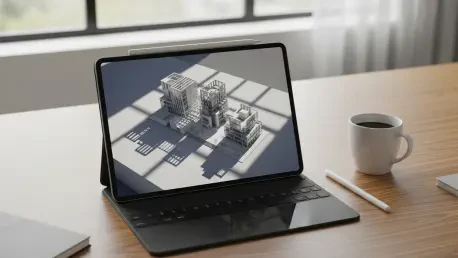
Hardware-accelerated ray tracing is a game-changer because it allows the 9-core GPU to calculate light and shadows in real-time, a task that used to be the sole domain of desktop-class GPUs. Achieving 4x faster 3D rendering compared to the M1 means that architects and game developers can now perform high-fidelity previews directly on a tablet that starts at just $599. This effectively blurs the line between a portable media device and a professional workstation, as the Air can now handle geometry-heavy scenes that previously caused lag or overheating. For the mobile editor, this translates to more realistic textures in 3D models and much faster lighting adjustments, making the iPad Air a viable primary tool for on-site creative visualization rather than just a secondary companion.
New internal silicon now supports Wi-Fi 7 and Bluetooth 6 alongside an eSIM-only cellular configuration. What are the primary advantages of these connectivity standards for remote workflows, and what logistical steps should users take when transitioning away from physical SIM cards?
The inclusion of the N1 chip for Wi-Fi 7 and the C1X modem for 5G ensures that this iPad is ready for the next decade of networking infrastructure, offering lower latency and higher bandwidth for cloud-based collaboration. Bluetooth 6 is particularly exciting for professionals using wireless peripherals, as it promises more stable and energy-efficient connections for tools like the Apple Pencil Pro or high-end audio gear. Moving to an eSIM-only setup might feel like a hurdle, but the logistical advantage is that you can switch carriers or add international data plans instantly through the software settings without hunting for a paperclip to open a tray. Users should ensure their current carrier supports eSIM transfer and keep their account credentials handy during the initial setup on March 11, 2026, to ensure a seamless digital handoff.
Users can now choose between 11-inch and 13-inch displays while utilizing the Apple Pencil Pro. How does the availability of a larger screen size affect the ergonomics of digital illustration, and what should buyers consider when choosing between the 128GB base model and higher storage tiers?
Expanding the Air lineup to include a 13-inch option—specifically a 12.9-inch Liquid Retina display—fundamentally changes the ergonomics for illustrators who need more physical space for natural arm movements and sprawling UI toolbars. The larger canvas allows for a 1:1 feel when working on standard paper-sized documents, which reduces the constant need to pinch and zoom, thereby minimizing hand fatigue during long sessions. However, when deciding on storage, buyers must look beyond the $599 or $799 starting prices and consider their long-term file management; the 128GB base model is excellent for cloud-reliant students, but if you are utilizing that M4 chip for 4K video or high-res 3D assets, you should look toward the 1TB tier. The Apple Pencil Pro features are best utilized when you have the local storage to keep your largest, most complex projects available for offline editing at any moment.
With the integration of a 16-core Neural Engine, iPadOS 26 is expected to handle more complex localized tasks. What specific AI-driven features do you expect to become standard for average consumers, and how does the cooling system manage the thermal demands of the 9-core GPU?
The 16-core Neural Engine is designed to make “intelligent” features like live subject lifting from video, real-time language translation, and automated photo retouching feel native and instant for the average user. We are moving toward a standard where your iPad will proactively manage your schedule or summarize long documents locally, ensuring your data never has to leave the device for processing. To handle the heat generated by the 9-core GPU during these intensive AI tasks or high-end gaming, Apple has optimized the internal architecture to dissipate thermal energy through the aluminum enclosure effectively. Even without a physical fan, the efficiency of the M4 silicon allows the device to maintain peak performance for longer periods without the aggressive thermal throttling that used to plague older, less efficient tablets.
What is your forecast for the iPad Air?
The iPad Air is no longer just a “lite” version of the flagship; it has become the definitive “Pro” tablet for the vast majority of the market. My forecast is that this M4-powered iteration will dominate the education and mid-tier creative sectors for the next three years, effectively forcing software developers to build even more complex, desktop-grade apps for iPadOS. By maintaining the $599 entry point while offering a 13-inch display option, Apple has created a scenario where the iPad Air will likely outsell the Pro models among everyone except the most niche specialized professionals. Expect to see this device become the standard for mobile productivity, as its combination of the M4 chip, Wi-Fi 7, and Apple Pencil Pro support offers a level of future-proofing that is currently unmatched in the tablet industry.