
At first glance, an animated sequence of characters flashing across a command-line interface seems like a quaint digital artifact, a simple nod to the early, text-based era of computing. However, the journey to create a polished, three-second animation for the GitHub Copilot command-line interface (CLI) uncovered a surprising depth of technical intricacy, transforming what appeared to be a trivial task into a formidable user interface engineering challenge. This project serves as a compelling case study, revealing the common misconception about the simplicity of modern terminal environments. Unlike the highly standardized and tool-rich world of web development, the CLI remains a fragmented landscape of legacy technologies, inconsistent behaviors, and a profound lack of established best practices for rich user experiences. The collaboration between a brand designer, Cameron Foxly, and a veteran CLI engineer, Andy Feller, forms the core of this narrative, a story of navigating a domain devoid of standard tools, predictable rendering models, or established accessibility guidelines to pioneer new techniques for building sophisticated UIs where they are least expected. Their work not only resulted in a delightful visual element but also set a new precedent for quality, accessibility, and architectural rigor in CLI development.
The Unseen Hurdles of the Humble Terminal
A World Without Standards
The primary source of difficulty in creating a rich terminal experience stems from the environment’s fundamental architecture, which is fundamentally different from that of modern graphical applications. The terminal is not a sophisticated application canvas; it lacks the advanced rendering engines found in web browsers, such as the Document Object Model (DOM), and possesses no direct equivalent to CSS for styling and layout. Consequently, every visual element, from a simple colored line to a complex animation, must be constructed from the ground up using rudimentary tools. Without a standardized rendering layer to abstract away the low-level details, creating an animation becomes a raw, manual process of manipulating a simple stream of characters. Each frame must be meticulously “painted” by sending sequences of plain text and special instructions, known as ANSI escape codes, directly to the terminal’s output. This process involves explicitly clearing the screen, repositioning the cursor to precise coordinates, and then printing the new characters for every single frame. This method is not only cumbersome but also highly susceptible to visual glitches like flickering, as there is no compositor to smooth the transitions between frames.
Compounding this foundational challenge is the severe fragmentation and inconsistent support for these critical ANSI escape codes across the myriad of terminal emulators in use today. An animation that renders perfectly in a modern emulator like iTerm2 on macOS might appear as a garbled mess of characters and symbols in an older version of PowerShell on Windows or within the integrated terminal of a specific development environment. This lack of uniformity forces developers to navigate a complex patchwork of conflicting behaviors and legacy quirks, many of which are inherited from physical hardware terminals like the VT100, which first set the standard in the 1970s. Achieving a consistent and reliable look and feel is not a matter of writing code once, but of testing and adapting it to a wide array of environments, each with its own unique interpretation of the “rules.” This forces a defensive and highly strategic approach to development, where every design choice must be weighed against its potential for failure in an unpredictable landscape.
The Conundrum of Color
Among all the technical challenges encountered during the project, managing color proved to be the most complex and persistent obstacle. The team identified three principal strategies for handling color in a CLI environment, each presenting a significant trade-off between visual richness, compatibility, and accessibility. The first option was to avoid color entirely, which guarantees universal compatibility but severely limits the ability to guide the user’s eye or establish a clear visual hierarchy. The second approach involved using rich color modes, such as 8-bit or 24-bit color, which offer an expressive and vibrant palette but suffer from wildly inconsistent rendering across different user themes, accessibility profiles, and terminal emulators. The third and final strategy was to adhere to a minimal, customizable 4-bit (16-color) palette. The team ultimately chose this third path as the safest and most user-respecting solution. This approach acknowledges that most terminal users heavily customize their environment, and it ensures that the animation remains legible and visually coherent regardless of whether the user has a light, dark, high-contrast, or otherwise unique color theme configured.
To implement this strategy effectively, the engineering team developed a sophisticated “semantic color system.” This system abstracts the concept of color away from specific, hardcoded values like “blue” or “red.” Instead, it assigns abstract, functional roles to different parts of the animation, such as eyes, goggles, shadow, and border. These semantic roles act as placeholders. At runtime, the application detects the user’s terminal environment and maps these abstract roles to the appropriate colors from the user’s configured 16-color palette. This ensures that the animation can adapt gracefully to any visual theme. For example, the shadow element will always be a darker, subtler color relative to the main elements, but the exact hue is determined by the user’s settings, not the application. This method guarantees that the visual integrity and legibility of the logo are preserved, preventing situations where, for instance, a light-colored element might disappear against a user’s light background. This deliberate choice transformed a potential point of failure into a feature that respects user preference and enhances accessibility.
Designing for Everyone
From the project’s inception, accessibility was not treated as an afterthought or a compliance checkbox but as a non-negotiable, foundational requirement that drove key architectural decisions. The team recognized that a poorly designed animation, however brief, could create a frustrating or even unusable experience for individuals relying on assistive technologies to interact with their command-line tools. This accessibility-first mindset forced a deeper consideration of how visual elements translate to non-visual experiences. For instance, for a user interacting with the terminal via a screen reader, a rapidly changing sequence of decorative ASCII characters can generate a constant stream of distracting auditory “noise,” potentially obscuring important output from the CLI tool itself. Furthermore, the design could not depend on subtle color differences to convey meaning or structure, as this would inherently exclude users with low vision or various forms of color blindness who might not perceive those differences. Every design and engineering choice was therefore scrutinized through the lens of inclusivity.
To address these critical concerns, the animation was engineered with user control and environmental awareness at its core. It was designed to be a “best-effort” enhancement that gracefully degrades or disables itself when necessary. By default, the animation runs only the very first time the user invokes the tool, ensuring it serves as a pleasant introduction without becoming a repetitive annoyance. It can be re-enabled at any time with a simple configuration flag, placing the user in full control of their experience. More crucially, the CLI was built to automatically detect when it is being run in a dedicated --screen-reader mode. In this scenario, the animation is skipped entirely, preventing the decorative characters from ever being sent to the output stream, thereby eliminating any potential interference with screen reader software. This thoughtful implementation of accessibility principles demonstrates a profound respect for the diverse needs of the user community and sets a high standard for how modern CLI tools should be built.
From a Designer’s Vision to a Production-Ready Feature
The Birth of a Custom Tool
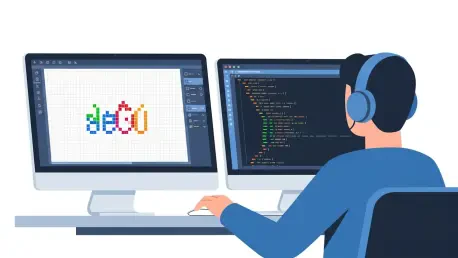
The immense challenge of manually creating and editing dozens of multi-colored ASCII art frames became immediately apparent as the project began. The workflow was not only tedious but also completely unsustainable for any kind of iterative design process. After a search revealed that no off-the-shelf software existed for this highly specific task, the designer, Cameron Foxly, made a pivotal decision: to build his own tool. This led to the creation of a custom ASCII animation editor, a project that became a fascinating meta-narrative in itself. In a prime example of a tool enabling the creation of another tool, Cameron used GitHub Copilot to assist him in building the initial prototype. The AI-powered code completion helped bridge his knowledge gaps in TypeScript and CLI development, enabling him to quickly scaffold the application and translate his design vision directly into functional code. What started as a simple script to loop through text files evolved into a sophisticated editor.
This custom-built tool effectively became the “Photoshop” for the project, providing a visual interface for painting with ANSI colors and previewing the animation in real-time. It allowed for rapid iteration on the animation’s timing, character placement, and color palette, which would have been impossible through manual editing of text files. The existence of this tool was instrumental in overcoming the color conundrum, as it made the inconsistencies across different terminals visible early in the process and facilitated the development of the semantic color system. This designer-led engineering effort not only solved a critical workflow problem but also empowered the creative process, ensuring that the final animation was the result of deliberate design choices rather than technical compromises. It stands as a testament to the power of enabling designers with the right tools, even if it means building them from scratch.
Engineering a Robust and Scalable System
With a working visual prototype and a custom editor in hand, experienced CLI engineer Andy Feller joined the project to undertake the crucial task of transforming it into a production-ready feature. His primary goal was to architect a maintainable, performant, and robust system that could gracefully handle the terminal’s inherent limitations while being easy for designers to update in the future. This involved creating an architecture that was non-blocking, completely flicker-free, and highly optimized. The final system is a masterclass in the software engineering principle of separating concerns, where the visual design of the animation is completely decoupled from the complex rendering logic. Andy devised a data-driven system where each of the animation’s approximately 20 frames is stored as a simple, human-readable text file. This text file is accompanied by a separate data object that acts as a metadata layer, mapping specific row and column coordinates within the text file to the semantic roles defined earlier, such as head, goggles, or border.
This elegant data structure is then paired with “theme” objects that define the color mappings for both light and dark terminal backgrounds. At runtime, the rendering engine dynamically brings these pieces together. It reads the raw ASCII content for a given frame, then, for each character, it looks up the semantic role based on its coordinates in the metadata file. Finally, it applies the appropriate ANSI color code retrieved from the active theme object. This highly structured approach allows designers to modify existing animations or even create entirely new ones simply by editing plain text and JSON-like data files, without ever needing to touch the complex rendering code. To further optimize performance and eliminate the risk of flickering, the renderer intelligently groups consecutive characters of the same color into segments before printing them. This strategy minimizes the number of ANSI escape codes sent to the terminal’s standard output, resulting in a smoother, more efficient paint cycle. The entire animation rendering process was also carefully designed to run concurrently with the CLI’s main initialization logic, ensuring that this visual flourish never delays the user from their primary task.
A New Standard for CLI Experiences
The successful creation and implementation of the GitHub Copilot CLI banner was far more than just an exercise in nostalgic digital art; it represented a significant step forward in defining the future of command-line interfaces. As artificial intelligence, agentic workflows, and other advanced computational tasks become more deeply integrated into the terminal, the user’s demand for richer, more intuitive, and fundamentally more accessible user experiences is set to grow exponentially. This project demonstrated that the terminal does not have to remain a stark, purely functional environment. Instead, it can be a platform for well-designed, engaging, and modern interactions, provided that developers are willing to confront its unique and deeply rooted technical challenges. It underscored the reality that building high-quality terminal UIs is a specialized discipline that requires a unique combination of historical knowledge, systems-level thinking, and a creative approach to problem-solving.
This single, three-second animation served as a powerful testament to the idea that with disciplined engineering, an unwavering commitment to accessibility, and a truly collaborative spirit between design and development, it is possible to transform the humble terminal into a more powerful and welcoming platform. The architectural patterns developed for this project—separating visual content from rendering logic and using a semantic, data-driven approach to theming—provided a reusable and scalable model for building other complex components in the future. The effort established that investing in a high-quality user experience, even in a text-based environment, can yield significant returns in user satisfaction and engagement. It set a new, higher standard for what users should expect from their command-line tools and provided a clear roadmap for other developers looking to build the next generation of sophisticated CLI applications.