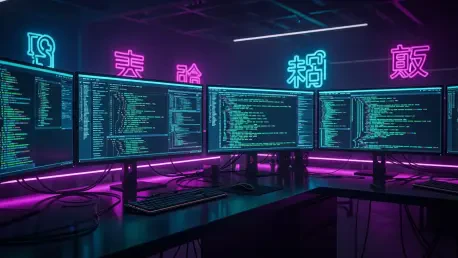

The landscape of software development underwent a radical transformation in early 2026 as local terminal environments began to host sophisticated artificial intelligence agents capable of complex reasoning and direct system interaction. This shift is best exemplified by the meteoric rise of DeepSeek-TUI, an open-source project that recently captured the attention of the global developer community by doubling its GitHub star count from 8,700 to over 16,300 in a remarkably short timeframe. While DeepSeek V4 has already established itself as a formidable competitor in the large model arena with its enhanced logic and long-context capabilities, the lack of an official integrated agent framework left a vacuum that individual developers were quick to fill. DeepSeek-TUI serves as a terminal-native bridge, effectively transforming a powerful reasoning engine into a proactive coding partner that operates directly within the user’s file system and toolchain. This transition from a simple chat-and-paste workflow to an autonomous agentic system signifies a broader trend in the industry where the value of a model is increasingly measured by its ability to execute tasks within a professional development environment.
The emergence of this tool highlights a critical shift in how engineers interact with large language models, moving away from web-based interfaces toward specialized terminal user interfaces that respect the local developer context. For many, the primary appeal lies in the fact that DeepSeek-TUI is not a corporate product but a community-driven initiative built upon the robust foundations of the DeepSeek V4 architecture. This distinction is vital in 2026, as developers increasingly prioritize open-source flexibility and the ability to customize their agentic workflows without being locked into proprietary ecosystems. By functioning as a domestic alternative to established tools like Claude Code or the latest iterations of Codex, this TUI provides a high level of integration with local shell commands and file systems. It effectively addresses the “reasoning gap” that occurs when a model can explain a solution but lacks the direct agency to implement it, verify the changes, and iterate on the results within the actual project directory.
1. Get the Command Line Tools up to Date
Ensuring that the local environment is properly prepared for modern AI-driven development starts with the foundational utilities provided by the operating system, particularly for those working on macOS. Before attempting to deploy a sophisticated agent like DeepSeek-TUI, it is imperative to verify that the Command Line Tools are updated to the most recent version available through Apple’s official developer portal. Many installation failures or runtime errors in late 2026 stem from outdated compilers or missing header files that these tools provide, which are essential for managing the complex dependencies required by the agent. A quick update process eliminates the risk of encountering “system tools too outdated” warnings that frequently plague developers who have not recently refreshed their underlying toolchains. Maintaining this layer of the software stack ensures that the local machine can correctly interpret the commands issued by the agent during the automated installation and subsequent execution of various programming tasks.
The relationship between the AI agent and the local system relies heavily on the stability and compatibility of these basic developer utilities to perform low-level operations. When the Command Line Tools are current, the agent can more effectively interact with system-level libraries, perform efficient builds, and manage environment variables without facing unexpected permission or compatibility hurdles. This preparation phase is often overlooked by beginners, yet it serves as the bedrock for a seamless experience when the agent begins to perform more advanced maneuvers like cloning repositories or executing automated test suites. By downloading the latest package from the official website or using the software update utility, developers create a clean and reliable environment that allows DeepSeek-TUI to function at its maximum potential. This proactive step significantly reduces the friction involved in setting up specialized AI agents that require deep integration with the operating system’s internal developer features.
2. Select an Installation Technique
DeepSeek-TUI offers a versatile range of deployment options designed to accommodate various developer preferences and system configurations, ensuring that the tool is accessible regardless of the preferred package manager. Users can choose from four primary installation methods, including npm for those already integrated into the JavaScript ecosystem, Cargo for developers who prefer the performance and safety of Rust-based tools, or Homebrew for macOS users seeking a streamlined package management experience. For those who wish to avoid external package managers entirely, a direct binary download is available, providing a standalone executable that can be placed manually into the system path. Each of these methods has its own set of advantages, but they all lead to the same goal of establishing a robust terminal-native interface that can leverage the power of DeepSeek V4. This flexibility in installation mirrors the open-source philosophy of the project, allowing individual contributors to adapt the tool to their specific hardware and software environments.
Selecting the right installation technique depends largely on the existing workflow and the level of automation desired for future updates to the software. For instance, using Homebrew or npm allows for easier version management and updates, which is crucial in a year like 2026 where AI tools are evolving at a rapid pace with frequent patches and feature additions. Conversely, the direct binary approach provides the quickest path to execution for those who need to deploy the agent in restricted environments or on machines where they lack administrative privileges for global package managers. Regardless of the chosen path, the deployment process is engineered to be straightforward, reflecting the project’s goal of bridging the gap between high-level AI capabilities and the practical needs of the daily developer. By providing these diverse options, the creators of DeepSeek-TUI have ensured that the barrier to entry remains low, even for beginners who may be intimidated by more complex agentic frameworks.
3. Execute the Installation Command
Once the appropriate method has been identified, the actual process of placing the tool onto the system is remarkably efficient and typically involves running a single, specific command in the terminal. For those utilizing Homebrew, the execution of the brew command triggers a series of automated steps that fetch the necessary files, verify their integrity, and configure the local environment to recognize the new utility. This streamlined approach minimizes the manual labor required to set up the software, allowing the developer to focus on the more important task of configuring the agent’s behavior and permissions. The installation process is designed to be communicative, providing real-time feedback in the terminal so that users can confirm each step is proceeding as intended. Even in the event of a minor interruption, the modern package managers of 2026 are generally capable of resuming the process or identifying exactly where the configuration needs adjustment.
The simplicity of the two-line installation process through Homebrew serves as a testament to the engineering maturity that DeepSeek-TUI has achieved in a relatively short period. After the initial command is executed, the system handles the heavy lifting of linking the binary and ensuring that all necessary runtime dependencies are met before handing control back to the user. This ease of use is a significant factor in why the project has gained such a large following among developers who are tired of bloated, overly complex AI frameworks that require hours of manual configuration. By prioritizing a fast and reliable installation experience, the tool positions itself as a practical alternative for engineers who need to get up and running quickly. Once the terminal indicates that the installation is complete, the developer is only a few keystrokes away from initiating the setup wizard and beginning their first interaction with the agentic reasoning engine.
4. Initialize the Setup Wizard
After the binary is successfully placed on the system, the next logical phase involves launching the program to begin the guided configuration process. By simply entering the command deepseek-tui into the terminal, the user triggers the initialization of a setup wizard that acts as a bridge between the raw software and the personalized preferences of the developer. This wizard is designed to walk the user through a series of essential steps, ensuring that the local machine is correctly mapped to the AI’s internal logic and that all necessary environment variables are properly set. It provides a structured way to handle configurations that might otherwise be prone to human error, such as setting directory permissions or defining the default shell that the agent will use for its operations. This interactive approach helps to demystify the internal workings of the agent, giving the user a sense of control over how the tool will interact with their sensitive local data.
The setup wizard also performs a series of background checks to verify that the terminal environment is capable of supporting the high-frequency data exchanges required for real-time AI assistance. It evaluates the current terminal settings, such as color support and font rendering, to ensure that the TUI interface is displayed correctly and that information is presented in a readable, organized manner. This attention to detail is what sets DeepSeek-TUI apart from more primitive command-line tools, as it strives to provide a polished and professional user experience that rivals modern graphical applications. By guiding the user through these initial checks, the wizard eliminates the guesswork often associated with deploying advanced AI software, making the technology accessible to a wider audience. The completion of this initialization phase signifies that the tool is ready to be linked to the external reasoning engine, paving the way for the core functionality of the coding agent.
5. Authenticate With Your Credentials
The final step in the configuration process is the authentication of the agent, which involves confirming the configuration prompts and providing a valid DeepSeek API key to enable the dialogue interface. This key is the essential credential that allows the local TUI to communicate with the powerful DeepSeek V4 models hosted in the cloud, facilitating the rapid exchange of code, logic, and commands. During this phase, the system ensures that the connection is secure and that the API key is stored safely on the local machine, adhering to modern security standards for local agent development in 2026. Once the key is verified, the interface transitions from a static setup tool to a dynamic programming environment where the AI is ready to receive instructions and perform complex tasks. This authentication process is straightforward, requiring the user to simply copy and paste their credentials from the provider’s dashboard into the terminal prompt.
Once the dialogue interface is enabled, the developer can begin to leverage the full reasoning capabilities of the underlying model within their local terminal. The authentication not only unlocks access to the model itself but also permits the agent to utilize various specialized endpoints, such as those optimized for high-speed code generation or deep logical reasoning. This flexibility allows the user to tailor the agent’s performance to the specific needs of their project, whether they are performing light maintenance or building a complex application from scratch. The seamless integration of the API key into the TUI ensures that the developer does not have to worry about session management or repeated logins, creating a persistent and reliable workspace. With the connection established, the agent is now fully operational and ready for the selection of a specific workflow mode that will define its level of autonomy during the development process.
6. Pick an Operational Mode
One of the most innovative features of DeepSeek-TUI is its ability to operate in three distinct workflow settings, allowing the user to precisely control the level of autonomy granted to the AI. The first of these is Plan mode, which is designed for those who wish to observe the agent’s reasoning without allowing it to make any actual changes to the codebase. In this mode, the AI analyzes the project structure, identifies potential issues, and generates a comprehensive list of to-dos, but it stops short of executing any modifications. This is particularly useful for senior developers who want to use the AI as a sounding board for architectural decisions or for beginners who are still learning the ropes of a complex project. It provides a safe, read-only environment where the agent can offer valuable insights and roadmap suggestions without the risk of introducing unintended bugs or breaking existing functionality.
For those who require a more active partner, the Agent mode offers a middle ground where the tool can edit code and run commands, but only with explicit manual approval from the user for key steps. This mode strikes a balance between efficiency and safety, allowing the developer to delegate repetitive tasks while maintaining full oversight of the critical changes being made to the project. Finally, the YOLO mode is the most radical option, granting the AI full autonomy to advance through the entire task chain automatically without waiting for user confirmation. This mode is best suited for experienced developers working in isolated environments or on non-critical tasks where speed is the primary objective. By allowing the AI to read files, write code, and verify patches in a continuous loop, the YOLO mode demonstrates the true potential of autonomous agentic systems in 2026. Each of these modes can be switched on the fly, giving the user the flexibility to adapt the agent’s behavior to the evolving needs of their current development sprint.
7. Define and Execute the Project
With the operational mode selected, the developer can finally define the specific goals of the project and watch as the agent begins to execute the necessary tasks with remarkable independence. Whether the objective is to develop a new macOS application like a customized clipboard manager or to perform deep-level bug fixing on a complex Android automation project, the agent demonstrates a high degree of situational awareness. It starts by cloning the repository, reading the project structure, and analyzing the relationships between different modules and files before formulating a plan of action. The agent then enters a self-correcting debugging loop, where it writes code, runs tests, and verifies the results, continuously iterating until the task is successfully completed. This level of self-management is a significant departure from traditional chat-based AI, as the tool actively manages the entire workflow rather than just offering passive suggestions.
The efficiency of this approach is further highlighted by the cost-performance ratio of the underlying DeepSeek V4 model, which allows for extensive development and debugging at a fraction of the cost of other major providers. In actual tests conducted in 2026, building a functional utility and fixing several complex logical bugs in a Kotlin-based project cost less than ten dollars, proving that high-end AI development is now accessible to individuals and small teams. During the execution phase, the TUI provides a detailed view of the agent’s progress, showing the status of various tasks and the specific commands being run in the background. This transparency allows the developer to stay informed about the agent’s actions without having to micromanage every single line of code. The successful verification of the results by the agent confirms that the project goals have been met, marking the completion of a highly efficient, AI-driven development cycle that sets a new standard for open-source coding tools.
In summary, the transition from traditional development methods to agent-assisted workflows was solidified by the successful integration of DeepSeek-TUI into the developer’s daily environment. The project demonstrated that a community-driven tool could effectively challenge the dominance of corporate alternatives by focusing on terminal-native flexibility and extreme cost-efficiency. By following the structured deployment and operational steps, engineers were able to transform their local terminals into autonomous hubs of innovation where complex coding tasks were handled with minimal human intervention. This progression suggested that the true power of large models resided not just in their internal logic, but in the sophisticated shells that allowed them to interact directly with the real-world tools and file systems of professional creators. The emergence of such agentic frameworks marked a significant milestone in the ongoing democratization of advanced software engineering capabilities.