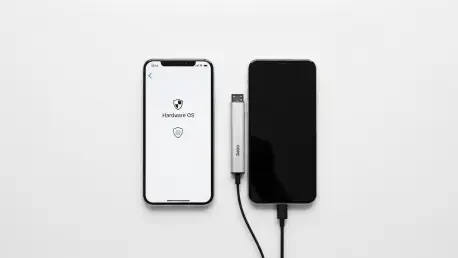

Digital footprints left by modern mobile devices have transformed from mere technical logs into highly valuable commodities traded by advertising networks across the globe. For many users, the realization that their every move is being tracked has led to a desperate search for alternatives to standard mobile operating systems. The mobile landscape in 2026 offers two distinct paths for those seeking to reclaim their digital sovereignty: software-based hardening and hardware-based virtualization. This tension between a completely rewritten operating system and a portable, plug-in environment defines the current debate over mobile security. While the average consumer may feel overwhelmed by the technical jargon surrounding encryption and sandboxing, the stakes have never been higher. A smartphone is no longer just a communication tool; it is a vault containing financial records, private conversations, and sensitive biometric data. Consequently, choosing the right platform is not merely a matter of preference but a fundamental decision regarding personal liberty. As surveillance technology becomes more sophisticated, the tools used to combat it must evolve with equal speed and transparency.
1. Evaluating the Financial Investment and Hardware Requirements
The financial barrier to entry for secure mobile computing varies significantly depending on whether a user chooses a hardware-centric or a software-centric approach. PlugOS operates on a proprietary model that necessitates the purchase of a physical “PlugMate” device. This external hardware typically retails for approximately $299 and provides the necessary components to run its isolated environment. The device is equipped with 128GB of internal storage and 4GB of flash memory, functioning as a secondary computer that interfaces with an existing smartphone or tablet. For users who prefer a modular solution that does not require replacing their current handset, this one-time hardware investment may seem appealing. However, the cost is strictly tied to the proprietary nature of the hardware, meaning the user is locked into the TrustKernel ecosystem from the moment of purchase. This physical dependency also means that the privacy benefits are only accessible when the dongle is physically connected to the host device, adding a layer of logistical complexity to the financial cost.
In contrast, GrapheneOS represents a different economic philosophy, as the software itself is entirely free and open-source. There are no licensing fees or recurring subscriptions required to access the high-level security features it offers. However, the hidden cost lies in the specific hardware requirements, as the operating system is only compatible with a narrow range of devices. Currently, GrapheneOS focuses its support on Google Pixel 6 devices and newer models due to their advanced hardware security features like the Titan M2 security chip. To successfully install the operating system, the smartphone must be OEM-unlocked, which typically means it must be a carrier-unlocked variant rather than a device tied to a specific service provider. While this might require the user to purchase a new or used Pixel device, the investment goes toward high-quality hardware that the user fully owns and controls. The lack of a price tag on the software reflects a commitment to public-interest technology, though users must factor in the market price of a supported smartphone to begin their journey toward enhanced privacy.
2. Assessing Transparency and Privacy Standards
Transparency serves as the cornerstone of any security-focused platform, as users must be able to verify that their data is being handled according to the developer’s claims. GrapheneOS is widely recognized for its exceptional levels of transparency and technical rigor. Because the project is open-source, the entire codebase is publicly available on GitHub for independent researchers and security experts to scrutinize at any time. This openness extends to their documentation, which includes a comprehensive FAQ and detailed technical explanations of their data handling and encryption protocols. By providing a clear roadmap of how the system mitigates various attack vectors, the developers foster a culture of trust that is backed by empirical evidence rather than marketing promises. The community-driven nature of the project ensures that vulnerabilities are identified and patched rapidly, often before they can be exploited in the wild. This proactive approach to security is a major draw for users who prioritize a verifiable and audited digital environment.
PlugOS is a product of TrustKernel and enters the market with a different set of credentials and challenges. While the company explicitly states that its platform adheres to modern privacy standards like the General Data Protection Regulation (GDPR) and the California Consumer Privacy Act (CCPA), the platform is relatively new and lacks the established track record of its competitors. One significant point of concern for privacy advocates is the current absence of public third-party security audit reports. Without independent verification of the underlying code and virtualization layers, users must rely solely on the company’s internal assurances. The proprietary nature of some components of the PlugMate hardware also limits the ability of the broader security community to verify how data flows between the host device and the virtualized environment. While the promise of a portable, private space is compelling, the relative lack of public scrutiny means that early adopters are essentially placing their trust in the brand rather than a transparent and open technical framework.
3. Step-by-Step Guide: Deploying GrapheneOS via the Browser
The installation process for GrapheneOS has been refined to ensure that even users with moderate technical skills can successfully harden their devices. The developers have created a streamlined, browser-based installer that automates many of the complex tasks previously associated with custom operating system deployment. To get started, follow these steps:
- Link your Pixel smartphone to a computer using a high-quality USB-C cord to ensure a stable data connection throughout the process.
- Navigate through the browser-based setup by visiting the official installation page and selecting the necessary prompts that guide you through unlocking the bootloader and flashing the firmware.
- Allow the process to finish, which generally takes about 15 minutes as the installer downloads and verifies the system image.
- Perform a factory reset on your handset once the installation is complete, as the transition to GrapheneOS will wipe all existing data to ensure a clean and secure starting point.
This browser-centric approach significantly lowers the barrier to entry compared to traditional command-line installations. By utilizing WebUSB technology, the installer can communicate directly with the device’s bootloader from a compatible browser like Chromium or Brave. This method reduces the risk of human error, such as typing incorrect commands or using the wrong firmware versions. Throughout the 15-minute duration, the system performs various checks to ensure the integrity of the software being installed. Once the final factory reset is triggered, the device reboots into a fresh environment where the hardware-backed security features are fully activated. The transition is designed to be as seamless as possible, although the necessity of wiping all local data highlights the importance of having a robust backup strategy in place before beginning the installation. The end result is a device that is structurally more secure than its stock counterpart.
4. Step-by-Step Guide: Initializing the PlugOS Hardware Environment
Setting up the PlugOS environment is a fundamentally different experience because it relies on the interaction between a host device and the external PlugMate hardware. Unlike a full operating system replacement, this process creates a virtualized container that runs alongside the original system. This makes it a more flexible option for users who cannot or do not want to wipe their primary phones. However, the setup is often more temperamental regarding device compatibility, as the host must support USB On-The-Go (OTG) to communicate with the external drive. Follow these steps:
- Install the dedicated PlugOS mobile application onto your host device from the official source to manage the connection.
- Attach the hardware to your phone or tablet via the USB-C port, ensuring the connection is secure.
- Use your camera to capture the unique access code provided with the device to activate the environment and link the hardware to the software.
Once the physical connection is established and the access code is verified, the application launches a virtualized Android environment. This space is technically isolated from the host operating system, allowing users to run sensitive apps in a “plug-and-play” fashion. While the setup avoids the permanence of a factory reset, it introduces physical variables that can impact the user experience. For instance, if the USB-C connection is interrupted during the activation phase, the environment may fail to load correctly. The reliance on a mobile application to bridge the gap between the host and the PlugMate hardware also means that the host’s operating system still has some level of oversight regarding the external device’s presence. Despite these complexities, the ability to activate a private workspace simply by plugging in a dongle offers a unique form of convenience that appeals to those who prioritize portability over deep system integration.
5. Comparing System Performance and Long-Term Reliability
System performance and the long-term viability of a privacy platform are just as critical as its security features. GrapheneOS is widely praised for providing a fast, bloat-free interface that often outperforms the stock software provided by manufacturers. By stripping away unnecessary background services and telemetry-gathering scripts, the operating system frees up system resources for user applications. One of its most powerful features is the ability to run a “sandboxed” version of the Google Play Store, which allows users to access essential apps without giving Google deep-level system permissions. The OS also includes specialized privacy tools like the Vanadium browser, a hardened version of Chromium, and a hardware auditor that verifies the integrity of the device firmware. Furthermore, GrapheneOS offers five to seven years of software support for most supported devices, ensuring that users receive critical security updates for a significant portion of the hardware’s lifespan.
On the other side of the spectrum, PlugOS struggles with several significant performance issues that can hinder daily use. Because it functions as a virtualized Android 14 environment running on external hardware, it is inherently slower than a native operating system. Users frequently report long boot times and occasional app installation failures within the virtual space. A more pressing concern is the hardware’s tendency to overheat during intensive tasks; the PlugMate device has been known to reach temperatures as high as 123°F, which can be uncomfortable and potentially damaging to the hardware over time. Furthermore, its compatibility is limited to devices that support USB OTG, excluding many older or budget-friendly handsets. While the idea of a portable Android environment is innovative, the current hardware limitations of PlugOS make it a less reliable choice for users who need a responsive and stable device for their daily professional or personal lives.
6. Future Recommendations: Selecting the Superior Privacy Path
The evaluation of these two platforms revealed a stark contrast in both security philosophy and practical application. PlugOS emerged as an interesting concept for those who wanted a portable Android environment they could use on an iPhone or tablet, but the testing showed it was currently too expensive and unreliable for most. The significant thermal issues and the lack of transparent security audits made it difficult to recommend for high-stakes privacy needs. In contrast, GrapheneOS proved to be the superior choice for privacy enthusiasts, offering a more polished, secure, and transparent experience for the price of a supported Pixel phone. The past performance of GrapheneOS in the security community established a high baseline for what a hardened operating system should be, whereas PlugOS felt more like a proof-of-concept that required further refinement before it could be considered a primary security tool.
Moving forward, individuals seeking to enhance their mobile privacy should prioritize native operating system hardening over external virtualization. The first actionable step for any user is to assess their current hardware and determine if a transition to a supported Pixel device is feasible. If high-level security is a priority, investing in the Google Pixel ecosystem to run GrapheneOS provides a verified, open-source path that eliminates the risks associated with proprietary “black box” hardware. For those who cannot switch devices, exploring software-based sandboxing and minimizing data permissions on their current OS remains a viable interim strategy. However, as mobile threats evolve from 2026 to 2028, the industry will likely see a greater shift toward the integrated security models pioneered by GrapheneOS. Users should remain vigilant, stay informed about the results of future third-party audits, and always choose platforms that offer the highest level of verifiable transparency.