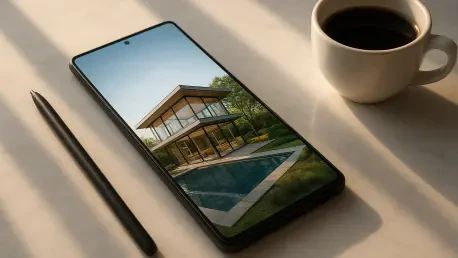

Mobile applications now integrate powerful engines like Flux 1.1 Pro and GPT-Image to produce studio-quality visuals directly on a smartphone. This shift represents a significant departure from earlier years when high-end generative art required desktop workstations with massive thermal capacities and specialized hardware. In 2026, the accessibility of these tools has democratized creative expression, allowing anyone with a handheld device to manifest intricate concepts into pixel-perfect reality within mere seconds. The current ecosystem is defined by a blend of specialized applications that cater to various artistic niches, from hyper-realistic portraiture to surrealist digital paintings. As the underlying models have become more efficient, the distinction between local processing and cloud-based rendering has blurred, providing a seamless experience for users regardless of their physical location or network speed. This technological maturation ensures that visual communication is no longer limited by technical skill but is instead driven by the clarity of the user’s intent and the quality of their descriptive prompts. The landscape is currently dominated by several key players who offer various tiers of service, ranging from completely free daily allocations to sophisticated multi-model hubs. Understanding the specific strengths of each platform is essential for maximizing productivity and creative potential in this fast-paced digital era where visual content is the primary currency of social and professional interaction.
1. YouCam AI Pro: The Comprehensive Multi-Model Hub
The emergence of YouCam AI Pro as the premier all-in-one mobile solution has changed how enthusiasts and professionals approach mobile content creation. Rather than locking users into a single proprietary algorithm, this application functions as a versatile multi-model hub, providing a centralized interface for various industry-leading engines. Users can access high-end systems such as Flux 1.1 Pro and GPT-Image without the burden of maintaining multiple separate subscriptions or navigating disparate user interfaces. This consolidated approach allows for rapid experimentation, as a single prompt can be tested across different models to see which one interprets the lighting, texture, or composition most effectively. The application has prioritized a frictionless user experience, ensuring that the transition between different AI architectures feels natural and cohesive. By aggregating these powerful tools, the platform has established itself as the go-to resource for those who require professional-grade results on the go.
Beyond its role as an aggregator, the application includes a suite of native tools that enhance the base capabilities of the integrated models. The software provides advanced generative editing features, such as intelligent object removal and seamless background replacement, which are essential for refining AI-generated outputs. In 2026, the demand for realistic human depictions has surged, and the platform has responded by optimizing its engines for high-fidelity portraiture and lifelike textures. Whether the goal is to produce a cinematic scene or a simple social media avatar, the application offers the depth of control necessary to achieve a specific aesthetic. The inclusion of more than seventy distinct art styles further empowers users to customize their creations, ranging from traditional oil painting aesthetics to ultra-modern 3D cartoon designs. This versatility ensures that the tool remains relevant for a wide array of projects, from commercial marketing materials to personal artistic explorations.
2. ChatGPT Image Generator: Interactive Conversational Editing
The integration of image generation directly into the ChatGPT interface has revolutionized the way users interact with generative AI. This system is specifically tailored for conversational editing, allowing users to describe their vision in natural language and receive immediate visual feedback. Unlike traditional prompt-based systems that require rigid syntax, the ChatGPT Image Generator understands nuanced instructions and can refine images through a back-and-forth dialogue. If a generated image is nearly perfect but requires a minor adjustment—such as changing the color of a specific object or altering the weather in the background—the user simply states the request as if speaking to a human designer. This iterative process is highly intuitive, making it an ideal choice for individuals who prefer a collaborative approach to creation. The model’s ability to maintain context throughout a conversation ensures that refinements are consistent with the original concept, reducing the need for repetitive descriptions.
Inpainting and selective editing have also become cornerstone features of the ChatGPT experience in 2026. Users can upload existing photographs or generated images and ask the AI to modify specific regions while leaving the rest of the composition untouched. This level of precision is particularly valuable for professional workflows where branding or specific details must remain intact. The underlying GPT-Image technology has reached a point where it can seamlessly blend new elements into an existing image, matching the lighting, grain, and perspective with remarkable accuracy. Furthermore, the model’s proficiency in rendering legible text within images has solved one of the most persistent challenges in early generative AI. Street signs, labels, and creative typography are now produced with high clarity, making the tool indispensable for creating social media graphics, posters, and educational content. While the free tier typically involves daily generation limits, the quality and ease of use provided by this conversational interface remain unmatched for quick, iterative design tasks.
3. Dream by WOMBO: Simplifying Art for Beginners
Dream by WOMBO continues to be the preferred starting point for many individuals entering the world of AI art due to its focus on accessibility and stylized aesthetics. The application is specifically engineered for novices who may feel overwhelmed by the technical complexities of prompt engineering or model selection. Its interface is designed to facilitate a “one-tap” creative process, where a simple word or phrase can be transformed into a visually striking piece of art almost instantaneously. The platform prioritizes painterly and abstract styles, often producing results that feel more like handcrafted digital illustrations than sterile, computer-generated images. This emphasis on artistic flair has cultivated a dedicated user base that values speed and a distinctive visual signature over photorealistic accuracy. In 2026, the application has expanded its style library significantly, allowing users to explore everything from vintage comic book aesthetics to hyper-detailed vaporwave environments.
The speed at which Dream by WOMBO processes requests is one of its most compelling attributes, catering to the needs of a mobile-first generation that demands instant gratification. Despite its simplicity, the application does not compromise on the visual impact of its outputs, often surprising users with the depth and complexity of its color palettes and compositions. For those using the free version, the inclusion of a subtle watermark and occasional advertisements is a small trade-off for the ability to generate an unlimited number of artistic concepts. The platform also offers an image-to-image feature, enabling users to use their own photos as a structural guide for the AI’s creative interpretations. This allows for a unique blend of personal photography and generative imagination, resulting in one-of-a-kind pieces that are perfect for sharing on social platforms. By keeping the barrier to entry low, the application ensures that the joy of creation remains available to everyone, regardless of their artistic background.
4. Leonardo.AI: Professional Power for the Budget-Conscious
Leonardo.AI has successfully carved out a niche as the most robust option for users who require professional-level features without a mandatory upfront cost. The platform’s success is rooted in its generous daily credit system, which allows budget-conscious creators to generate a high volume of quality content every single day. In 2026, the application has evolved into a sophisticated workspace that offers fine-tuned control over the generation process, including the ability to select specific models and adjust parameters like guidance scale and tiling. This transparency appeals to creators who want to understand and influence how the AI interprets their prompts. The processing speed is also noteworthy, with most high-resolution images being produced in under fifteen seconds, ensuring that the creative flow is never interrupted by long waiting periods. This efficiency is a major draw for freelancers and small business owners who use the tool to generate rapid mockups or marketing assets.
The technical depth of Leonardo.AI extends beyond basic text-to-image generation, offering features like negative prompting and advanced image-to-image capabilities. Negative prompts allow users to explicitly list elements they want the AI to exclude, such as “extra limbs” or “blurry backgrounds,” which significantly increases the success rate of the generations. The platform also features a vibrant community gallery where users can draw inspiration from others, viewing the exact prompts and settings used to create successful images. This collaborative environment serves as a valuable learning resource for those looking to master the intricacies of generative art. Additionally, the software has integrated sophisticated canvas tools that allow for outpainting, enabling users to expand the borders of an image and create expansive landscapes or cinematic wide shots. By providing these advanced tools for free, the platform has become a critical resource for the global creative community, proving that high-quality digital assets do not always require a high-priced subscription.
5. DaVinci and Wonder: Specialized Entry-Level Creation
In the 2026 app market, DaVinci and Wonder have solidified their positions as essential tools for those seeking a streamlined and guided creative experience. DaVinci is recognized for its no-frills, straightforward approach to text-to-image conversion, stripping away complex menus in favor of a clean interface that focuses purely on the output. It is particularly popular for specialized tasks such as generating tattoo designs or professional headshots, where the user has a clear goal and needs the AI to deliver consistent results. The app’s architecture is optimized for clarity, ensuring that even the most basic prompts yield coherent and aesthetically pleasing visuals. This reliability makes it a staple for users who need a dependable tool for specific, practical applications rather than broad artistic experimentation.
Wonder, on the other hand, excels at providing a guided workflow that helps first-time creators transform their vague ideas into digital art. The application uses a series of prompts and style suggestions to nudge users toward better results, effectively acting as a creative coach. This approach is highly effective for individuals who may struggle with “blank page syndrome” and need a structured environment to begin their journey. In 2026, Wonder has introduced several new “Toonify” filters and interactive chat features that allow users to ask for inspiration or technical advice directly within the app. While it maintains a focus on simplicity, the quality of its outputs—ranging from steampunk aesthetics to detailed origami styles—remains impressively high. Both applications offer a limited free tier supported by advertisements, which provides a accessible way for casual users to explore the potential of AI without any financial commitment.
6. Vivid AI and ImagineArt: Catering to Style and Social Media
The 2026 landscape for mobile AI is also characterized by highly specialized apps like Vivid AI and ImagineArt, which target specific user demographics. Vivid AI has become a favorite among social media enthusiasts and influencers due to its specialization in AI-generated portraits and fashion-centric filters. The app’s engine is specifically tuned to recognize and enhance human features, making it ideal for creating stylized avatars that maintain a recognizable likeness to the user. Its daily credit system is modest but sufficient for casual users who want to update their digital presence with fresh, creative visuals. Moreover, Vivid AI includes a “Generative Fill” feature that allows users to replace clothing or accessories within a photo, providing a level of customization that was previously only possible with professional photo editing software. This focus on personal branding and social utility has ensured its continued popularity in a crowded market.
ImagineArt distinguishes itself through its massive library of over ninety premium art styles, offering a level of stylistic variety that few other free apps can match. This application is the go-to choice for creators who want to experiment with niche aesthetics, such as macro photography, Bauhaus design, or extra-terrestrial landscapes. The sheer volume of presets allows users to quickly pivot between vastly different visual languages, making it a powerful tool for mood-boarding and conceptual development. In 2026, the application has enhanced its “Text-to-Logo” feature, providing small business owners with the ability to generate high-quality branding assets in seconds. While the free version requires users to navigate through premium style locks, the available free options are diverse enough to support a wide range of creative projects. The emphasis on variety ensures that users never feel limited by a single “AI look,” encouraging a more personalized and eclectic approach to digital creation.
7. ARTA and starryai: Community Inspiration and Customization
ARTA and starryai represent the more community-focused and customizable end of the 2026 AI spectrum. ARTA is often described as a mobile “art studio” because of its unique chat-style interface and emphasis on prompt refinement. The application encourages users to treat the AI as a creative partner, providing a platform where ideas can be discussed and polished before the final generation takes place. One of its standout features is the global inspiration gallery, which showcases the work of AI artists from around the world. This gallery is not just a display of images but a functional tool that allows users to “remix” existing creations by building upon the prompts of others. This collaborative spirit has fostered a vibrant community of users who are constantly pushing the boundaries of what the software can achieve.
In contrast, starryai focuses on providing the user with deep customization options for every generation. In 2026, the app remains a top choice for those who want specific control over aspect ratios, model versions, and the underlying “seed” of an image. This technical granularity is particularly appealing to digital artists who use AI as a foundation for more complex compositions. The app offers a daily allotment of five free creations without watermarks, which is a significant benefit for those who value clean, high-resolution outputs. With over 250 art styles to choose from, starryai provides a playground for experimentation that ranges from traditional Japanese ink wash to hyper-modern glitch art. The ability to save presets and maintain a consistent style across multiple generations makes it an indispensable tool for serial projects or cohesive social media campaigns. Both apps exemplify how mobile AI has evolved to support both collective inspiration and individual technical mastery.
8. Spellai and Remini: Speed and the Power of Restoration
For users who prioritize efficiency above all else, Spellai has emerged as the undisputed speed leader in the 2026 app market. By utilizing advanced neural network optimizations, the application can produce high-definition results in under five seconds, a feat that was previously thought impossible on mobile hardware. This near-instantaneous turnaround is ideal for live events, rapid-fire brainstorming sessions, or any situation where time is a critical factor. The app’s “Easy Models” feature provides pre-optimized settings that ensure high-quality results even with minimal user input. Despite its focus on speed, Spellai does not compromise on resolution, delivering HD outputs that are suitable for both digital display and physical printing. This combination of velocity and quality has made it a favorite among professional content creators who need to maintain a high volume of output without sacrificing aesthetic standards.
Remini occupies a unique position in the market by bridging the gap between classic photo restoration and modern generative AI. Originally known for its ability to fix blurry or low-resolution photographs, the 2026 version of the app has integrated sophisticated generative engines to offer “AI Avatars” and enhanced facial reconstruction. This hybrid approach allows users to take a faded, low-quality family photo and not only restore its clarity but also use it as a base for creating entirely new, stylized portraits. The application’s ability to generate realistic textures and lighting from minimal data is a testament to the power of modern machine learning. While the free version is supported by advertisements, the value provided by its restoration tools makes it a must-have application for anyone looking to preserve or reimagining their personal history. The integration of generative AI into a restoration workflow represents a significant evolution in how we interact with our digital and physical memories.
9. Pixazo: Professional-Grade Renders for Mobile Users
Pixazo stands as one of the most advanced all-in-one platforms for mobile AI generation in 2026, specifically targeting users who require professional-grade renders. The application’s engine is designed to provide detailed control over complex elements such as dynamic lighting, sub-surface scattering, and intricate textures. This makes it an ideal tool for architectural visualization, product design, and high-end concept art. Unlike more casual applications, Pixazo offers a suite of “Pro” features that allow users to simulate different camera lenses, f-stops, and lighting setups. This level of photographic control ensures that the generated images have a cinematic quality that is often indistinguishable from professional photography or high-budget CGI. The app’s interface, while more complex than its competitors, remains intuitive for those with a basic understanding of digital art or photography.
In 2026, Pixazo has introduced a “Texture Mapping” feature that allows users to upload their own textures and have the AI apply them to generated objects with realistic perspective and shading. This feature is a game-changer for industrial designers and fashion creators who need to see how specific materials will look on a 3D-rendered form. Furthermore, the platform’s “Creative Upscaling” tool allows users to take a low-resolution generation and enhance it to 4K or even 8K resolution without losing detail or introducing artifacts. This capability is essential for those who need to use their AI-generated images for large-scale printing or high-resolution digital displays. By offering these high-end features within a mobile framework, the platform has proven that the gap between mobile apps and desktop software is narrower than ever. It remains a primary choice for professional creators who refuse to compromise on quality, even when working from a smartphone.
10. Technological Foundations: Understanding Multi-Model Architecture
The surge in mobile AI capabilities in 2026 is largely due to the widespread adoption of multi-model architectures within individual applications. This approach allows a single app to leverage the unique strengths of different neural networks, switching between them based on the specific requirements of a user’s prompt. For instance, a model like Flux 1.1 Pro might be utilized for its superior understanding of complex spatial relationships and lighting, while a different engine might be better suited for stylized anime aesthetics. This modularity ensures that the application remains versatile and can adapt to the diverse needs of its user base. Furthermore, the optimization of these models for mobile chips has significantly reduced the computational overhead, allowing for faster generation times and lower battery consumption. This technological efficiency is what enables high-end generative art to be produced on a device that fits in a pocket.
Another critical development in 2026 is the advancement of edge computing, where a portion of the AI processing occurs locally on the device rather than entirely in the cloud. This hybrid model provides several benefits, including improved privacy and the ability to perform basic generations even when a network connection is unstable. As mobile processors have become more powerful, they can handle the initial stages of image synthesis, leaving the more intensive refinement and upscaling to remote servers. This distribution of labor ensures a smooth and responsive user experience, even as the underlying models grow in complexity. Additionally, the integration of advanced compression techniques has allowed high-fidelity models to be stored on-device without consuming excessive storage space. These architectural innovations are the backbone of the current AI revolution, transforming mobile devices into powerful creative workstations that are always accessible.
11. User Experience: Intuitive Design in Modern Generative Apps
The success of AI image generator apps in 2026 is not solely dependent on the power of their underlying models but also on the quality of their user interfaces. Developers have recognized that for generative AI to reach a broad audience, the experience must be as intuitive as possible, minimizing the friction between an idea and its visual realization. Modern apps have moved away from complex, text-heavy menus in favor of visual-first designs that use icons, sliders, and real-time previews to guide the user. Features like “Prompt Suggestions” and “Auto-Complete” help users refine their descriptions by providing common keywords and artistic styles that are known to produce high-quality results. This proactive assistance is particularly valuable for new users who may not yet be familiar with the nuances of prompt engineering.
In addition to visual simplicity, modern apps prioritize customization and personal workflow integration. In 2026, many applications allow users to create custom “Style Profiles” or save their favorite prompt combinations for quick access later. This personalization ensures that the tool adapts to the user’s specific creative voice over time. Furthermore, the integration of social features—such as direct sharing to platforms like TikTok, Instagram, and specialized art communities—has made the creative process more social and interactive. The ability to see what others are creating and “like” or “bookmark” their prompts fosters a sense of collective growth and inspiration. By focusing on the user experience, developers have ensured that AI image generation is not just a technical novelty but a fun, engaging, and essential part of the digital lifestyle for millions of people worldwide.
12. Market Dynamics: The Rise of Freemium AI Services
The economic model for AI image generator apps has stabilized in 2026 around a “freemium” structure that balances accessibility with sustainable development. Most top-rated applications offer a base level of service for free, which typically includes a daily allotment of generation credits or access to a subset of available models and styles. This allows the general public to explore the technology and use it for casual projects without any financial barrier. For those who require more advanced features—such as higher resolution exports, unlimited generations, or access to exclusive “Pro” models—subscription tiers are available. This model has proven successful in funding the massive computational costs associated with running high-end AI engines while keeping the technology available to the widest possible audience. The competition between different platforms has also led to more generous free offerings as apps vie for user attention in a crowded marketplace.
Furthermore, the rise of the “Credit Economy” within these apps has provided users with more flexible ways to access premium features. Many applications now allow users to earn additional credits by watching short advertisements, participating in community challenges, or referring new users. This creates a more dynamic and inclusive ecosystem where time and engagement can be traded for creative power. In 2026, we have also seen the emergence of “Multi-App Bundles,” where a single subscription provides access to a suite of different creative tools, from image generators to AI video editors. This consolidation reflects a broader trend toward integrated creative platforms that offer a comprehensive solution for all digital content needs. As the market continues to mature, the focus is shifting toward providing more value and utility to the free user, ensuring that the AI revolution remains a democratic and inclusive phenomenon.
13. Step-by-Step Guide: Generating Images Using YouCam AI Pro
Creating professional-grade visuals on your smartphone has become a remarkably simple process through the use of specialized software. The first phase of this creative journey involves the setup of your digital workspace to ensure you have the most up-to-date tools at your disposal. To begin, step 1: acquire and set up the app by locating YouCam AI Pro in your mobile app store, then download and open it on your smartphone. Once the application is initialized, you will find yourself at a central hub where various generative models are accessible. This environment is designed to handle complex descriptions, so you should take a moment to consider the specific details of the image you wish to manifest. The quality of the final output is often a direct reflection of the clarity and specificity provided during this initial conceptual phase.
After the application is ready, you must communicate your vision to the underlying AI engines with as much detail as possible. For step 2: input your description, you should navigate to the creation tool and type a detailed text prompt describing the visual you want to create. This might include information about the subject, the lighting conditions, the background setting, and even the emotional tone of the piece. Once your text is finalized, it is time to define the artistic direction of the image. For step 3: pick a visual aesthetic, you should browse through the library of over 70 art styles—such as Realistic, Anime, or 3D Cartoon—and select the one that matches your vision. Finally, to bring your concept into the physical world, for step 4: produce and export, press the “Generate” button to let the AI build your image, then save the final result to your device for immediate use in your projects.
14. Step-by-Step Guide: How to Convert Photos into Videos
The transition from a static image to a dynamic, moving video is a powerful way to enhance your digital storytelling in 2026. This process allows you to breathe life into your AI-generated art, creating engaging content for social media or professional presentations. The workflow begins with the preparation of your source material to ensure it is in the optimal format for animation. For step 1: export your creation, you should take the AI-generated image you just produced and save it to your phone’s photo library. This ensures that the animation engine has a high-quality, local file to work with, which reduces processing time and prevents artifacts. Having your source image ready is the foundation upon which the entire animation process is built, so ensure the resolution is sufficient for your final video goals.
Once your image is securely saved, you need to access the specialized tools designed for motion synthesis. For step 2: access the animation tool, look within the app’s AI Editing section and select the “Image to Video” function. This will open a new interface where you can control how the image will move and evolve. The next phase is about defining the specific character of the movement. For step 3: choose a motion style, pick a video template or animation style that fits the mood of your image, whether you want a subtle cinematic pan or a more dramatic transformation. Then, for step 4: add your file, upload the image you saved in the first step into the animation interface. To complete the process, for step 5: finalize the video, tap to generate the animation and save the finished video file to your device, ready for sharing or further editing.
15. Strategic Implementation: Leveraging Mobile AI for Professional Use
The digital landscape of 2026 demonstrated that mobile AI image generators transitioned from being mere novelties to becoming essential components of a professional creative toolkit. Organizations and independent creators alike observed that the ability to generate high-quality visual assets on demand provided a significant competitive advantage in terms of speed and cost-efficiency. The platforms analyzed in this discussion provided a diverse range of solutions, from the multi-model versatility of YouCam AI Pro to the specialized restoration capabilities of Remini. These tools allowed for the rapid prototyping of ideas, enabling designers to visualize concepts in real-time and iterate on feedback without the delays associated with traditional production cycles. The integration of high-resolution upscaling and sophisticated video animation features further expanded the utility of these apps, making them viable for everything from social media marketing to professional concept design.
As users moved forward, the focus shifted toward optimizing these tools for specific commercial and creative objectives. It was noted that the most successful creators were those who mastered the nuances of prompt engineering and learned to navigate the unique strengths of different AI models. The actionable next step for any professional looking to stay relevant was to integrate at least one of these high-end mobile generators into their daily workflow to streamline the creation of visual content. Furthermore, the ongoing evolution of these apps suggested that the boundaries between creation, editing, and distribution would continue to blur, necessitating a more holistic approach to digital media. The year provided a clear roadmap for the future of creative technology, emphasizing that the most powerful tool in any artist’s arsenal remained the ability to adapt to and leverage the rapidly advancing capabilities of generative artificial intelligence. These developments concluded that the democratization of high-end visuals was not just a trend but a fundamental shift in how the world communicated.