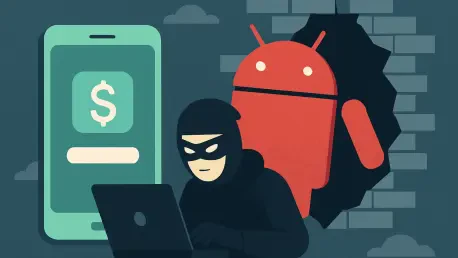

The quiet hum of a modern smartphone often masks a sophisticated digital predator that tracks every interaction without leaving a single trace of its presence. While many people worry about losing a physical wallet, a far more advanced pickpocket is currently operating inside millions of Android devices worldwide. Recent security data reveals a massive surge in specialized banking trojans that do not just steal passwords; they effectively hijack the entire user experience. These malicious programs have quietly set their sights on over 800 financial and social media applications, turning the very device trusted for daily transactions into a high-tech surveillance tool for global cybercriminal syndicates.
This invisible threat operates by blending into the background of daily digital life. Unlike older viruses that slowed down a computer or caused obvious glitches, these modern trojans are designed for total stealth. They wait patiently for the user to open a banking app or a cryptocurrency wallet before springing into action. By the time a victim notices an unauthorized transaction, the malware has often been resident on the device for weeks, harvesting every keystroke and screen movement.
The Evolution: Mobile Malware Landscape
The shift toward mobile-first banking has created a lucrative playground for digital thieves, leading to the rise of specialized threats like RecruitRat, SaferRat, Astrinox, and Massiv. These are not amateur scripts but highly coordinated campaigns identified by Zimperium researchers as part of a new wave of human-centric attacks. By moving away from complex technical exploits that modern operating systems might catch, attackers are now focusing on exploiting human psychology and the inherent trust users place in their mobile interfaces.
This transition marks a dangerous era where the primary vulnerability is no longer a software bug, but the user’s own permission. As mobile operating systems become more secure against traditional “cracking,” criminals have pivoted toward social engineering. This strategy involves convincing the user that the malware is a helpful tool or a necessary update. This shift has proven highly effective, as it bypasses the most advanced automated security filters by using the legitimate authority of the device owner to gain system-level access.
Engineering Deception: Sideloading and Social Mastery
Modern trojans rarely force their way onto a device; instead, they are invited in under the guise of legitimacy through fraudulent websites. Attackers frequently deploy platforms that mimic high-demand services, such as premium streaming apps, legitimate job recruitment portals, or essential software update centers. Once a user is lured into sideloading an application from these unofficial sources, the malware begins a multi-stage infection process designed to fly under the radar of standard security scans.
The true payload often remains dormant or hidden until the user is manipulated into granting Accessibility permissions. This critical system feature was originally designed to assist users with disabilities, but when compromised, it grants the malware total visibility and control over the device’s screen and inputs. By gaining this level of access, the trojan can effectively click buttons, read messages, and even approve its own requests for further permissions without the user ever realizing what is happening behind the interface.
The Disappearing Act: Real-Time Data Exfiltration
Once established, these trojans employ psychological and technical tricks to ensure they are never deleted. Some variants utilize a vanishing tactic, replacing their application icon with a blank image or a transparent tile to become invisible in the app drawer. If a user attempts to find and uninstall the threat through system settings, the malware can actively redirect the interface to the home screen or another menu to prevent access to the uninstallation button. This persistence ensures that the criminal maintains a long-term foothold on the device.
While hidden, the software uses sophisticated screen overlays—invisible layers placed over legitimate banking apps—to capture PINs, patterns, and login credentials as they are typed. More alarmingly, research shows that these programs can now stream a continuous live video feed of the victim’s screen to remote servers. This allows attackers to intercept multi-factor authentication codes and monitor sensitive transactions in real time. This capability essentially turns the smartphone into a live broadcast station for the user’s private financial life, managed via encrypted command-and-control channels.
Defensive Strategies: Neutralizing Banking Trojans
Protecting financial data required a move beyond passive security toward active digital hygiene and a fundamental shift in user behavior. The most effective defense was established through a strict policy against sideloading, as installing applications only from the official Google Play Store significantly reduced the risk of infection. Users who regularly audited their device’s Accessibility settings and revoked permissions for any application without a clear functional need successfully shut down the primary pathway these trojans used to gain control.
Furthermore, remaining skeptical of unsolicited job offers or software fixes that required downloading files from browser links prevented the initial breach for many. It was observed that those who utilized hardware-based security keys rather than SMS-based multi-factor authentication were far more resilient against live screen-streaming attacks. By recognizing that these trojans relied on user cooperation to succeed, individuals effectively neutralized even the most sophisticated stealth tactics by refusing to provide the necessary permissions. These proactive steps ensured that the smartphone remained a secure tool rather than a liability in the face of evolving digital threats.