
The ambiguity of iconography in electronics manuals often leads consumers to underestimate the physical and electrical limitations of their smart home gear. In the current landscape of 2026, the release of the Shelly Plug S Gen 3 has highlighted a significant gap between manufacturer intent and user interpretation regarding hardware safety. When early adopters began unboxing these compact energy-monitoring devices, they discovered a warning symbol that appeared to strictly prohibit the direct connection of power adapters or chargers. This visual instruction, depicted as a no-go sign over a standard wall-wart transformer, immediately sparked intense debate among technical enthusiasts and automation experts. The confusion stems from a lack of textual context, leaving users to wonder if the restriction is a matter of fire risk or a recommendation for performance. As these devices become more integrated into daily power management, the need for precise communication has never been more critical for safe and efficient operation in modern homes.
Technical Barriers: Wireless Interference and Thermal Loads
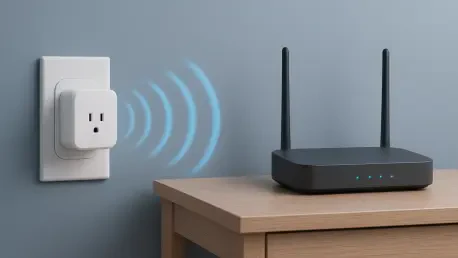
One of the primary technical hurdles identified by experts involves the close proximity of high-frequency switching power supplies to the sensitive internal components of the smart plug. Modern chargers utilize rapid switching technology to convert AC to DC efficiently, but this process often emits significant electromagnetic interference that can wreak havoc on nearby wireless radios. Because the Shelly Plug S Gen 3 is engineered with an extremely small form factor, its internal Wi-Fi antenna is located just millimeters away from the outlet face. When a bulky adapter is plugged directly into the unit, the resulting electromagnetic noise can effectively drown out the signal from the router, leading to frequent disconnections or a failure of the smart features. This phenomenon is not merely theoretical, as technical testing in 2026 has shown that signal strength drops significantly when certain high-wattage chargers are placed in direct contact with the plug’s housing.
Thermal management presents another engineering challenge that likely contributed to the inclusion of the warning icon in the official documentation. The compact housing of the Gen 3 series is designed to monitor and switch loads up to 2500 watts, a task that inherently generates internal heat during operation. When a power adapter is attached directly, it creates a physical barrier that prevents ambient air from circulating around the face of the smart plug, effectively trapping heat within the plastic enclosure. Furthermore, many chargers generate their own substantial thermal output while converting energy for smartphones or laptops. This thermal stacking effect can cause the internal temperature of the smart plug to rise beyond its safety threshold, potentially triggering the automatic thermal cutoff or damaging the internal relay. By discouraging direct attachment, the manufacturer aims to preserve a layer of air insulation that allows both devices to operate within a safe temperature range.
Beyond the invisible forces of heat and interference, the mechanical strain caused by large, heavy power adapters remains a significant concern for the long-term reliability of electrical installations. The Shelly Plug S Gen 3 is a relatively lightweight device, yet it is often expected to support the weight of substantial wall wart transformers that exert a downward pulling force due to leverage. This mechanical stress can lead to the loosening of the internal contact springs or, in extreme cases, pull the smart plug partially out of the wall socket, creating an arc flash hazard or a poor electrical connection. In response to inquiries made in 2026, technical support clarified that the warning icon was primarily intended to prevent the dangerous practice of daisy-chaining multiple smart plugs together. This clarification reveals that the symbol was a broad-stroke attempt to cover multiple safety concerns, though it caused confusion by appearing to ban all chargers.
Future Safety Protocols and Practical Implementation
In light of these discoveries, the most effective path forward for users involves adopting safer connection methods that respect the physical limitations of modern smart hardware. Rather than plugging chargers directly into the device, industry professionals now recommended the use of short, heavy-duty extension cables, often referred to as pigtails, which allow the adapter to sit away from the plug’s internal antenna and cooling vents. This simple adjustment resolved the issues of wireless interference and thermal buildup while eliminating the mechanical leverage that threatened to damage wall outlets. Looking back, the initial confusion surrounding the Gen 3 iconography served as a vital lesson in the importance of detailed documentation in the smart home sector. Moving into the remainder of 2026, manufacturers must prioritize clearer visual communication to ensure that consumers can maximize the benefits of energy automation without compromising the safety of their households or electronics.