
Simon Hamp and Shane Rosenthal unveiled the SuperNative technology at a specialized event in Boston, marking a major architectural shift for the Laravel-based mobile development ecosystem. For years, the PHP community has sought a viable path to mobile deployment that does not rely on heavy browser engines or slow hybrid wrappers that degrade the end-user experience. This latest release represents the fulfillment of that ambition, transforming how developers approach cross-platform application design. By moving away from the traditional web-view model, the framework now allows for the creation of truly native interfaces that utilize the specific UI kits of mobile operating systems. This evolution significantly lowers the barrier for web developers who wish to leverage their existing skills in a performance-critical mobile context. The transition reflects a broader industry trend where the boundaries between backend scripting and native mobile execution are becoming increasingly blurred. As organizations look to streamline their development stacks, this native capability offers a compelling alternative to maintaining separate codebases for web and mobile.
1. The Paradigm Shift: Evolution of SuperNative Technology
The shift toward SuperNative represents a fundamental change in how PHP-based applications interact with mobile hardware, moving from a passive display of web content to an active participant in the native ecosystem. In the previous iterations, the framework primarily functioned as a wrapper for localized web environments, which often led to noticeable latency and a lack of tactile responsiveness. With the introduction of SuperNative, the engine now generates authentic SwiftUI and Jetpack Compose interfaces directly from server-side logic. This move was officially introduced by Simon Hamp and Shane Rosenthal at The Vibes event, where they demonstrated how the new architecture eliminates the overhead traditionally associated with hybrid mobile apps. Currently, this technology is the new default for the platform, existing in a rapid-iteration beta phase that encourages developers to experiment with native performance. This phase is characterized by frequent updates that refine the translation layers, ensuring that every Blade component rendered feels as smooth as a hand-coded Swift or Kotlin interface.
This rapid-iteration cycle is essential for stabilizing the new native renderer across a diverse range of mobile devices and screen configurations. Developers participating in the beta are seeing a system that prioritizes speed and efficiency, allowing them to test native features without the heavy setup required by traditional mobile development kits. The commitment to a native-first approach signifies that the project has moved beyond its experimental roots and is now positioning itself as a serious contender for professional mobile software development. By focusing on authentic interfaces, the framework addresses the primary criticism of hybrid apps: the “uncanny valley” of UI where elements look correct but behave in ways that feel slightly off to the user. The current beta phase ensures that the community can contribute to the robustness of the SuperNative engine, identifying edge cases in layout and interaction before the final stable release. This collaborative environment is fostering a new wave of mobile applications that are indistinguishable from those built with standard native tools.
2. Core Architectural Innovations: Shared Memory and Engine Design
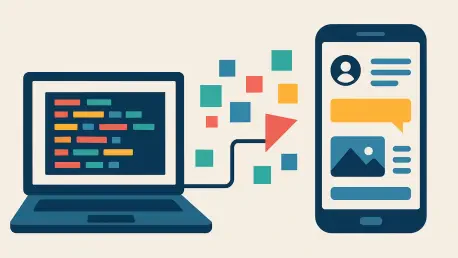
At the heart of this version is the EDGE engine, a sophisticated translation layer that turns standard Blade components into native mobile views with surgical precision. This engine does not simply render HTML that the phone interprets; rather, it parses the Blade structures and maps them to the corresponding native primitives on the target device. This innovation is complemented by a shared memory communication system that effectively eliminates network latency between the PHP runtime and the native OS layer. By sharing a memory space, the application can pass data and events back and forth without the need for a serialized web bridge, which was the primary bottleneck in older hybrid architectures. This low-level integration allows for instantaneous UI updates and a degree of reactivity that rivals modern frontend frameworks. The removal of the web-view bridge means that animations are smoother, input lag is non-existent, and the overall battery consumption of the application is significantly reduced compared to browser-based solutions.
Furthermore, the mechanics of SuperNative rely on a binary interpretation system that converts Blade templates into a compact format that can be read by an on-device interpreter. This interpreter is responsible for building the UI tree on the fly, ensuring that the application remains lightweight while providing full access to native capabilities. Performance gains are most evident during app startup and heavy data processing tasks, where the reduced overhead allows the PHP environment to initialize much faster than in previous versions. Beyond pure speed, this architecture brings built-in accessibility support that is often difficult to implement correctly in a hybrid environment. Native support for screen readers, dynamic text sizing, and other platform-specific assistive technologies is baked into the engine from the ground up. This ensures that applications built with this framework are inclusive and compliant with modern accessibility standards without requiring additional effort from the developer to bridge web and native accessibility APIs.
3. The Development Experience: Component Classes and Navigation
The development workflow in the fourth version will feel remarkably familiar to those who have worked with modern reactive PHP frameworks, specifically inheriting a Livewire-style logic. Developers create PHP classes that extend the NativeComponent base class, which is then paired with a specific Blade template to define the visual structure. This setup includes all the familiar features that make PHP development efficient, such as public properties that sync with the UI, action methods for handling user input, and lifecycle hooks for managing data state. This approach allows a developer to manage a complex mobile screen with the same mental model used for building a dynamic web page. The routing system has also been overhauled to accommodate native navigation patterns, such as stacks and tabs. Routes are now defined in a dedicated mobile configuration file using a specialized macro, ensuring that the navigation logic is separated from the web routes to prevent conflicts and maintain a clean architectural boundary.
To facilitate the construction of these native screens, the framework introduces a set of mobile primitives that replace traditional HTML tags. Instead of using standard web elements like divs and spans, developers use native-specific tags like column, text, and pressable, which are then styled using Tailwind CSS classes. This provides a bridge between the familiar utility-first styling approach and the constraints of native mobile layouts. To enhance the testing experience, the Jump Utility has been introduced as a companion application for developers. This tool allows for a live preview of work on actual physical hardware by simply scanning a QR code generated by the development server. This eliminates the constant need to compile and deploy to a simulator for every small visual change, significantly speeding up the design and iteration process. By providing immediate feedback on physical devices, the utility ensures that developers can catch layout issues or touch-target problems early in the production cycle.
4. Migration Strategies: Bridging Legacy and Native Environments
Recognizing that many developers have existing projects, the framework provides a clear path for incremental migration that does not require a total rewrite of the codebase. Existing applications can continue to use their current web-view layouts by embedding them as specific components within the new native screens. This hybrid capability allows teams to modernize their applications piece by piece, starting with high-traffic areas like the home screen or navigation menus before moving more complex logic into the SuperNative architecture. To maintain performance during this transition, embedded web views run on their own isolated PHP runtime. This prevents the web-view logic from competing for resources with the native UI components, ensuring that the overall user experience remains stable even when mixing legacy and modern rendering techniques. This isolation is a critical feature for maintaining the integrity of the application as it scales and becomes more complex during the migration period.
This architectural flexibility is supported by integrated core plugins that have been folded into the main package to simplify the development environment. Tools for interacting with device hardware, managing dialogs, handling file systems, and accessing system functions are now part of the core distribution rather than separate dependencies. This consolidation reduces version conflicts and ensures that the native-to-PHP bridge remains consistent across different parts of the application. For developers moving from earlier versions, the process involves a systematic removal of older standalone plugins to make room for these unified core features. This structural refinement ensures that the application remains lean and that all native calls are handled through a single, optimized pathway. By centralizing these system-level interactions, the framework provides a more predictable environment for building feature-rich applications that require deep integration with the underlying mobile operating system without the complexity of managing a fragmented plugin ecosystem.
5. Quality Control: Advanced Testing and Deployment Procedures
Quality assurance in the new version has been elevated through the introduction of the FakeBridge utility, which allows for sophisticated verification of the UI and system calls. This utility captures the entire UI tree and any native interactions, allowing developers to write tests that verify exactly what is being sent to the mobile OS without needing a physical device or a heavy simulator. Using the Pest testing framework, native screens can be tested in a continuous integration environment, enabling automated checks for UI state changes and logic flow. This headless testing capability includes the ability to simulate user actions like taps and swipes, asserting that the application state updates correctly in response. Such a robust testing suite is vital for maintaining high software quality in the fast-moving mobile market, where device diversity can often lead to unexpected bugs. These tools empower developers to ship code with confidence, knowing that the native interactions have been thoroughly vetted in a controlled environment.
The transition to this fourth iteration necessitated a systematic approach to cleaning up legacy package dependencies. Developers found that removing standalone core plugins such as those for device and file handling was a critical prerequisite for stability. Once the environment was sanitized, the focus shifted toward updating configuration files to align with the new requirements of the native runtime. Rebuilding the infrastructure through the provided command-line utilities allowed teams to deploy the latest architectural enhancements immediately. Moving forward, the emphasis rested on refining the use of TreeObservers to gain deeper insights into runtime UI behavior and implementing enhanced security attributes to protect data integrity. This evolution effectively empowered engineers to build more resilient mobile software without the burden of historical technical debt. Adopting these refined workflows ensured that the mobile ecosystem remained vibrant and capable of meeting the demands of high-performance modern computing.