
The digital landscape has transformed from a collection of static local environments into a continuous stream of cloud-integrated updates that fundamentally redefine the way human beings interact with their personal computing hardware. This evolution marks a departure from the traditional concept of an operating system as a mere file manager, positioning it instead as a gateway to a broader, interconnected service platform. The Windows 11 ecosystem represents this transition by blending modern aesthetic sensibilities with a high-performance backend, aiming to unify the disparate needs of gamers, professionals, and casual users. This review examines the intricate layers of this framework, evaluating whether the technical sophistication truly justifies the shift toward a more restrictive, service-heavy architecture.
The Evolution and Architecture of the Windows 11 Framework
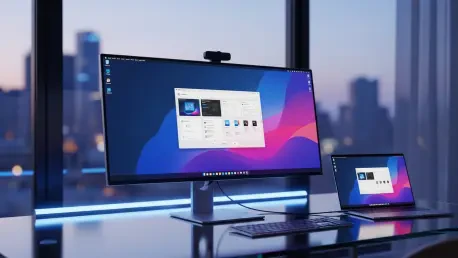
The transition from legacy Windows structures to the current framework involved a fundamental reimagining of the core system components. Historically, Windows relied on a monolithic architecture where major updates arrived in multi-year intervals, often leading to technical stagnation. In the current landscape, the architecture has shifted toward a service-oriented model, where the operating system functions as a modular entity capable of receiving frequent, agile updates without requiring a total system overhaul. This agility is powered by the “Mica” design language, which is more than a visual skin; it is a material design philosophy that leverages translucency and layered textures to create depth while maintaining system efficiency by reducing heavy translucent rendering loads on the hardware.
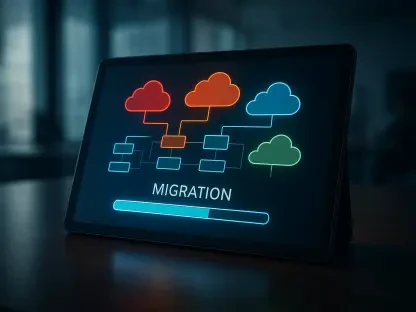
Furthermore, the relevance of this architecture is underscored by its deep integration with cloud services. As decentralized work becomes the standard, the framework prioritizes cross-platform synchronization, allowing users to move seamlessly between mobile devices and desktop environments. This shift represents a broader industry movement where the local machine is no longer an isolated island but a node in a global network. The iterative development cycle ensures that security patches and feature enhancements are deployed with a frequency that was previously impossible, reflecting a modern need for a resilient and adaptive digital workspace.
Key Technical Components and User Interface Enhancements
Modernized Navigation and Taskbar Dynamics
The most visible change in the current ecosystem is the overhaul of the Taskbar and Start Menu, which moved toward a centered alignment to improve ergonomics on modern, ultra-wide monitors. This change is not merely cosmetic; it reflects a shift in user behavior where a centralized focal point reduces neck strain and mouse travel distance. The Start Menu has abandoned the sprawling “Live Tiles” of the past in favor of a simplified, grid-based layout that emphasizes recently used files and pinned applications. This design prioritizes immediate access to data, acknowledging that users now interact with a higher volume of documents and web-based tools than in previous computing generations.
However, the functional performance of these changes has sparked debate regarding the removal of legacy features, such as the ability to move the Taskbar to different sides of the screen. While the new navigation provides a cleaner aesthetic, some power users find the streamlined approach limiting for specialized workflows. The transition toward a simplified interface suggests that the developers prioritized accessibility for the general public over the deep customization options that defined the platform for decades. This trade-off highlights the tension between maintaining a cohesive visual identity and supporting the granular needs of a diverse user base.
System Performance and Update Optimization
Technical improvements beneath the surface have significantly enhanced the overall system responsiveness. The Windows Update engine has undergone a massive transformation, utilizing more efficient compression algorithms and background resource management to ensure that updates are smaller and faster to install. This optimization addresses one of the longest-standing grievances of the ecosystem, where system restarts used to be time-consuming and disruptive. By prioritizing background installations, the system ensures that the hardware remains available for productive tasks while maintaining the latest security standards.
Moreover, the way the operating system manages system resources during periods of inactivity has become much more sophisticated. Modern power states and improved scheduling for multi-core processors allow the environment to balance high performance with energy efficiency. This is particularly relevant for laptop users who require longevity without sacrificing the speed needed for complex computational tasks. The backend efficiency suggests that the ecosystem is being built with hardware sustainability in mind, ensuring that the software does not outpace the capabilities of the machines it inhabits.
Current Trends and Shifts in the Operating System Landscape
The industry is moving away from the “product” model toward “Software as a Service,” and this ecosystem is at the forefront of that change. Constant feature drops have replaced the traditional biennial releases, creating a platform that is in a state of perpetual refinement. This approach allows the developers to react quickly to emerging technological trends, such as the rapid rise of generative AI and decentralized cloud computing. By treating the operating system as an evolving service, the providers can ensure that the platform remains relevant in a fast-paced market.
Community feedback has also taken a central role through the Windows Insider Program, which serves as a massive testing ground for experimental features. This feedback loop has been instrumental in shaping UI adjustments and fixing technical bugs before they reach the wider public. In addition to community engagement, there is a clear shift toward integrating AI assistants directly into the native environment. These tools are no longer separate applications but are baked into the search bar and productivity apps, reflecting an industry-wide push to make artificial intelligence a fundamental component of the daily computing experience.
Strategic Implementations and Sector-Specific Applications
Hybrid work environments have benefited immensely from the ecosystem’s focus on window management and virtual desktops. Features like Snap Layouts allow users to organize multiple windows into precise configurations with a single click, which is essential for managing the cognitive load of multitasking. Virtual desktops have also been refined to allow different themes and application sets for separate tasks, effectively partitioning one’s professional life from personal use. This structural support for organization makes the platform a powerful tool for knowledge workers who must juggle various digital responsibilities simultaneously.
In the gaming sector, the integration of technologies like Auto HDR and DirectStorage has bridged the gap between high-end console hardware and the personal computer. DirectStorage, in particular, allows for significantly faster load times by enabling the GPU to decompress game data directly from the storage drive, bypassing the traditional CPU bottleneck. For enterprise settings, the focus remains on hardware-backed protection. The requirement for TPM 2.0 ensures that security is rooted in the physical components of the machine, providing a level of defense against sophisticated cyber threats that software alone cannot achieve.
Critical Obstacles and Systemic Limitations
The Erosion of User Autonomy and Mandatory Cloud Integration
Despite technical advancements, a significant challenge remains regarding the mandatory requirement for a Microsoft Account during the setup process. The systematic removal of official local account pathways has created a barrier for users who value privacy or operate in offline environments. This move toward mandatory cloud integration forces an identity-locked experience that can feel restrictive. By tying the operating system so closely to a single account, the ecosystem risks alienating individuals who prefer to keep their computing habits disconnected from a central corporate identity.
Privacy Concerns and the Telemetry Framework
Telemetry and data collection continue to be major points of contention within the user base. The diagnostic data framework is designed to collect performance metrics, yet the lack of transparent, one-click opt-out solutions remains a hurdle for the privacy-conscious. Navigating complex menus to limit data transmission is a tedious process that many feel should be simplified. The ongoing debate over how much data an operating system should collect highlights a fundamental disagreement between corporate data needs and individual privacy rights, leaving a gap in trust that has yet to be bridged.
User Interface Inconsistency and Technical Debt
The aesthetic journey of the ecosystem is hindered by persistent technical debt, particularly the ongoing struggle to migrate legacy Control Panel elements to the modern Settings app. This duality creates a jarring experience where modern, sleek menus suddenly give way to windows designed three decades ago. Furthermore, the dark mode implementation remains incomplete across all system dialogues, leading to visual inconsistencies that detract from the “Mica” design’s polished promise. These remnants of the past suggest that beneath the modern surface, the foundation is still a patchwork of different eras.
Integrated Promotion and Interface Clutter
Another systemic limitation is the use of the interface as a platform for service monetization. The presence of “nudges” and “recommendations” that promote specific web browsers or cloud storage services can make the operating system feel like a billboard rather than a neutral tool. When an OS begins to prioritize service promotion over user utility, it risks cluttering the workflow and frustrating users who have already paid for the software. This trend reflects a broader shift in the tech industry where the user experience is increasingly secondary to the goals of ecosystem lock-in and recurring revenue.
Future Outlook and Emerging Breakthroughs
Looking ahead, there is a clear demand for a more granular, “leaner” installation experience. Users are increasingly vocal about the desire to opt-out of pre-installed bloatware during the initial setup, which would allow for a more personalized and efficient system from day one. If the ecosystem moves toward a minimalist installation path, it could significantly improve performance on entry-level hardware and appeal to power users who demand total control. This potential for modularity could be the next major breakthrough in making the platform truly adaptable to individual needs.
Deeper AI integration is also expected to redefine daily computing tasks, moving toward a truly unified, cross-device interface. Imagine an environment where the operating system anticipates user needs based on context, automatically organizing files and suggesting workflows. However, the long-term sustainability of this model will be tested by the rise of lightweight, web-based operating systems. To remain competitive, the ecosystem must balance its feature-rich nature with the speed and simplicity that modern web-first users have come to expect.
Final Assessment of the Windows 11 Ecosystem
The review of the Windows 11 ecosystem determined that it functioned as a sophisticated but controversial evolution of the modern desktop. While the platform succeeded in delivering high-performance gaming features and robust security through hardware-backed requirements, it also prioritized corporate service integration over user autonomy. The dual nature of the operating system became apparent as it balanced the beauty of the Mica design against the persistent technical debt of legacy menus. Users moved toward a cloud-first reality, but they often did so with a sense of caution regarding privacy and the mandatory account mandates that defined the era.
Ultimately, the ecosystem proved to be a powerful tool for hybrid work and high-end productivity, yet it lacked the transparency that many long-time enthusiasts demanded. The transition to a service-oriented model ensured frequent updates and a more secure environment, but the integration of promotional “nudges” served as a reminder of the shifting priorities in the tech landscape. Moving forward, the industry must decide whether to continue this path of deep integration or to offer more granular control to the individual. The success of future iterations will likely depend on whether the developers can reconcile their strategic monetization goals with the fundamental human desire for a neutral, private, and customizable computing experience.