
The pursuit of a truly portable workstation has led many professionals to question whether traditional clamshell laptops remain a necessity in a landscape dominated by hyper-efficient mobile silicon and modular hardware designs. Huawei has positioned the MatePad Air 2026 as a direct challenger to the established laptop market, leveraging a proprietary Kirin chipset that bridges the performance gap between mobile efficiency and desktop-grade processing power. While previous iterations felt like secondary companions, this latest model introduces a sophisticated software environment designed to handle multi-threaded applications and complex file management without the latency often associated with tablet operating systems. The shift toward specialized hardware that prioritizes light-weight portability without sacrificing thermal performance signifies a turning point for mobile computing. High-resolution displays with adaptive refresh rates now provide the visual fidelity required for creative workflows, suggesting that the barrier to entry for professional-grade tablet usage has finally been dismantled through persistent engineering and hardware integration.
Performance Architecture: Bridging the Power Gap
The core of the MatePad Air 2026 lies in its advanced octa-core architecture, which utilizes a 3-nanometer fabrication process to maximize energy efficiency while delivering substantial raw computing power. This hardware configuration enables the device to sustain high workloads, such as 4K video rendering and large-scale data processing, which were previously the exclusive domain of dedicated ultrabooks. Thermal management has been significantly improved through the implementation of a graphene-based cooling system that dissipates heat across the entire chassis, preventing the thermal throttling that often plagued thinner mobile devices. Because the integrated graphics processing unit shares a high-bandwidth memory pool with the main processor, visual tasks benefit from reduced latency and smoother transitions. This technical foundation ensures that the tablet does not merely mimic the capabilities of a laptop but matches them in terms of execution speed and reliability during intensive professional usage.
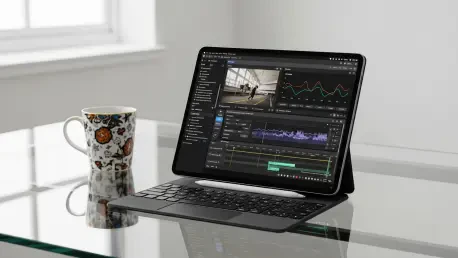
Complementing the internal processing capabilities is a 144Hz PaperMatte display that incorporates nanochemical etching to virtually eliminate screen glare in diverse lighting environments. This specific screen technology serves a dual purpose by providing a tactile, paper-like surface for stylus input while maintaining the color accuracy necessary for professional photo editing and digital illustration. The inclusion of a dedicated hardware-level blue light filter ensures that users can engage in prolonged sessions without experiencing the eye fatigue that typically accompanies high-brightness LCD panels. By integrating such a high-fidelity display with a responsive 2.0ms latency stylus, the device offers a level of precision that traditional laptops with touchscreens often fail to achieve. The seamless integration between the touch interface and the physical keyboard accessory further blurs the lines between tablet and computer, allowing for a fluid transition between different input methods depending on the task at hand.
Software Synergy: Achieving Workflow Continuity
Software optimization plays a pivotal role in determining whether a tablet can legitimately serve as a primary work device, and HarmonyOS has evolved to provide a robust desktop-like experience. The multi-window functionality now supports up to four simultaneous active applications with free-form resizing, a feature that addresses the multitasking limitations found in earlier mobile operating systems. A refined file management system allows for direct access to external drives and network-attached storage, mirroring the directory structures found on traditional desktop platforms. This level of software maturity means that professionals can manage complex project folders and move data between applications with the same ease as they would on a standard PC. Furthermore, the inclusion of a comprehensive PC-level office suite ensures that document formatting and macro support remain consistent across different platforms. These advancements suggest that the software hurdles that once prevented tablets from being taken seriously in the corporate world have been effectively overcome.
Organizations that successfully transitioned to this hardware ecosystem prioritized the security of mobile endpoints through the implementation of robust encryption and multi-factor authentication protocols. The integration of the tablet into existing corporate infrastructures necessitated a reevaluation of traditional IT management strategies to accommodate the unique requirements of a mobile-first environment. Decision-makers recognized the importance of providing comprehensive training to users to ensure they fully utilized the advanced multitasking and stylus features of the hardware. As the technological landscape favored portability and connectivity, the role of the tablet evolved from a niche accessory into a central component of professional life. The insights gained from this transition provided a clear roadmap for future hardware acquisitions, highlighting the need for devices that adapted to the shifting demands of a modern digital economy. The evolution of the workstation reached a point where the physical form was less significant than the capability and connectivity it provided.