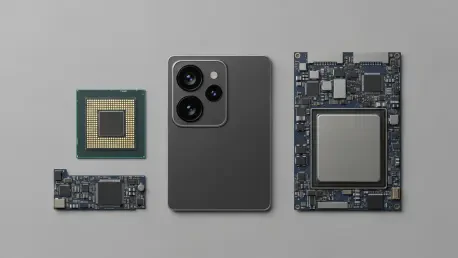

Owning a modern smartphone often feels like possessing a high-performance sports car that is only ever driven to the local grocery store at conservative speeds. While the marketing campaigns from major technology companies focus heavily on raw specifications and numerical benchmarks, the actual day-to-day utility of these devices frequently remains hidden behind several layers of menus or obscure settings that many users never bother to explore. Understanding the nuanced capabilities of a device not only justifies the high price tag but also significantly enhances personal productivity by streamlining tasks that would otherwise require multiple steps or external applications. Most individuals are currently operating with only a surface-level understanding of their mobile hardware, missing out on clever software shortcuts and hardware efficiencies that have been refined over several iterations of the mobile operating system. By diving into the specific functionalities that go beyond basic messaging and social media, users can transform their interaction with technology into a more fluid and efficient experience that respects their time and cognitive load.
1. Assessing the True Impact: Why Newer Processors Matter
The introduction of the latest A-series silicon chips always generates significant headlines, yet the average user may find that these hardware leaps do not immediately translate into a different daily experience. For common activities such as sending encrypted messages, scrolling through social media feeds, or browsing the web, the performance delta between a two-year-old chip and the current flagship model is almost imperceptible. These processors are engineered with immense overhead, meaning they spend most of their operational life functioning at a fraction of their total capacity. The true benefit of these advanced chips is found in heavy-duty workflows, such as rendering high-resolution 4K video directly on the device or managing the complex mathematical calculations required for on-device generative artificial intelligence. For the typical consumer, the primary advantage of a newer processor is not immediate speed, but rather the long-term support for future software updates and the efficiency of the neural engine.
Beyond the raw clock speeds and benchmark scores, modern mobile processors focus heavily on energy efficiency and thermal management to ensure that the device remains cool during extended use. The integration of specialized cores for specific tasks allows the phone to offload background processes without draining the battery or slowing down the primary user interface. This architectural design ensures that even as applications become more demanding between 2026 and 2028, the hardware remains capable of delivering a responsive experience. While a newer chip might not make a text message send any faster, it does provide the foundation for advanced computational photography and real-time language translation that occurs entirely on the device. Investing in the latest silicon is essentially a strategy for future-proofing, ensuring that the device remains functional and secure as software environments evolve. Users should recognize that the hardware is built to handle the future, even if current tasks seem handled easily.
2. Optimizing Visual Fluidity: The Role of ProMotion Displays
The ProMotion feature found in high-end mobile models represents a significant shift in how users perceive motion and responsiveness on a handheld screen. Unlike standard displays that operate at a fixed refresh rate, this technology allows the screen to dynamically adjust its frequency up to 120Hz depending on the content being viewed. This results in incredibly smooth scrolling and more fluid animations that make the device feel significantly more responsive to touch inputs. It is important to note that while this feature enhances the perception of speed and smoothness, it does not actually increase the resolution or the color accuracy of the panel itself. The primary goal is to synchronize the display’s output with the user’s physical interaction, creating a seamless bridge between the software interface and the human hand. Once a user becomes accustomed to the high refresh rate, standard screens can often feel sluggish or stuttery in comparison, highlighting the impact of this subtle engineering.
In addition to improving the aesthetic quality of motion, the variable refresh rate is a critical tool for preserving battery life during periods of inactivity. When the screen is displaying a static image or a block of text that is not being moved, the system can drop the refresh rate to as low as 1Hz, drastically reducing the power consumption of the display panel. This intelligent management ensures that users get the best of both worlds: a highly responsive experience when playing games or scrolling through long documents, and an efficient power profile when simply reading an article or checking a notification. This technological implementation demonstrates how high-end hardware features are often designed to balance performance with longevity. By prioritizing the fluidity of motion over raw pixel density, the system provides a more tangible improvement to the user experience that is visible every time the screen is touched. The focus remains on the quality of the interaction rather than just the technical specifications.
3. Expanding Photographic Options: Versatility Over Raw Quality
When evaluating the camera systems of modern smartphones, many consumers mistakenly believe that a higher number of lenses automatically translates to a higher quality image. In reality, the proliferation of camera modules on the back of a device is intended to provide a greater variety of shooting options rather than just improving the resolution of a single shot. The primary lens is the workhorse of the system, optimized for the vast majority of daily photos and offering the best performance in low-light conditions. However, the addition of specialized hardware allows users to capture perspectives that were previously impossible on a mobile device. Each lens serves a distinct purpose within the photographic ecosystem:
- Primary Lens: Used for standard daily photos.
- Ultra-Wide Lens: Best for capturing broad landscapes or large groups.
- Telephoto Lens: Designed for zooming in without losing detail.This trio of lenses provides a comprehensive toolkit for users to document their lives in diverse environments.
The true strength of a multi-lens system lies in its ability to offer optical zoom and wide-angle perspectives without the distortion or loss of detail associated with digital cropping. Instead of relying on software to blow up pixels, the device switches to a dedicated telephoto lens to maintain clarity at a distance. Similarly, the ultra-wide lens allows for dramatic architectural shots and expansive natural scenes that would be impossible to fit into a standard frame. Understanding which lens to use in a given situation is more important than the total megapixel count of the sensor. Furthermore, the software works in the background to blend data from multiple sensors, improving the dynamic range and color accuracy of every image captured. This synergy between hardware and software ensures that the camera remains a versatile tool for both casual snapshots and more artistic endeavors. The focus is on providing the right tool for the specific visual challenge at hand, ensuring that no moment is out of reach for the user.
4. Understanding Memory Management: RAM Versus Internal Storage
A common point of confusion for many smartphone owners is the difference between system memory, known as RAM, and internal storage, which is used for permanent file retention. Internal storage acts as the digital filing cabinet of the device, holding the operating system, installed applications, high-resolution photos, and downloaded videos. When a user chooses a device with 256GB or 512GB of space, they are essentially deciding how much physical content they can carry with them at any given time. This storage is non-volatile, meaning the data remains intact even when the device is powered off. As file sizes for media and apps continue to grow from 2026 to 2028, having adequate internal storage becomes a matter of convenience, preventing the need to constantly manage or delete files to make room for new content. However, storage capacity has no direct impact on the speed at which an application runs once it has been opened.
In contrast, RAM serves as the temporary workspace that the processor uses to handle active tasks and keep applications ready for immediate use in the background. When a user switches between a navigation app, a web browser, and a music player, the RAM stores the current state of those programs so they do not have to reload from scratch. Higher amounts of RAM allow for more aggressive multitasking, ensuring that the device remains snappy and responsive even when dozens of processes are running simultaneously. If the system memory becomes full, the device must close older apps to make room for new ones, leading to frustrating delays when the user tries to return to a previous task. Therefore, while storage dictates how much you can keep, RAM dictates how much you can do at once. Professional users who rely on their devices for heavy multitasking will find that higher RAM is far more beneficial than excessive storage that remains largely empty or filled with cloud-syncable data.
5. Implementing Hardware Shortcuts: The Back Tap Feature
The Accessibility menu contains a powerful hidden feature known as Back Tap, which effectively turns the entire rear surface of the device into a massive, pressure-sensitive button that works even when a protective case is installed. By navigating to the Touch settings, users can assign specific actions to a double or triple tap on the back of the phone, drastically reducing the number of screen interactions needed for common tasks. This feature is particularly useful for individuals who frequently find themselves needing to capture information quickly or operate their device with a single hand while on the move. To set this up, one should go to Settings, then Accessibility, then Touch, and scroll down to the bottom to find the Back Tap option. You can configure it to:
- Snap a screenshot.
- Toggle the flashlight.
- Quickly open the camera.
- Execute specific shortcuts.This level of customization allows for a highly personalized workflow that caters to specific professional or personal needs.
The versatility of the Back Tap feature extends beyond simple system toggles and can be integrated with the Shortcuts app to trigger complex automation sequences with a few taps. For example, a user could set a double tap to automatically log their current location or start a voice memo, providing a tactile way to interact with the device without looking at the screen. This functionality is especially helpful in situations where visual attention must be directed elsewhere, such as during a meeting or while walking. Because the sensor relies on the accelerometer to detect the specific vibration pattern of a tap, it is surprisingly accurate and resistant to accidental triggers in a pocket or bag. By leveraging the physical hardware in this creative way, the device becomes more than just a screen; it becomes a multi-dimensional tool that responds to the user’s physical environment. This hidden shortcut is a prime example of how software can unlock new utility from existing hardware components without requiring additional buttons.
6. Enhancing Text Precision: The Spacebar Trackpad Method
Editing long blocks of text on a mobile device has traditionally been a source of frustration due to the difficulty of placing the cursor precisely between small characters. Many users still struggle with the magnifying glass interface or attempt to tap the screen repeatedly to correct a minor typo in the middle of a sentence. However, a much more elegant solution exists within the virtual keyboard that transforms the entire typing area into a precise trackpad. By utilizing this feature, users can navigate through paragraphs with the same level of control they would expect from a traditional laptop mouse. This hidden functionality significantly speeds up the editing process, making it much easier to draft emails or take detailed notes while away from a desk. To activate this mode and improve your text editing efficiency, follow these simple steps:
- Long-press the spacebar.
- Slide your thumb around to move the cursor exactly where you want it.This method eliminates the guesswork and tactile errors commonly associated with on-screen text manipulation.
The trackpad mode is not limited to just moving the cursor; it also allows for quick text selection when used in conjunction with a second finger. While the spacebar is held and the cursor is active, tapping the keyboard with another finger enables selection mode, allowing the user to highlight words or sentences with surgical precision. This level of control is essential for power users who frequently move text between different applications or need to apply formatting to specific sections of a document. The seamless transition from typing to navigating ensures that the user’s rhythm is not broken by the need to reach for the top of the screen or struggle with inaccurate touch targets. It is a subtle but transformative tool that highlights the importance of gesture-based navigation in modern software design. Mastering this shortcut can turn a cumbersome task into a smooth and efficient operation, proving that the most useful tools are often the ones that require the least amount of visual clutter.
7. Generating Perfect Graphics: The Intelligent Shape Correction
For individuals who use their mobile devices for brainstorming, note-taking, or annotating screenshots, the ability to create clean and professional diagrams is often limited by the precision of their fingertip. Drawing a perfect circle, a symmetrical star, or a straight arrow on a glass surface is a challenge even for the most artistically inclined users. Fortunately, the operating system includes a built-in shape recognition engine that automatically polishes rough sketches into perfect geometric forms. This feature is integrated directly into the markup tools available in the photo gallery, notes app, and document editor, providing a professional finish to hand-drawn annotations. By using this tool, users can create instructional images or organizational charts that look like they were designed using professional graphic software. The process for utilizing this intelligent correction is straightforward:
- Draw a basic shape like a star or a circle.
- Pause and keep your finger on the screen after finishing the drawing.
- Let the phone snap the sketch into a clean, geometric version.This simple gesture bridge the gap between human input and digital perfection.
The shape recognition software is capable of identifying a wide variety of common symbols, including squares, triangles, pentagons, and even complex speech bubbles or hearts. This functionality is particularly valuable in a professional context where clarity and presentation are paramount, such as when providing feedback on a design project or highlighting specific data points in a report. By removing the jagged edges and inconsistent lines of a freehand drawing, the device ensures that the final product is legible and aesthetically pleasing. This feature reflects a broader trend in mobile computing where artificial intelligence is used to augment human capability rather than replace it. It allows for the spontaneity of a hand-drawn note while maintaining the professional standards of digital documentation. For anyone who has ever felt frustrated by their inability to draw a straight line on a screen, this hidden correction tool is an essential addition to their digital toolkit, making communication more effective and visually engaging.
8. Extracting Digital DatThe Power of Live Text
The ability to interact with the physical world through the lens of a camera has been greatly expanded by the introduction of Live Text, a feature that utilizes advanced optical character recognition. This technology allows the device to identify and extract text from photos, videos, and even the live camera preview in real-time. Whether it is a phone number on a business card, a tracking code on a shipping label, or a recipe in a printed cookbook, the software treats the image as a searchable and interactive document. This eliminates the need to manually type out long strings of characters, reducing the risk of errors and saving a significant amount of time. The data extracted can be used to make phone calls, send emails, or look up directions with a single tap, effectively turning every image into a gateway for further action. To utilize this feature within your existing media library, use the following steps:
- View a picture that has text in it.
- Touch and hold the specific words you want.
- Select the text to copy or share it.This capability transforms the way users gather and store information from their environment.
Beyond simple copying and pasting, Live Text is integrated with system-wide translation services, allowing users to instantly convert foreign languages found on signs or menus into their native tongue. This makes the device an indispensable companion for international travel or multi-language professional environments between 2026 and 2028. The software is also intelligent enough to recognize specific types of data, such as dates or flight numbers, and offer to add them directly to a calendar or tracking application. By treating the visual world as a structured database, the device enables a level of productivity that was previously reserved for dedicated desktop scanners. The privacy-focused design ensures that all text recognition happens locally on the device’s neural engine, meaning that sensitive information is never uploaded to external servers for processing. This powerful combination of utility and security demonstrates how mobile devices have evolved into sophisticated data acquisition tools that simplify complex tasks through intuitive visual interaction.
9. Controlling Light Distribution: Advanced Flashlight Customization
The flashlight on a mobile device is one of its most frequently used features, but many users are unaware that its functionality has evolved beyond a simple on-and-off switch. In newer hardware iterations, the light-emitting diode is paired with sophisticated software controls that allow for the adjustment of both intensity and the physical focus of the beam. This is particularly useful in scenarios where a broad, diffused light is needed to illuminate a room, or conversely, where a narrow, focused beam is required to see into a tight space or read at night without disturbing others. The interface for these controls is often tucked away in the Control Center or integrated into the Dynamic Island, providing a tactile and visual way to manage the output of the hardware. This level of control ensures that the device can adapt to a wide range of lighting needs, from emergency situations to casual everyday use.
The ability to toggle between different beam patterns is achieved through the use of specialized lens arrays that can shift their properties based on user input. When accessing the flashlight interface, a simple vertical swipe adjusts the brightness through several levels, while a horizontal swipe or a specific toggle allows the user to transition between a narrow, focused beam and a wider, diffused light. This granular control is a significant improvement over the static flashlights of the past, providing a more versatile tool for navigation and task-oriented lighting. Furthermore, the system is designed to remember these settings, allowing for a consistent experience every time the flashlight is activated. By providing this level of customization, the device moves closer to the functionality of a dedicated tactical flashlight, all while remaining a sleek and portable communication tool. This focus on practical, real-world utility ensures that the hardware remains relevant and useful in a variety of unpredictable environments.
10. Practicing Sustainable Upgrading: The Value of Longevity
The relentless cycle of annual hardware releases can often make consumers feel as though their current devices are obsolete long before they have reached the end of their functional life. However, modern smartphones are engineered with such high standards of durability and performance that skipping yearly upgrades has become a viable and often preferable option for the majority of users. The incremental changes introduced in each new generation, while technically impressive, rarely provide a life-changing difference in the daily routine of a standard user. If a device continues to run applications smoothly and the screen remains free of significant damage, the most important factor in its longevity is the health of the battery. By focusing on maintenance rather than replacement, users can maximize the value of their initial investment while reducing the environmental impact associated with electronic waste.
A healthy battery is the key to maintaining peak performance, as the operating system may throttle the processor if the power cell can no longer provide the necessary voltage. Instead of purchasing an entirely new device, a simple battery replacement can often restore an older phone to its original speed and reliability for a fraction of the cost. Additionally, the software support for modern devices is exceptionally long, with security updates and feature improvements continuing for many years after the initial release. This means that a device purchased today will remain secure and capable well into the late 2020s. By recognizing that the most sustainable and cost-effective approach to technology is to use what you already own, consumers can break free from the pressure of the upgrade cycle. The decision to keep a device for several years is supported by the high build quality and the robust secondary market for parts and services, ensuring that your technology serves you well for as long as possible.
Strategic Decisions for Future Device Management
The transition from a passive user to an informed power user required a shift in perspective regarding how personal technology was utilized on a daily basis. Those who took the time to master the hidden shortcuts and advanced settings of their existing hardware found that the need for frequent upgrades diminished as the utility of their current device increased. It was observed that the most significant improvements in mobile productivity often came from software mastery rather than the acquisition of new hardware components. By utilizing features like Live Text, Back Tap, and advanced cursor control, individuals were able to streamline their workflows and reduce the time spent on repetitive tasks. This proactive approach to technology management proved that the true value of a smartphone was found in the depth of its features rather than the novelty of its aesthetic design.
Maintaining a focus on battery health and system hygiene allowed many to extend the lifecycle of their devices well beyond the traditional two-year window. This shift toward digital sustainability not only provided financial benefits but also encouraged a more deliberate and thoughtful relationship with mobile tools. Future considerations for device ownership emphasized the importance of software longevity and the actual practical application of new hardware features over marketing hype. Users who prioritized functionality over trend-driven purchases discovered that their devices remained highly capable and relevant in an ever-changing digital landscape. Ultimately, the journey toward technical proficiency was defined by an understanding that the most powerful tool is the one that is fully understood and utilized to its maximum potential. This approach ensured that the relationship between human and machine remained efficient, productive, and focused on meaningful outcomes.