
The release of the watchOS 27 beta marks a definitive shift in how wearable technology integrates with the daily life of a modern user by transforming the Apple Watch into a highly capable digital assistant. This latest iteration is not merely an incremental update but a comprehensive overhaul that leverages advanced artificial intelligence to provide a level of contextual awareness previously reserved for high-end specialized equipment. By establishing specific hardware requirements that start with the iPhone 11 and Apple Watch Series 9—encompassing the Ultra 2, Ultra 3, and SE 3—the development team has ensured that the underlying processing power is sufficient to handle the demanding tasks of on-device machine learning and cloud-integrated data synthesis. The central theme of this software release revolves around a revamped Siri experience that utilizes a more human-like reasoning engine to assist with complex tasks without the latency found in previous software versions. Wearers will find that the device now anticipates their needs with accuracy, suggesting applications and shortcuts based on location, time, and biometric data. This seamless integration of hardware and software aims to reduce the friction of digital interactions, allowing for a focused experience in both professional and personal environments. Early testing suggests that the watch has transitioned from a passive health monitor into an active participant in daily routines, providing real-time insights that feel almost telepathic in their delivery.
1. Installation Procedures: Navigating the Beta Environment
The initial phase of accessing the watchOS 27 beta involves a structured enrollment process designed to ensure device compatibility and data security for early testers. Users must first register for the Apple Beta Software Program by using their Apple ID to enroll their specific devices into the official testing cohort, which grants access to the necessary configuration profiles. It is critical to understand that the wearable update cannot be initiated until the paired smartphone is running the corresponding iOS 27 beta software. To achieve this, the user navigates to the Settings menu on their iPhone, selects the General tab, and then enters the Software Update section to choose the Beta Updates option. Once the iOS 27 installation is complete and the smartphone has restarted, the foundation is laid for the subsequent watch update. This sequence prevents synchronization errors and ensures that the advanced AI features have the necessary mobile architecture to function correctly during the testing period.
Upon successfully updating the iPhone, the process shifts to the dedicated Apple Watch application to begin the wearable’s transformation into the new operating environment. Within the application, the wearer must navigate to the My Watch tab and locate the General settings, followed by the Software Update menu where the Beta Updates selection will now be visible. Selecting the watchOS 27 beta prompts a download that typically requires about an hour to complete, depending on network speeds and the complexity of the data migration. To ensure a successful installation, the Apple Watch must remain connected to its charger throughout the entire process and be kept in close physical proximity to the paired iPhone. This hardware requirement is non-negotiable, as the energy-intensive nature of the update could deplete the battery and cause system instability if the power source is interrupted. Once the installation finishes, the device restarts with a completely refreshed interface, signaling the successful deployment of the next generation of wearable intelligence.
2. Artificial Intelligence: The New Siri Ecosystem
The core of the watchOS 27 experience is the migration of assistant services into a dedicated Siri AI application, which fundamentally changes how users interact with their devices. Instead of a simple voice overlay, the assistant now occupies a persistent space accessible directly via the Digital Crown, allowing for more robust interactions and visual feedback. This dedicated environment supports a dynamic app grid that intelligently reorganizes itself based on the specific habits and needs of the wearer at any given moment. For instance, if the user typically checks their schedule at the start of the day or monitors their heart rate during the afternoon, those specific tools will surface automatically. This shift toward a predictive interface minimizes the need for manual scrolling, effectively turning the watch into a proactive tool that presents information before a query is even articulated. The result is a streamlined user experience that feels remarkably intuitive and personalized.
Beyond the interface changes, the intelligence of the assistant has been significantly bolstered through a strategic partnership with Google, integrating Gemini capabilities into the local Siri framework. This integration allows for a sophisticated contextual dialogue where the assistant can maintain a back-and-forth conversation by remembering the details of previous questions and maintaining continuity across multiple topics. If a user asks about the weather in a specific city and then follows up with a question about local restaurants, the AI understands the geographic context without needing the location repeated. Furthermore, the inclusion of Gemini enables the watch to provide more detailed, internet-searchable information that exceeds the capabilities of standard on-device databases. This hybrid approach combines the privacy of on-device processing with the vast knowledge base of a modern large language model, ensuring that the wearer has access to complex data summaries and nuanced explanations directly from their wrist.
3. Health Optimization: Fitness Tracking and Wellness Tools
Significant advancements in the health and fitness department introduce a standalone workout motivator that operates independently of the paired iPhone through a cellular connection. This functionality allows athletes to receive real-time coaching and encouragement during outdoor activities without the added weight or distraction of a mobile phone. The AI motivator is programmed to provide positive reinforcement rather than criticism, focusing on maintaining morale during challenging physical segments or slower workout phases. By analyzing heart rate variability and movement consistency, the digital coach offers verbal cues that help the user stay within their target training zones. This shift in tone from a metric reporter to an active training partner creates a more engaging environment for those who rely on wearable technology to reach their performance goals. The ability to receive these updates over cellular networks ensures that the data is synchronized with cloud services even when the primary device is not present.
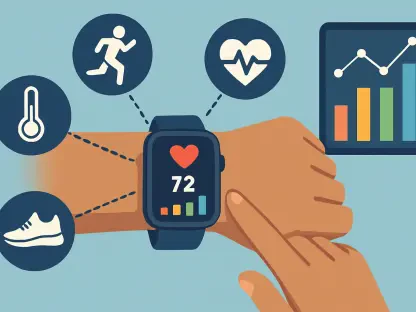
The software also broadens the scope of its health monitoring by introducing expanded metrics and linguistic support designed for a global audience. Detailed feedback on exercise rings now includes durability scores and stamina projections, which assist users in understanding how their current exertion levels will affect their recovery over the next few days. Additionally, the inclusion of full support for the Spanish language in AI-driven fitness coaching makes these advanced tools accessible to a much wider demographic. A particularly noteworthy addition is the suite of cycle tracking updates specifically tailored for monitoring perimenopause and menopause symptoms. These tools provide women with the ability to track hormonal shifts and physical changes with greater precision, offering insights into long-term trends that can be shared with healthcare providers. This commitment to specialized health tracking demonstrates a maturation of the platform as a comprehensive medical companion rather than just a simple fitness tracker.
4. Interface Dynamics: Navigation and Smart Stack Integration
Navigation within watchOS 27 has been refined through the implementation of precise gesture controls that allow for one-handed operation in a variety of scenarios. A single-tap gesture on the screen or via the double-tap finger movement now selects a specific widget to open its associated application, while a dedicated double-tap motion scrolls through the list of available widgets in the Smart Stack. This tactile interface allows users to interact with their device even when their other hand is occupied, which is particularly useful during commutes or while carrying groceries. The responsiveness of these gestures is tuned to the specific haptic engine of the newer hardware models, ensuring that the feedback feels crisp and immediate. By reducing the reliance on the Digital Crown for every interaction, the software creates a more versatile navigation system that adapts to the physical constraints of the wearer’s environment.
The Smart Stack itself has evolved into a contextual repository that surfaces relevant tools and documents based on the wearer’s physical location and current activity. For example, when the watch detects that the user has arrived at an airport, the stack automatically surfaces digital identification cards and boarding passes, eliminating the need to search through folders. Similarly, as the user approaches a subway station, the system prioritizes transit cards for quick entry. This location-aware intelligence extends to daily utilities, such as new widgets for noise monitoring in loud environments or a parking tool that automatically marks the location of a vehicle when a disconnection from a car’s Bluetooth system is detected. These contextual widgets operate in the background, ensuring that the most necessary information is always the most accessible. This focus on utility ensures that the device remains a helpful tool that saves time throughout a busy day.
5. Security and Infrastructure: Refining the User Experience
The safety features and system refinements in watchOS 27 focus on both the physical security of the user and the overall efficiency of the device’s hardware. Updated “Apple Watch for Your Kids” features provide parents with more granular tools for managing screen time and monitoring the safety of their children from a distance. During active phone calls, the system now provides call context by displaying relevant business information, such as confirmation numbers for appointments or customer service details, directly on the call screen. This addition prevents the need to scramble for a pen and paper while speaking. Visually, the operating system has been polished with a “Liquid Glass” design aesthetic that utilizes higher contrast levels to improve readability in direct sunlight. The Find My application has also received a map-focused update, allowing for more precise tracking of lost items with an interface that provides a better sense of spatial orientation.
In terms of system infrastructure, the new software introduces a proactive battery management system that optimizes power consumption based on usage patterns. The AI monitors which features are being used and proactively shuts down background processes that are not relevant to the current task, significantly extending the time between charges. This is particularly beneficial for the Ultra models, where the combination of large batteries and efficient software allows for multi-day usage even with the AI features active. Furthermore, the visual enhancements are not merely aesthetic; the improved contrast and simplified map views in the Find My app ensure that users can navigate the interface quickly and without confusion. These behind-the-scenes refinements work in tandem with the more visible AI updates to create a stable and reliable platform that prioritizes both user safety and device longevity in a professional-grade wearable.
Future Considerations and Strategic Implementation
The transition to this advanced software required a comprehensive understanding of both the hardware limitations and the potential for artificial intelligence to enhance daily productivity. Users who successfully navigated the beta installation process gained immediate access to a more responsive and intelligent ecosystem that prioritized context over raw data. The inclusion of Gemini-backed Siri interactions established a new benchmark for what a wearable assistant could achieve, moving away from simple voice commands toward meaningful digital partnership. This shift suggested that the future of wearable technology will be defined by how effectively a device can anticipate human needs without constant manual input.
As the software moves closer to a public release, the focus remained on refining the balance between proactive features and user privacy. The actionable next steps for those currently utilizing the beta involved providing detailed feedback on the accuracy of the contextual widgets and the effectiveness of the AI motivator. These contributions helped the development team fine-tune the algorithms that govern power management and linguistic accuracy in the fitness suite. The lessons learned during this testing phase paved the way for a more stable and capable final product that successfully bridged the gap between a standard smartwatch and a truly intelligent personal operative tool.