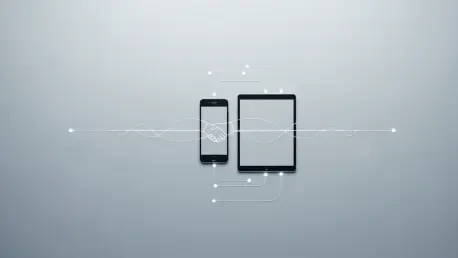

The traditional frustration of transferring a live workflow from a compact smartphone to an expansive tablet remains one of the most persistent hurdles for modern digital professionals. Google’s recent announcement at I/O suggests that this fragmentation is finally nearing its end. With the introduction of “Continue On” in Android 17, the transition between hardware is no longer a manual chore but a background handshake, signaling a fundamental shift in how people perceive the boundaries of mobile devices.
The End of the Digital Stop-and-Start
The friction of switching from a smartphone to a tablet often feels like hitting a wall, forcing people to manually re-open files or email links just to keep working. This new system promises to eliminate that “stop-and-start” rhythm by synchronizing activity states in real time. Instead of searching for a document again, the secondary device simply knows what was happening on the primary screen.
This change transforms the tablet from a secondary media consumption tool into a primary production canvas. By removing the technical barriers to entry, the operating system encourages users to move fluidly between different form factors. The result is a more dynamic environment where the hardware adapts to the user’s physical context rather than the other way around.
The Push for a Unified Android Ecosystem
For years, the Android experience faced criticism for feeling like a collection of isolated islands rather than a cohesive continent. While hardware specs surged, the software bridge between a handheld phone and a professional-grade tablet remained thin. Android 17’s focus on cross-device continuity addresses a growing demand for a “liquid” interface—where the task, not the specific device, is the priority.
This evolution is essential for Google to compete with established ecosystem integrations and to prove that its software can serve as a powerhouse for both mobile mobility and large-screen productivity. By creating a unified standard, the platform reduces the cognitive load required to manage multiple devices. It signals a move away from standalone gadgets toward a decentralized computing experience.
Breaking Down the “Continue On” Framework
Android 17 introduces a sophisticated dual-layered approach to task persistence that ensures users are never stranded. The primary method relies on deep integration between native applications. When a person edits a document on a phone, the system broadcasts the activity state to nearby linked devices. On a tablet, this manifests as a subtle suggestion in the taskbar, allowing a jump into the exact line of text with a single tap.
To prevent the “app not installed” roadblock, Google implemented a web-based fallback system. If the receiving tablet lacks the specific application being used on the phone, Android 17 intelligently redirects the task to the default web browser. This ensures that the workflow remains uninterrupted, leveraging the power of web-based tools until a return to a native environment is possible.
While the technology supports bidirectional communication, the initial rollout specifically optimizes the transition from smaller screens to larger ones. This strategic choice targets the productivity gap, encouraging users to start quick tasks on the go and move to an expansive canvas for deep work. It effectively positions the tablet as a seamless extension of the smartphone.
Expert Perspectives on Ecosystem Integration
Industry analysts view the release of Android 17 as an aggressive attempt to solve the “context switching” problem once and for all. Software architects note that by providing developers with tools to link app states, Google created a standard that rivals the seamlessness of proprietary closed-loop systems. This move significantly lowered the barrier for third-party developers to participate in a multi-device future.
Early testers reported that the “Continue On” feature felt less like a new utility and more like a natural evolution of the operating system. It effectively made the hardware choice secondary to the user’s intent, fostering a sense of continuity that was previously missing. This shift in architecture likely redefined how manufacturers design hardware to complement the software.
Preparing for the Transition to Android 17
To take full advantage of these capabilities, professionals began streamlining digital habits well before the final release. Identifying core productivity apps and verifying if developers adopted the latest API features became a crucial first step. Moving toward apps that prioritized synchronization ensured a smoother transition once the update officially launched.
The backbone of this continuity feature was the unified user identity. To ensure devices could see each other, all hardware was linked to the same primary Google account. Organizing cloud storage and account permissions prevented configuration headaches during the initial setup of the feature. This preparation allowed for a future where digital boundaries finally faded away.