
The realization that a desktop operating system must accommodate human behavior rather than dictate it has sparked a massive wave of interface revisions for Windows 11. These updates signify a pivotal shift in how Microsoft approaches the intersection of design aesthetics and functional utility in the personal computing sector. While the initial release of the operating system emphasized a minimalist, centered aesthetic inspired by modern mobile platforms, the current trajectory reflects a return to the power-user flexibility that defined earlier iterations. This evolution serves as a response to the diverse needs of a global workforce that demands both visual cohesion and deep customization.
Evolution of the Windows 11 User Experience
The progression of the Windows 11 interface began with a philosophy of “calm” and “simplicity,” which introduced the Fluent Design System and a centered taskbar to modern computing. This approach was intended to reduce cognitive load by streamlining the desktop environment, yet it initially stripped away several legacy features that professionals relied upon for daily efficiency. Over the recent years leading into 2026, the technology has evolved from a rigid, aesthetics-first framework into a more adaptable environment that attempts to balance modern visual standards with the high-performance requirements of legacy users.
This technological evolution is highly relevant in the broader landscape as operating systems face increasing pressure to harmonize mobile-style simplicity with desktop-level complexity. By refining its core principles, Windows 11 has moved toward a hybrid model where the interface acts as a transparent layer between the user and their tasks. The context of this shift is rooted in the competitive need to retain a dominant market share against specialized operating systems that offer more streamlined, single-purpose workflows. Consequently, the interface is no longer just a static visual shell but a dynamic system that learns from and adapts to individual usage patterns.
Functional Enhancements to Core UI Components
Taskbar Versatility and Placement
The restoration of taskbar mobility represents one of the most significant performance enhancements in the current software cycle. For years, the restriction of the taskbar to the bottom of the screen was a primary point of friction for users with unconventional hardware configurations. The latest updates have reintroduced the ability to dock the taskbar at the top or sides of the display, which is a critical development for individuals utilizing ultra-widescreen monitors or multi-monitor arrays. This change allows for better utilization of vertical screen real estate, reducing the travel distance for the cursor and enhancing overall ergonomic comfort during extended sessions.
Furthermore, the implementation of a “small taskbar” mode provides a solution for those operating on compact mobile devices or high-density displays. Previously, icon scaling was handled by automated system logic, which often failed to maximize available space effectively. By handing this control back to the user, the operating system improves visibility and information density. The technical achievement here lies in the modularity of the UI code, which now allows for these adjustments without breaking the underlying Fluent Design animations or alignment logic, ensuring a smooth transition between different display orientations.
Modular Start Menu Customization
The Start menu has undergone a structural transformation that emphasizes modularity over the previous one-size-fits-all approach. By introducing specific size presets, the interface now allows users to choose between a minimalist launcher or a comprehensive information hub. This change is particularly vital for countering the perception of “bloat” that often accompanies modern operating system updates. The ability to toggle the “Recommended” section independently from system jump lists means that users can maintain a clean workspace without sacrificing the utility of quick-access file histories in other parts of the system.
This modularity reflects a deeper technical refinement where the Start menu functions more like a customizable dashboard than a simple list of applications. Users can now decouple cloud-integrated suggestions from their local file structures, providing a layer of privacy and focus that was previously absent. This implementation is unique because it moves away from the aggressive integration strategies seen in earlier builds, favoring a user-defined hierarchy of information. In real-world usage, this translates to faster application launching and a significantly reduced distraction level, as the menu only presents the data points the user has explicitly authorized.
Shifts in Development Philosophy and User Feedback Integration
The current landscape of Windows development suggests a fundamental change in how the developer interacts with its massive community. There is a noticeable trend toward iterative, feedback-driven design, where experimental channels are used to vet features before they reach a general release. This “listen-first” strategy marks a departure from the earlier “top-down” approach where interface changes were forced upon the population without significant consultation. By utilizing telemetry and community forums more transparently, the development team has managed to prioritize the “low-hanging fruit” of user complaints, such as taskbar mobility, which has rebuilt a degree of trust among enthusiasts.
Moreover, this shift indicates an industry-wide trend toward “soft” software cycles, where major changes are introduced as optional toggles rather than mandatory overhauls. This philosophy acknowledges that the user base is not a monolith; what works for a creative professional on a tablet may not suit a developer on a workstation. The integration of feedback into the core development loop has resulted in a more stable and high-performing interface that feels less like a corporate mandate and more like a collaborative tool. This trend is likely to continue as the lines between professional and personal computing continue to blur.
Real-World Applications and Deployment Scenarios
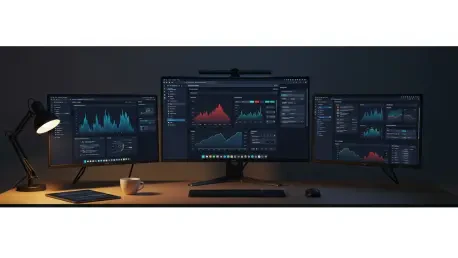
In high-stakes professional environments, the revamped interface has found immediate utility, particularly within sectors that rely on complex, multi-window workflows. Software engineers and data analysts who manage vast amounts of information across several screens have benefited from the improved taskbar placement and Start menu minimalism. For these users, the ability to reclaim even a small percentage of screen real estate or reduce a single click in the navigation process results in significant productivity gains over time. The deployment of these features in corporate environments has shown a measurable decrease in user-reported frustration regarding interface limitations.
Another unique deployment scenario involves the education sector, where the simplified “small” UI modes allow for easier management of devices with limited screen sizes. Students and educators can customize their environments to highlight essential tools while hiding distracting recommendations, fostering a more focused learning atmosphere. These real-world applications demonstrate that the interface updates are not merely cosmetic; they are functional improvements that address specific pain points across diverse industries. The technology is being used to bridge the gap between high-end hardware capabilities and the practical, daily needs of the average worker.
Critical Obstacles to User Autonomy and System Adoption
Despite these advancements, significant hurdles remain that could impede widespread adoption and long-term user satisfaction. The mandatory requirement for a cloud-integrated account during system setup remains a major point of contention, as it tethers the operating system to a specific service ecosystem. This lack of a clear, local-only setup path is often viewed as a limitation on user autonomy, creating a barrier for those who prioritize privacy or operate in offline environments. While UI flexibility has increased, the underlying account architecture remains rigid, representing a conflict between design freedom and corporate data strategies.
Additionally, the presence of internal promotions and “recommendations” within a paid operating system creates a dissonant user experience. Many critics argue that a premium platform should be free of advertising-like content, which can clutter the interface and detract from the professional aesthetic. While some progress has been made in allowing users to hide these elements, the absence of a system-wide “clean” toggle suggests that the battle between user experience and promotional revenue is far from over. These obstacles represent a critical trade-off where the user gains interface control but loses a degree of systemic independence.
Future Trajectory of the Windows Operating Environment
Looking toward the horizon of 2028, the trajectory of the operating environment appears to be moving toward an even more decentralized and AI-driven interface. It is probable that future breakthroughs will involve a “liquid” UI that changes its layout automatically based on the user’s current context, predicted needs, and hardware sensors. This would mean that the taskbar and Start menu might not just be movable, but could entirely transform or disappear when not needed, leaving a truly immersive workspace. Such a development would revolutionize the industry by making the operating system a proactive assistant rather than a reactive foundation.
The long-term impact of these changes will likely be a more cohesive integration between local computing power and cloud-based services, but with a greater emphasis on user-defined boundaries. As the interface becomes more intelligent, the challenge will be to maintain the transparency and control that users have fought to regain. If successful, this trajectory will solidify the position of the desktop as the central hub for professional life, even as specialized mobile devices continue to proliferate. The industry can expect a move away from static menus toward fluid, intent-based navigation systems that prioritize efficiency above all else.
Assessment of the Current Technological Landscape
The current state of the Windows interface was characterized by a successful reconciliation between modern design and historical utility. Significant progress was made in addressing the most vocal complaints of the user base, particularly regarding taskbar flexibility and Start menu bloat. These updates successfully transformed a polarizing interface into a more versatile tool that accommodated a wider range of professional and personal workflows. The technology proved that a centralized design could still allow for decentralized user preferences, marking a win for those who value customization.
However, the journey was not without its complications, as the tension between corporate agendas and user autonomy remained a defining feature of the era. The persistence of account mandates and internal marketing served as a reminder that the interface was still a vehicle for service integration. Ultimately, the impact of these updates was positive, establishing a foundation for a more responsive and intelligent computing environment. The move toward a more iterative development model ensured that the operating system remained relevant in a rapidly changing technological landscape, setting the stage for future innovations in human-computer interaction.