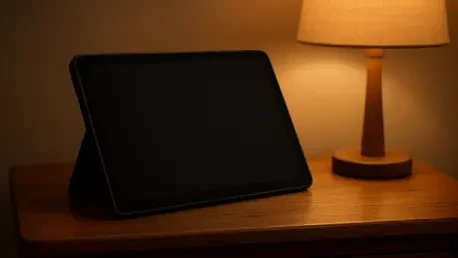

The 12.1-inch IPS LCD display utilizes an Indium Gallium Zinc Oxide backplane to achieve a 120Hz refresh rate while maintaining significantly higher energy efficiency than traditional panels. This technological choice serves as the foundation for a device that intentionally ignores the industry’s fixation on ultra-slim dimensions in favor of functional density. In a market where competitors often sacrifice battery volume and acoustic resonance for a profile as thin as a notepad, the Tab Plus Gen 2 embraces a unique architectural “bump” that swells from a modest 6.8mm at the edges to a substantial 22.7mm at the rear housing. This extra space is not merely a design quirk; it is a structural necessity for the sophisticated nine-unit speaker array engineered in collaboration with JBL. While this makes the tablet considerably heavier than its peers at 775 grams, the trade-off results in an integrated audio experience that traditional, slim tablets simply cannot replicate without external accessories. This design philosophy emphasizes that the tablet is less a mobile workstation and more a dedicated home entertainment hub, propped up and ready for immersive consumption.
Immersive Audio and Visual Performance
Superior Sound Engineering: The JBL Collaboration
The standout feature of the Tab Plus Gen 2 is undoubtedly its audio system, which transforms the device into a portable soundbar that redefines expectations for mobile sound. The internal hardware consists of four tweeters, three woofers, and two passive radiators, all contained within a 43cc speaker box designed to move enough air for genuine low-end resonance. This setup delivers a massive 48W of stereo sound, further enhanced by Dolby Atmos tuning that provides a wide, cinematic soundstage. When playing action-heavy films or intricate musical scores, the level of richness and bass depth far exceeds the capabilities of any smartphone or standard tablet currently on the market. It effectively eliminates the tinny, high-pitched limitations that usually plague small drivers, allowing users to experience clear dialogue and impactful sound effects without reaching for a pair of headphones or a Bluetooth speaker.
For those who want to leverage this specialized hardware for more than just movies, the tablet includes a “Bluetooth speaker mode” that significantly increases the utility of the device. This functionality allows users to pair their smartphones with the tablet, utilizing its superior JBL array to play music from other sources as if it were a high-end dedicated speaker. While it may not entirely replace a premium standalone unit for a large outdoor gathering, it provides exceptional clarity and volume for indoor listening in a bedroom, kitchen, or small office. The system software even offers distinct equalization profiles for movies, music, and gaming, ensuring the audio is always optimized for the specific frequency ranges of the content being consumed. This versatility ensures the tablet remains useful even when the screen is turned off, functioning as a centerpiece for home audio.
Display Quality: Clarity and Environmental Limitations
Visually, the tablet provides a sharp and fluid experience through its 12.1-inch IPS LCD screen, which balances pixel density with operational efficiency. With a resolution of 2560 x 1600 and a smooth 120Hz refresh rate, the display ensures that animations are crisp and scrolling through media libraries feels incredibly responsive. The 16:10 aspect ratio is particularly well-suited for modern cinematic content, striking a “sweet spot” that reduces the size of black bars during movie playback compared to squarer tablet formats. With a peak brightness of 800 nits, the screen is vibrant and easy to see in most indoor settings, providing punchy colors and deep enough contrast to make high-definition streaming content look impressive. The inclusion of the Indium Gallium Zinc Oxide backplane helps the device maintain these high performance metrics without putting an undue strain on the power reserves.
However, the visual experience is not without its specific technical hurdles, particularly regarding the management of environmental reflections. Despite manufacturer claims of an anti-reflective coating, the display surface remains highly reflective and can often act like a mirror in brightly lit rooms or when displaying dark, atmospheric scenes in a film. This limitation reinforces the idea that the Tab Plus Gen 2 is a device meant for controlled indoor environments rather than a versatile outdoor companion. It excels in a dimly lit bedroom or a cozy living room where lighting can be adjusted to minimize glare, but it struggles significantly if used under direct sunlight or harsh overhead office lighting. Users looking for a truly versatile outdoor screen may find the glossy finish distracting, though for its intended purpose as a home media hub, the clarity of the panel generally outweighs these reflective tendencies.
Internal Hardware and Daily Performance
Balanced Processing: The Dimensity Framework
Under the hood, the device is powered by the MediaTek Dimensity 7400 chipset, which positions the tablet firmly in the mid-range performance category suitable for modern consumers. This octa-core processor is more than capable of handling everyday tasks such as browsing heavy web pages, multitasking between social media apps, and streaming high-definition video without noticeable lag. While it does not aim to break benchmarking records or compete with the raw computational power found in high-end flagship tablets, it remains consistently responsive for its intended entertainment purposes. The hardware configuration is rounded out with 8GB of RAM, which provides a sufficient ceiling for keeping several background applications active simultaneously. This ensures that switching from a streaming service to a messaging app feels fluid and does not result in constant app reloads that can disrupt the user experience.
Storage flexibility is another area where this tablet caters to the needs of media-heavy users through its expandable architecture. The device comes in base configurations of either 128GB or 256GB, but the vital feature is the inclusion of a microSD card slot that supports up to 2TB of additional storage. This is a critical inclusion for users who prefer to carry an enormous library of offline movies and music, especially when traveling or in areas where high-speed internet connectivity is unreliable. By allowing for massive local storage, Lenovo has ensured that the tablet remains a viable entertainment source regardless of the network environment. For security, the device skips the biometric fingerprint scanner in favor of basic face detection and traditional PIN methods. While this might feel like a minor step back for those used to instant thumbprint unlocks, it remains a functional compromise for a device that mostly stays within the safety of the home.
Battery Endurance: Longevity and Rapid Recovery
Given its thicker profile and the space afforded by the rear speaker housing, Lenovo was able to pack in a massive 10,200mAh battery that provides exceptional endurance. In real-world usage during 2026, the device can easily last through multiple days of intermittent streaming, gaming, and reading on a single charge. During heavy testing, the energy consumption remained remarkably low, drawing only about 9% of its battery capacity per hour while streaming high-bitrate content from modern video platforms. This level of efficiency makes it a reliable companion for long-haul travel, where it can provide entertainment for the duration of a transcontinental flight and still have plenty of power remaining upon arrival. The combination of a large physical battery and the energy-efficient display technology ensures that the user is rarely tethered to a wall outlet during the day.
When the battery finally runs dry, the 45W wired charging support provides a relatively quick turnaround for such a large-capacity cell. The tablet is capable of reaching a 50% charge in less than 40 minutes and can be topped up to 100% in roughly an hour and a half, provided the user employs a compatible high-wattage power brick. This charging speed is significantly faster than many other tablets in this mid-range price segment, which often languish with slower protocols that take several hours to refill large batteries. This rapid recovery capability is particularly useful for families where the device might be shared between different users throughout the day, allowing for short charging bursts that provide hours of additional runtime. This efficiency minimizes downtime and reinforces the tablet’s role as a consistently available resource for household entertainment and casual information retrieval.
Software Ecosystem and Longevity
User Interface: Productivity and Interface Optimization
The tablet ships with Android 16 and Lenovo’s ZUI 18 interface, which includes several features specifically tailored to maximize the utility of the 12.1-inch screen. A persistent app dock at the bottom of the display makes it easy to jump between favorite programs, while robust support for split-screen and floating windows makes multitasking straightforward and intuitive. This software layer attempts to bridge the gap between a simple mobile operating system and a more complex desktop-like experience, allowing users to watch a video in one window while browsing the web in another. However, the software experience is somewhat marred by the presence of preinstalled third-party applications, often referred to as bloatware. While most of these extra apps can be uninstalled or disabled, their presence during the initial setup can be a slight annoyance for users who prefer a clean, streamlined operating system from the moment they turn on the device.
While the tablet supports the Lenovo Tab Pen Plus and can be paired with external Bluetooth keyboards, it is clearly not designed as a primary productivity machine for heavy office work. The lack of pogo-pin connectors for a dedicated keyboard folio means that users must rely on wireless connections, which can occasionally suffer from minor latency compared to physical attachments. Furthermore, the software shows some inconsistency in app optimization; while productivity suites and browsers scale well to the large display, some major entertainment and social media apps do not always take full advantage of the tablet’s unique dimensions or high refresh rate. This suggests that while the hardware is versatile, the software ecosystem is still catching up to the specific requirements of oversized entertainment tablets. For most users, these quirks are minor hurdles in a generally smooth and user-friendly interface that prioritizes accessibility and ease of navigation.
Software Lifecycle: Maintenance and Future Support
One of the more significant considerations for prospective buyers of the Tab Plus Gen 2 is Lenovo’s relatively conservative approach to long-term software support. The company has guaranteed only two major Android OS updates and security patches that will extend from 2026 to 2030. In a current market where some competitors are increasingly offering four or even five years of system updates for their mid-range hardware, this shorter window may be a deterrent for buyers looking for a long-term investment. By 2028, the tablet may start to feel somewhat outdated in terms of the latest software features and security protocols, even if the internal hardware is still performing at a high level. This policy places the device in a shorter lifecycle category than its flagship counterparts, though it remains sufficient for those who view the tablet as a casual media player rather than a primary computing device.
The integrated camera system is another area where the device remains functional without attempting to replace a dedicated camera or a high-end smartphone. The 13MP rear camera and 8MP front camera are adequate for scanning documents or participating in casual video calls, but they tend to struggle with dynamic range and exhibit noticeable noise in low-light conditions. The front camera is correctly placed on the long edge of the bezel, which is the ideal orientation for landscape video conferencing via Google Meet or Zoom. This positioning ensures that the user appears centered during calls while the tablet is propped up on its kickstand. However, both sensors require a well-lit environment to produce a clear, professional image, reinforcing the fact that these cameras are secondary components in a device built for consumption rather than creation. They serve their purpose for quick communication, but they are not the main draw for this specific hardware configuration.
Market Value and Final Assessment
Strategic Positioning: Defining the Modern User
The Lenovo Tab Plus Gen 2 stands as a definitive example of a niche product that succeeded by identifying a specific gap in the modern tablet market. It was not designed to appeal to the digital nomad who requires the thinnest possible profile for travel, nor was it intended for the professional creative who needs the highest possible color accuracy for photo editing. Instead, the developers focused on the homebound user who viewed a tablet as a portable television and high-quality speaker system. By leaning into this role, the device offered a level of audio depth and structural convenience that was missing from generic slabs. The integrated kickstand removed the friction of finding a stand or leaning the device against household objects, making it an ideal companion for the kitchen counter or the nightstand where it could reliably function as a media anchor.
In terms of market value, the device provided hardware features—most notably the JBL eight-speaker array and the rotating ring stand—that were simply unavailable on more expensive, “premium” tablets. It solved the common problem of requiring external accessories to enjoy high-quality sound or a stable viewing angle, offering a streamlined, all-in-one solution for the home. While it possessed clear weaknesses in terms of screen glare and a shorter software support window, its strengths in battery longevity and acoustic immersion made it a compelling alternative to more traditional designs. For the price point, it offered a specialized set of tools that enhanced the experience of watching movies, listening to music, and casual gaming in a way that generalized tablets often failed to do. It was a bold experiment in form factor that proved there was a market for “chunky” hardware if it provided a significant boost to the sensory experience.
Final Synthesis: Evaluation of the Media Hub Model
The Lenovo Tab Plus Gen 2 established itself as a successful departure from the standardized mobile design language by prioritizing substance over slimness. By reclaiming the space usually reserved for aesthetics and filling it with high-fidelity audio components and a robust battery, Lenovo created a device that genuinely improved the quality of stationary media consumption. The inclusion of the IGZO display technology and the efficient MediaTek processor ensured that the experience remained fluid and long-lasting, even if the tablet was not the fastest on the market. It was a device that understood its limitations and leaned heavily into its strengths, providing a unique value proposition for those who used their tablets primarily within the home. The integrated kickstand and the Bluetooth speaker mode were practical innovations that turned a simple screen into a versatile household tool.
Moving forward, the success of this model suggested that there was a growing segment of users who were tired of the “glass slab” paradigm and welcomed devices with more character and built-in utility. While future iterations would benefit from more aggressive anti-glare coatings and a more ambitious software update schedule, the Tab Plus Gen 2 provided a solid foundation for the category of entertainment-first tablets. It was a device that felt most effective when it was not being carried, but rather when it was being used to fill a room with sound and vibrant visuals. For the consumer who valued an immersive, hassle-free media experience over the latest benchmarks or the thinnest profile, this tablet remained a highly recommended choice. It proved that in the world of mobile technology, sometimes going bigger and heavier was the only way to deliver a truly high-fidelity experience that stood out from the crowd.