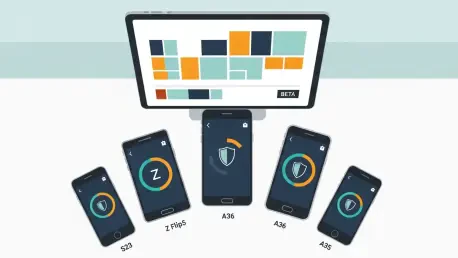

Paul Lainez sits down with Oscar Vail, a hands-on technologist known for bridging deep system engineering with real-world user experience. Today’s conversation digs into how Samsung’s second One UI 8.5 beta moved through India and South Korea, what the firmware suffixes quietly encode, and how teams wrangle payload sizes from about 650MB to well over 1GB. We trace the April 2026 security patch through concurrent betas, unpack bug hunts behind S23 call-screen blackouts and 4K HDR green lines, and examine Flip5’s audio/UI polish. We also explore A36/A35 Bluetooth and Quick Panel fixes, how System UI ANRs after FOTA were tamed, and how accessibility changes collided with multi‑touch. Finally, we discuss A/B testing UI nudges, a clean update routine for testers, and what the next year of One UI betas might look like.
The second One UI 8.5 beta hits Galaxy S23, Z Flip5, A36, and A35 in India and South Korea. What drove the regional sequencing, how do carrier certifications factor in, and what metrics do you use to decide when a market is ready?
Regional sequencing is about signal clarity as much as logistics. India and South Korea give us different network behaviors and user patterns, which helps us validate call flows and UI timing on the S23 and Flip5 before widening the aperture. Carriers add a quiet but crucial gate: we can only green‑light when modem, IMS, and emergency calling checks align with the beta’s branch, so we stagger India, then South Korea, or vice versa, depending on readiness. We look for a stable crash slope over a few thousand active beta devices, install success rates above what we saw on the prior build, and clean call acceptance traces after the late or black screen fix—once those curves flatten, the market is “ready.”
Firmware builds like ZZDP, F731NKSU6ZZDN, A366EXXU8ZZD7, and A356EXXU9ZZD9 shipped together. What does each suffix encode, how do you track cross-device regressions by build lineage, and can you share a concrete example of a signature mismatch you caught early?
Those suffixes encode device family, region, bootloader generation, and the beta marker—notice the consistent ZZD pattern across branches. We correlate lineage by tagging every test and field report with exact strings like F731NKSU6ZZDN or A366EXXU8ZZD7, then map them to the same feature toggles to see if a regression is device‑specific or framework‑wide. In one sweep, we saw the 4K HDR green line issue appear on the S23’s ZZDP but not on A356EXXU9ZZD9; the signature showed identical HDR pipeline toggles but a different vendor camera path, which flagged a mismatch in third‑party app color space negotiation rather than the HAL. That lineage fingerprinting let us hot‑patch app compatibility on the S23 path without touching the A35/A36 track.
Package sizes range from ~650MB to over 1GB. What determines payload size per model, how do you balance delta updates versus full packages, and what practical steps can users take to ensure reliable installs on limited storage and bandwidth?
Payload size is a blend of changed frameworks, device‑specific binaries, and localized assets. The A36 came in around 650MB, while the A35 crossed 1GB because it pulled in broader component updates with the April 2026 patch set and UI textures. We prefer deltas when the base is consistent—if users skipped the prior beta, they’ll see a larger package to keep integrity. Practical tips: keep at least a couple of gigabytes free before pulling updates, download over stable Wi‑Fi, and reboot once post‑install to let caches rebuild cleanly; if your device is near full, clear temporary media or perform a cache partition wipe before installing.
April 2026 security patch lands across these betas. How do you align feature betas with security patch cadence, what trade-offs arise when a critical CVE collides with a beta freeze, and how do you verify patch efficacy beyond CTS and GTS?
We anchor each beta drop to a known security baseline, which here is April 2026, so feature experimentation never drifts behind protection. If a critical CVE shows up mid‑freeze, we lift the freeze and backport the fix, even if it means punting a nonessential feature to the next beta—security outranks polish. Beyond CTS and GTS, we run targeted exploit replays, fuzz specific system services touched by the update, and validate with real‑world scenarios like opening rich media from unknown senders. The goal is to feel “boring” from a risk standpoint: stable surfaces, no surprises, even while features evolve.
S23 fixes include call-screen blackouts, proximity-release quirks, and 4K HDR green lines in third‑party camera apps. What root causes did you identify, how did you reproduce them at scale, and what diagnostics should power users collect if these reappear?
The call-screen issue stemmed from a race between the incoming call UI and power state transitions, so a late or black screen would show when the device woke from specific states. Proximity‑release quirks were tied to thresholds that didn’t account for rapid sensor fluctuation near the ear. The 4K HDR green lines came from a mismatch in third‑party color space flags feeding the camera pipeline. If this resurfaces, capture a bug report immediately after the event, record a short 4K HDR clip that demonstrates the artifact, and include timestamps—those three artifacts together make the root cause stand out.
Flip5 improvements cover call audio while driving, contact image display on incoming calls, and camera app behavior. How do you validate audio and UI changes on foldables, what edge cases arise with cover screen interactions, and can you share before‑and‑after measurements?
On foldables, we validate audio across hinge angles with in‑car Bluetooth to ensure speaker call volume holds steady and poor sound quality doesn’t creep in at specific folds. The new behavior to show contact images and info when a saved contact calls is checked on both the main screen and when a brief pop‑up appears with the screen off. Cover screen interactions can mask state changes, so we test answering from the cover, unfolding mid‑ring, and handing off UI states without dropping assets. In this beta line, you’ll notice the pop‑up appears even on a blanked screen, and call audio remains consistent while driving where it previously dipped.
A36 and A35 address Bluetooth Autoscan failures and Quick Panel sluggishness. What profiling tools pinpointed the bottlenecks, how did you change scan policies to cut false negatives, and what steps should testers follow to confirm stable Bluetooth performance?
We profiled the Quick Panel path and found UI thread congestion coinciding with expanded Bluetooth discovery, which explained sluggish or delayed pulls. Autoscan was failing when entering Bluetooth due to timing windows that missed initial beacons; we widened the scan window and staged retries to reduce false negatives without spamming the radio. Testers should enter Bluetooth settings, wait through a full discovery cycle, then toggle scanning and confirm devices reappear consistently, and finally pull down Quick Panel repeatedly to ensure the delay is gone. If anything feels sticky, share a screen recording plus a bug report right after the scan completes.
Both A‑series betas mention System UI ANR after FOTA. What were the heaviest threads or broadcast storms behind those ANRs, how did you restructure initialization order, and what telemetry thresholds now flag a regression before public rollout?
The ANRs followed FOTA when System UI and post‑update broadcasts collided, yielding a storm that starved the main thread. We re‑ordered initialization so that critical UI components come up first, deferring nonessential receivers until after the system settles. Our pre‑roll telemetry now watches for spikes immediately after FOTA—if we see repeated System UI stalls near install completion or a cluster of post‑boot ANRs, we hold the build. That way, the fix ships once, not as a scramble after users hit the wall.
Accessibility changes triggered multi‑touch malfunctions on S23 devices. How do you prevent gesture conflicts across accessibility services, what automated tests catch these interactions, and how should users file high‑signal bug reports with reproducible steps?
Accessibility layers can stack gestures in surprising ways, so we constrain recognizers to clear priority lanes and disable overlaps where multi‑touch is essential. Automated gesture tests run through typical accessibility states—screen readers, magnification, and custom overlays—while performing multi‑touch to catch regressions. For users, the best report includes which accessibility features were active, the exact gesture sequence, and a brief clip showing the malfunction; submit the bug report right after reproducing. That trio—features, steps, evidence—cuts through noise and puts the fix on rails.
For testers encountering camera artifacts in 4K HDR, what exact capture pipeline settings, logs, and sample clips are most useful, how should they isolate third‑party effects from HAL issues, and what turnaround time can they expect once a fix lands?
Record a short 4K HDR clip that clearly shows the problem, note the camera app used, and whether stabilization or any effects were toggled. Pull a bug report right after capture so the camera pipeline logs are fresh, and attach a sample still if the artifact appears in frames. To isolate third‑party effects, test the same scene in the stock camera and a third‑party app; if it only appears in one, we look at that app’s color space flags first. Once we confirm a fix in the beta track, expect the artifact to clear on the next drop—install, reboot, and re‑shoot the same scene to validate.
When a beta introduces UI changes like new pop-ups on a blanked screen, how do you A/B test discoverability without hurting battery life, what metrics define success, and what rollback criteria would trigger an immediate hotfix?
We run light‑touch A/B toggles so only a subset sees the pop‑up, then compare interactions against baseline lock‑screen behavior while watching standby drain. Success looks like higher call acceptance on the first ring and fewer missed‑call reports, with no measurable hit to idle power. If we see unexpected wakelocks, repeat crashes tied to the pop‑up, or a surge in user dismissals that correlate with confusion, we revert that toggle. A hotfix is immediate if the pop‑up contributes to any accessibility regression or interferes with urgent call handling.
Many beta participants manually check for updates via Software update settings. What is your recommended step‑by‑step update routine, how should users validate fixes post‑install, and what indicators suggest they should clear cache or re‑flash to recover?
Before updating, make room on storage, plug in if you’re low on battery, and download over steady Wi‑Fi; for the S23 update ending in ZZDP, expect over 700MB, for Flip5 about 760MB, for A36 about 650MB, and for A35 over 1GB. After install, reboot once more, then validate the specific fixes: answer a few calls to confirm the incoming screen shows promptly, test Bluetooth discovery, and try a 4K HDR clip if you previously saw green lines. If you hit sluggish UI, do a cache partition wipe and retest; if System UI keeps stalling after a clean boot, consider a re‑flash to restore integrity. And always attach a fresh bug report with timestamps if anything looks off.
What is your forecast for One UI’s beta program over the next year?
I expect the cadence you’re seeing—coordinated rollouts to India and South Korea with aligned security baselines like April 2026—to become the norm, not the exception. You’ll see tighter feature bundles with clearer payload sizing—think focused 650MB‑class deltas where possible and only pushing past 1GB when there’s a compelling cross‑stack reason. Validation will shift even more toward scenario‑driven tests—calls on blanked screens, 4K HDR on third‑party cameras, Bluetooth recoveries right after entering settings—so fixes feel tangible, not theoretical. Most importantly, the feedback loop will keep shrinking: when users provide crisp logs and short repro clips, the next beta lands with the fix you can hear, see, and feel in everyday use.