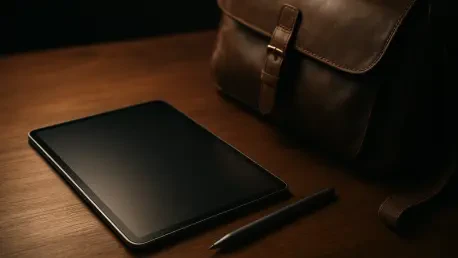

Samsung bundles the S Pen and a Book Cover Keyboard directly in the box to provide immediate utility for document drafting and digital illustration right after purchase. This strategic decision elevates the Galaxy Tab S12 Plus from a mere consumption device to a comprehensive professional workstation, positioning it as the quintessential middle-ground flagship in an increasingly crowded tablet market. By balancing the portability of a standard tablet with the expansive screen real estate typically reserved for larger devices, it serves as a versatile tool for professionals who find the standard model too cramped and the Ultra variant too cumbersome. As mobile computing continues to evolve, this device prioritizes a seamless transition between a handheld reader and a desktop-like environment, catering to corporate executives, creative designers, and field engineers who require reliability without bulk. The inclusion of high-speed 5G connectivity further ensures that the tablet remains a viable companion for those who operate outside the traditional office perimeter, offering a consistent connection in an era where cloud-based collaboration is the standard for modern productivity workflows across all major industries.
Industrial Design and Structural Integrity
Engineered with a focus on extreme thinness, the tablet features a profile measuring only 5.3mm, a feat that makes it significantly sleeker than many of its competitors and even its larger siblings. This architectural choice does not come at the expense of durability, as the chassis is constructed from high-grade Armor Aluminum. This specific alloy is selected for its superior strength-to-weight ratio, allowing the device to maintain a rigid structure while weighing only 553 grams. Such a light footprint is essential for users who frequently engage in handheld presentations or long-form digital reading, as it minimizes wrist fatigue during extended periods of use. The matte finish on the rear panel provides a sophisticated texture that resists fingerprints, maintaining a professional aesthetic even after a day of heavy handling. This design language reflects a mature approach to hardware, where every millimeter is utilized to maximize internal volume while presenting a silhouette that fits effortlessly into a slim briefcase or a messenger bag.
Beyond its aesthetic appeal, the structural design incorporates critical protection features that are often overlooked in the high-end tablet segment. The device boasts an IP68 rating, providing verified resistance against dust and water immersion, which is a rare but welcome addition for a device intended for professional use. This level of ingress protection ensures that accidental spills in a coffee shop or exposure to light rain during outdoor site inspections will not compromise the internal electronics. To safeguard the expansive glass surface, Samsung utilizes Corning Gorilla Glass 5, which offers a robust defense against the micro-abrasions and scratches that occur during daily transport. On the back, a dedicated magnetized strip provides a secure docking station for the S Pen, ensuring the stylus is always within reach and protected while the device is in transit. This holistic approach to durability demonstrates that a premium, slim device can still survive the rigors of a demanding professional life without requiring a bulky protective case.
Visual Mastery and Audio Fidelity
The centerpiece of the user experience is the 12.6-inch Dynamic AMOLED 2X display, which offers a resolution of 1,752 x 2,800 pixels for a crisp and vibrant visual output. With a 120Hz adaptive refresh rate, the screen provides fluid animations and smooth scrolling, which is particularly beneficial when navigating complex spreadsheets or editing high-frame-rate video content. For creative professionals who demand color precision, the panel covers 100% of the DCI-P3 color gamut, ensuring that digital art and photography are rendered with absolute accuracy. This makes the tablet a viable tool for professional color grading and design work on the go. The high pixel density ensures that text remains sharp even at small font sizes, reducing eye strain during deep research sessions. This display technology represents the current peak of mobile visual engineering, offering deep blacks and an infinite contrast ratio that makes every image appear three-dimensional and lifelike.
Visibility in challenging lighting environments is another area where this tablet excels, thanks to a peak brightness reaching 1,600 nits. This capability allows the screen to remain perfectly legible even under the intense glare of direct sunlight, solving a common pain point for professionals who work in outdoor settings or near large windows. Complementing the visual prowess is a sophisticated quad-speaker array that delivers an immersive audio experience with surprising depth. The speakers are tuned to provide clear, articulate highs and a respectable amount of low-end resonance, which is impressive given the thinness of the device’s frame. This audio-visual synergy creates a compelling environment for both professional video conferencing and high-end multimedia consumption. Whether the user is reviewing a cinematic edit or participating in a high-stakes virtual meeting, the combination of a class-leading AMOLED panel and high-fidelity sound ensures that every detail is conveyed with professional-grade clarity and impact.
Hardware Performance and Technical Benchmarks
Under the hood, the tablet is powered by the MediaTek Dimensity 9500 processor, a high-performance chipset that demonstrates remarkable efficiency in handling complex computational tasks. This SoC is paired with 12GB of LPDDR5X RAM, which facilitates rapid app switching and smooth multitasking. In synthetic benchmarks, the Dimensity 9500 proves its mettle, achieving a multi-core score of 9,399 in Geekbench 6 and a Vulkan graphics score of 18,877. These numbers translate to real-world performance that rivals traditional laptop processors, making it capable of running resource-intensive applications without hesitation. For users who push the limits of mobile memory, the system includes a virtual RAM feature that can allocate an additional 12GB from the 256GB UFS 4.0 storage. This effectively doubles the available memory pool, ensuring that heavy web browsers with dozens of open tabs and background rendering processes do not slow down the primary interface or cause application crashes during critical workflows.
Real-world application testing further solidifies the device’s standing as a performance leader, as it handles demanding software like the CapCut video editor and high-fidelity games like Wuthering Waves with ease. Even under sustained load, the thermal management system prevents significant throttling, maintaining a consistent performance ceiling that professional users can rely on. Connectivity is handled through Bluetooth 6.0 and WiFi 6e, providing fast and stable data transfer speeds for large file uploads and low-latency streaming. While it is worth noting that the Ultra model supports WiFi 7, the WiFi 6e implementation here remains more than adequate for most contemporary enterprise networks. The inclusion of 5G support in specific variants ensures that high-speed internet is available wherever a cellular signal exists, making this tablet a true mobile office. This robust hardware foundation ensures that the device is not just a tool for the present, but a future-proof investment capable of handling the next generation of mobile software.
Intelligent Software and Professional Integration
The software experience is centered around Android 17 and Samsung’s OneUI 9.0, a combination that emphasizes user productivity and long-term reliability. Samsung has committed to providing seven years of operating system and security updates, which means this device will remain current and secure from 2026 until 2033. This longevity is a major selling point for corporate procurement and individual professionals looking for a stable platform. The interface is further enhanced by Galaxy AI, a suite of intelligent tools designed to streamline daily tasks. Note Assist can automatically format and summarize handwritten notes, while Writing Assist helps refine professional emails and documents by suggesting tone adjustments. These AI features are integrated deeply into the system, allowing users to spend less time on administrative formatting and more time on high-value creative and analytical work, effectively acting as a digital assistant that learns and adapts to the user’s specific professional needs.
For those seeking a genuine laptop replacement, the DeX mode remains the most powerful feature in the Samsung ecosystem. It transforms the mobile interface into a desktop environment, featuring a taskbar, resizable windows, and support for a mouse and keyboard. This allows for a level of multitasking that is generally impossible on standard tablet interfaces, such as having a reference document open on one side of the screen while drafting a report on the other. Additionally, Wireless DeX allows the tablet to cast this desktop environment to a compatible external monitor or television, creating a multi-screen workstation in seconds. The generative AI tools also extend to creative pursuits, with Photo Assist and Audio Eraser providing powerful editing capabilities that were previously reserved for desktop workstations. These software advancements, combined with a commitment to long-term support, ensure that the tablet serves as a flexible and evolving hub for all aspects of a modern digital life, from intensive labor to creative expression.
Endurance Metrics and Accessory Synergy
Battery performance is a critical factor for any mobile powerhouse, and the 10,600mAh battery within this tablet is designed to meet the demands of a full professional workday. In standardized battery life tests, the device lasted nearly 13 hours under continuous productivity workloads, which translates to approximately two days of moderate use or a full day of intensive video editing and 5G data consumption. While the 45W wired charging is capable of replenishing the large battery, the sheer capacity means a full charge from zero percent takes about 100 minutes. This is a reasonable trade-off for the exceptional longevity provided, ensuring that users can travel between meetings or work in remote locations without the constant anxiety of a dying battery. The efficiency of the 4nm processor plays a significant role in this endurance, optimizing power draw during low-intensity tasks while still providing the necessary surge of energy for demanding applications.
The productivity ecosystem is completed by the S Pen and the bundled Book Cover Keyboard, both of which are designed to enhance the tablet’s utility without requiring additional configuration. The S Pen offers a tactile and responsive writing experience, making it an ideal tool for digital artists and those who prefer handwritten annotations on PDF documents. Although the included keyboard case is functional for typing and provides essential screen protection, its fixed 30-degree angle might be restrictive for users who often work on their laps or in confined spaces like airplane trays. For power users who require a more traditional laptop experience, the optional Pro Keyboard offers a built-in touchpad and a more adjustable hinge. This modular approach to accessories allows users to customize their setup based on their specific needs, ensuring that the tablet can adapt to various environments. The synergy between the high-capacity battery and the well-designed accessories makes the device a self-contained productivity suite that is ready for action immediately.
Strategic Implementation and Final Verdict
The Samsung Galaxy Tab S12 Plus functioned as a high-performance bridge between mobile convenience and professional-grade capability. During the evaluation period, the device demonstrated that its slim profile did not compromise the raw power required for modern workflows. It successfully addressed the needs of users who required a large, color-accurate display for creative tasks while maintaining a weight that allowed for effortless portability. The decision to include the S Pen and keyboard in the base package significantly improved the value proposition, as it allowed professionals to begin working immediately without the hidden costs often associated with flagship tablets. The hardware and software integration felt polished and deliberate, reflecting years of refinement in the Samsung ecosystem. By providing a reliable platform for DeX and Galaxy AI, the device proved itself to be more than just a tablet, acting instead as a versatile computing hub that adapted to different tasks with ease.
Market analysis suggested that the seven-year update commitment provided a level of security and longevity that few other manufacturers could match in the current landscape. This made the tablet an attractive option for long-term investment, especially for those who did not wish to upgrade their hardware every two years. While the lack of WiFi 7 was noted as a minor drawback for a flagship device, the overall performance of the MediaTek Dimensity 9500 and the stunning quality of the AMOLED screen outweighed this omission for the vast majority of use cases. Potential buyers were encouraged to consider the optional Pro Keyboard if they intended to use the device as their primary laptop, as the added flexibility and touchpad improved the desktop experience significantly. Ultimately, the tablet stood out as a refined and powerful choice for anyone seeking a premium Android experience that balanced sophisticated design with uncompromising performance, securing its place as a top-tier recommendation for the current year.