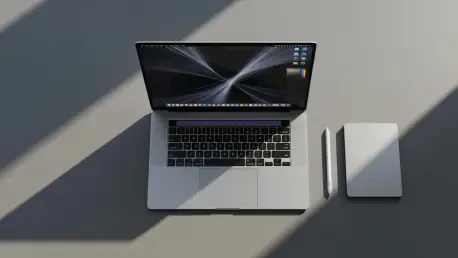

As the technological landscape continues to evolve at a breakneck pace, few names are as respected in the inner circles of hardware development as Oscar Vail. With a career dedicated to dissecting the intersection of emerging robotics, open-source architecture, and the high-stakes world of quantum computing, Vail has developed a reputation for seeing the invisible threads that connect supply chain logistics to consumer experience. Today, he joins us to discuss the turbulence currently rocking the high-end laptop market, where a global memory crisis is colliding with ambitious design overhauls. We explore the intricate reasons behind multi-year product delays, the philosophical divide between traditional input methods and the looming era of touch-enabled professional workstations, and the delicate balancing act software engineers must perform to keep legacy users from feeling left behind.
Global memory shortages and rising component costs are causing significant shifts in hardware release windows. How do these supply chain issues alter long-term production roadmaps for premium laptops, and what specific logistics dictate pushing a product launch back several years rather than just a few months?
The current memory crisis is a tightening grip that forces even the most dominant manufacturers to rethink their entire trajectory. We are seeing a situation where the availability of system RAM and SSD storage isn’t just a minor hurdle, but a foundational wall that stops production cold. For instance, the anticipated 14-inch and 16-inch MacBook Pros equipped with touchscreen technology were originally eyeing a window starting in late 2026, but the volatility has pushed those expectations firmly into early 2027. When you see a device like the Mac Studio get delayed from a mid-year launch all the way back to October 2026, you realize this isn’t about shipping logistics, but about the fundamental inability to source components at a price that keeps the product viable. These years-long shifts occur because manufacturers must wait for the global market to stabilize or for new fabrication plants to come online, ensuring they don’t release a flagship that is either immediately out of stock or priced so high it alienates the entire professional base.
Dedicated laptop users often argue that traditional trackpads and keyboards already provide a near-perfect experience for professional tasks. What strategic logic drives the decision to integrate touchscreens into high-end laptops now, and how can manufacturers demonstrate that this solves a legitimate workflow problem?
The strategic logic is often less about fixing something that is broken and more about expanding the sensory vocabulary of the machine. While many professionals feel the current trackpad and keyboard setup is nearly perfect for macOS, there is a growing push to offer “nice-to-have” extras that cater to a generation of users raised on mobile interfaces. By pairing a touchscreen with the long-awaited move to OLED technology, manufacturers are trying to create a more immersive, multi-modal environment where a quick tap or a swipe can serve as a shortcut for specific creative tasks. It is a touchy subject for many purists who feel this is solving a problem that doesn’t really exist, but the goal is to provide an additional layer of interaction without forcing it on those who prefer the tactile precision of a physical trackpad. To prove its worth, the hardware must show that it doesn’t just mimic a tablet, but actually speeds up professional editing or navigation in a way that feels organic rather than redundant.
Introducing touch capabilities often requires modifying an operating system’s interface. How can software designers implement touch-based shortcuts without degrading the experience for traditional users, and what specific steps are required to ensure the interface adapts intelligently to whichever input method a person chooses to use?
The primary challenge for software designers is to maintain the integrity of an established workflow while layering in these new touch functionalities as subtle bonuses. The most effective approach involves creating an interface that intelligently detects the active input method and adapts its hit targets and menus accordingly. This means that if you are using the trackpad, the classic, dense professional layout remains untouched, but the moment a finger approaches the screen, the system might offer translucent overlays or expanded touch zones. It is vital that these updates are treated as an additional bonus rather than a ground-up redesign, as disrupting the existing platform would be a foolish move that would alienate the millions of users who will still be on non-touch devices for years to come. By keeping the touch aspects as a non-intrusive shortcut layer, designers can ensure that the transition feels like an evolution of the existing experience rather than a forced change.
Combining high-end OLED displays with touchscreen technology significantly inflates production costs and consumer retail prices. In a market where component prices remain volatile, how do manufacturers justify these expensive upgrades, and what specific performance metrics make these features essential for modern professional workflows?
Justifying a price hike in a climate of sky-high RAM costs is an incredibly difficult sell, especially when the professional community is already feeling the sting of premium pricing. Manufacturers point to the sheer visual fidelity of OLED—its deep blacks and infinite contrast ratios—as a transformative metric for color-accurate work that justifies the entrance fee. When you add the layer of touch interactivity on top of that visual upgrade, the machine is marketed as a definitive “Pro” tool that eliminates the need for secondary tablets or external drawing monitors. However, the fear remains that these features will put more pressure on the consumer’s wallet without providing a proportional leap in actual productivity. For these upgrades to be seen as essential, the performance metrics must focus on the seamlessness of the hybrid experience, proving that the time saved through touch-based navigation and the accuracy of the OLED display outweighs the financial burden of the hardware.
What is your forecast for the future of touchscreen professional laptops?
The future of these devices depends entirely on the subtlety of their integration; I suspect that by 2027, the “touch vs. non-touch” debate will have cooled as the interface becomes almost invisible. We are moving toward a standard where the laptop is no longer a rigid clamshell but a fluid, adaptive surface that prioritizes the user’s immediate physical intent over any specific input dogma. While the current memory crisis has certainly slowed the momentum, pushing flagship releases back by several years, this breathing room might actually allow for a more refined software experience that respects traditional workflows. Ultimately, the touchscreen will not replace the trackpad, but will instead become a specialized tool for high-precision creative tasks, eventually being viewed as a standard luxury feature rather than a controversial experiment. Even with the inevitable price increases, the demand for high-end OLED panels will likely drive this transition forward until the very idea of a static, non-interactive screen feels like a relic of the past.